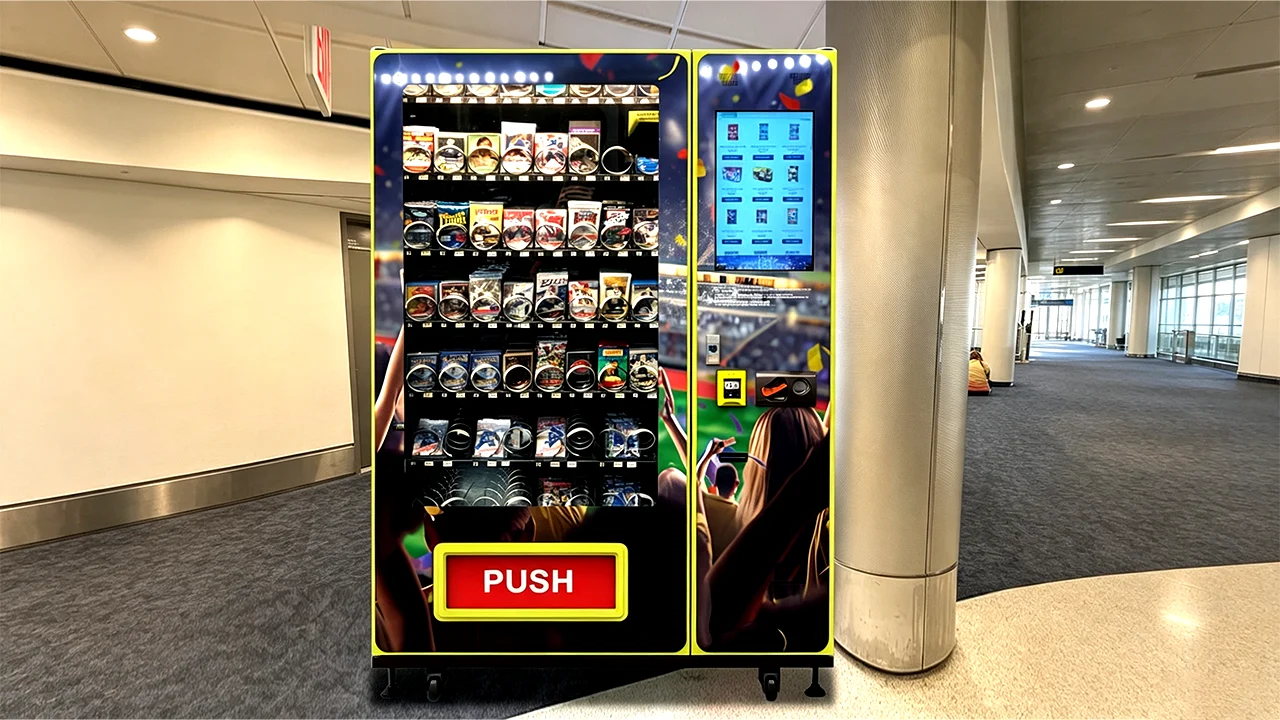
A One Piece Card Vending Machine can automate the sale of sealed booster packs, starter products, card accessories, boxed merchandise, and other compatible collectible products, but successful setup depends on far more than putting card packs into a conventional vending cabinet. Product thickness, packaging stiffness, lane width, dispensing pressure, delivery distance, payment hardware, inventory software, and restocking strategy all affect reliability. For this guide, I’m prioritizing the factors that matter when configuring a commercial machine around real card products: what can physically fit, how much inventory can realistically be loaded, which dispensing system is appropriate, how to protect packaging, and how to estimate operating economics before ordering equipment. A well-configured machine should behave like a compact automated card store, not a snack machine with trading cards squeezed into unsuitable coils.
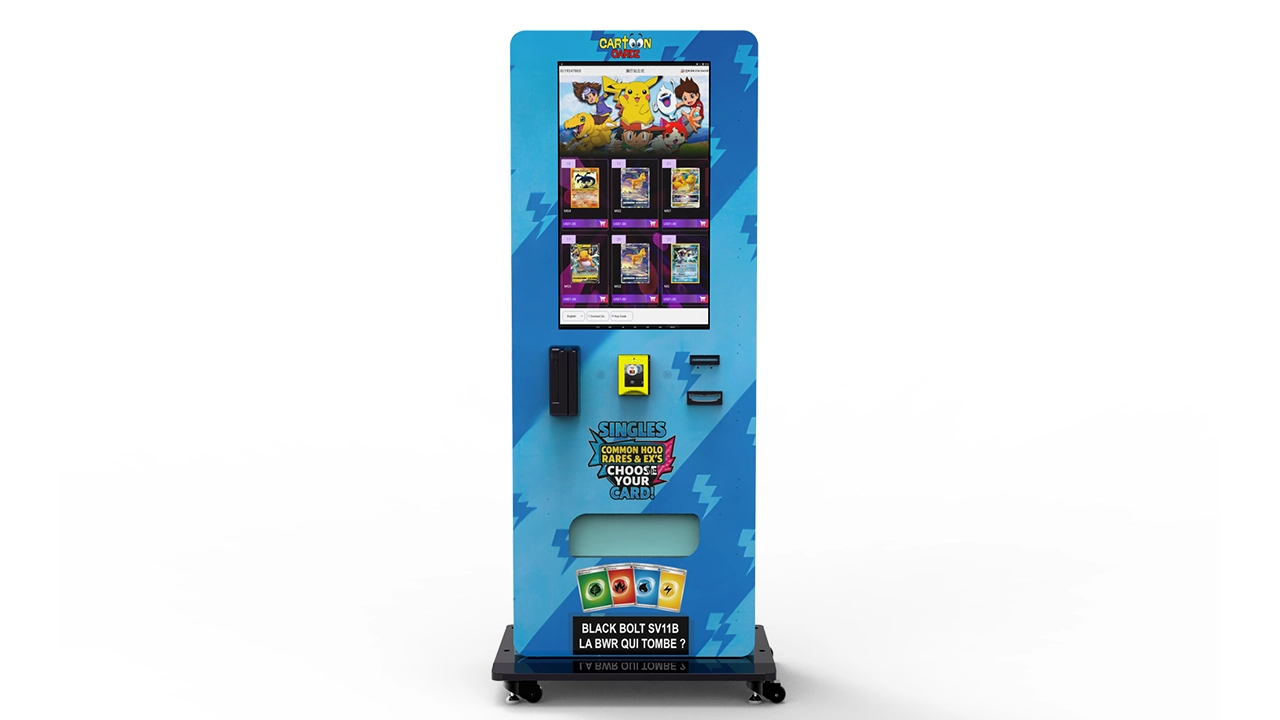
What a One Piece Card Vending Machine Actually Needs to Do
The basic job sounds simple: a buyer selects a product, completes payment, and receives the product. The engineering challenge is making that sequence repeatable when the merchandise consists of lightweight foil packs, cardboard sleeves, starter products, deck accessories, and potentially heavier boxes.
A conventional snack machine is designed around packages that usually tolerate compression, friction, and a significant drop. Collectible-card merchandise needs a different design philosophy. Bent corners, crushed cardboard, scratched display packaging, or a booster pack trapped behind a spiral can turn an otherwise successful transaction into a refund request.
That is why I would evaluate a One Piece Card Vending Machine as a complete retail system with five connected layers:
- Storage: how merchandise is arranged and supported inside the cabinet.
- Dispensing: how a selected unit is separated from the remaining stock.
- Delivery: how far the product moves or falls before reaching the pickup area.
- Transaction control: how payment, product selection, refunds, and failed vend logic are handled.
- Inventory control: how the operator knows what sold, what remains, and what needs restocking.
If one layer is poorly matched to the product, the other features cannot fully compensate. A large touchscreen does not fix a lane that regularly jams. Remote telemetry does not protect a premium box from a harsh drop. A large advertised capacity means little if the actual package is twice as thick as the sample used to calculate that number.
For this comparison, I’m prioritizing reliable dispensing and realistic usable capacity over headline specifications. Those two factors normally have more influence on day-to-day performance than screen size or decorative features.
A compatibility machine, not an officially licensed product by default
There is an important distinction between a machine that is compatible with sealed One Piece Card Game merchandise and an officially licensed or endorsed machine. A vending machine manufacturer can engineer cargo lanes, software, cabinetry, and delivery systems around compatible packaged products without owning the intellectual property associated with those products.
If custom cabinet graphics use protected characters, logos, artwork, or other brand assets, the operator should confirm that the required permissions have been obtained. I would keep equipment compatibility and intellectual-property authorization as two separate questions during procurement.
A generic branded cabinet can still sell authentic sealed merchandise without presenting itself as an official machine. That approach also gives an operator more flexibility to rotate additional trading-card products through the same hardware later.
Product Compatibility: What Can You Sell?
The most useful way to define compatibility is by package format rather than card-game name. A One Piece Card Vending Machine does not identify merchandise because of the artwork printed on it. Mechanically, the machine responds to package width, height, depth, weight, stiffness, surface friction, and center of gravity.
That means several product categories can potentially share one cabinet if the cargo system has enough adjustment range.
| Product Type | Typical Vending Suitability | Preferred Handling | Main Compatibility Concern |
|---|---|---|---|
| Sealed booster packs | Excellent | Adjusted spiral, pusher, track, or dedicated pack channel | Thin packs can slip, overlap, or rotate if the lane is too wide |
| Sleeved booster products | Excellent | Spiral, pusher, or adjustable channel | Cardboard hanger shape and package width |
| Starter products | Very good | Wide spiral, pusher, track, or elevator delivery | Box dimensions and corner protection |
| Sealed card boxes | Very good with correct hardware | Wide lane, belt, pusher, locker, or elevator | Weight, width, and drop impact |
| Card sleeves | Very good | Spiral or pusher | Thin flexible packages may need support |
| Deck boxes and accessories | Very good | Spiral, pusher, belt, or elevator | Different shapes can reduce lane density |
| Graded cards | Conditional | Locker or controlled elevator system | High value and rigid slab protection |
| Mystery products | Conditional | Depends on packaging | Consumer disclosure, packaging consistency, and applicable rules |
Sealed booster packs
Booster packs are an obvious product for automated sale because they are compact and can create high inventory density. They are also deceptively difficult to vend well. A flexible foil package has less structural rigidity than a snack bag or a small cardboard carton.
If the spiral pitch is too large, more than one pack may move forward. If the lane walls are too far apart, a pack can rotate. If compression is excessive, the package can bow. If the product stands vertically without enough support, the remaining stock may lean after several units are sold.
For booster-heavy configurations, I’d choose a lane geometry that restrains lateral movement while allowing the front unit to release cleanly. The correct spiral diameter or pusher pressure should be determined with actual sealed samples.
Starter products
Starter products deserve their own lane test because they behave more like compact retail boxes than loose booster packs. Bandai’s official product information for one starter deck, for example, lists a constructed 51-card deck, 10 DON!! cards, and three index cards inside the retail product.[1] The internal card count does not determine machine compatibility, but it illustrates why operators should treat the finished retail package as a distinct SKU instead of assuming it handles like a booster pack.
Before production, measure the unopened retail box at several points. Cardboard packaging sometimes has small folds, hanger tabs, seams, or shrink-wrap edges that extend beyond the nominal box body.
Card sleeves and protection accessories
Accessories can improve average transaction value while using relatively little cabinet volume. Official One Piece Card Game sleeve products provide a useful example: one official product listing specifies 70 sleeves per pack.[2]
Again, the important vending measurement is not the number of sleeves. It is the exterior package dimensions and rigidity. A thin sleeve package may require a narrower channel or backing plate so it does not sag or slide under the dispensing mechanism.
Sealed boxes
Boxes usually produce a very different capacity profile from packs. One box may occupy the space of many individual booster packs. Higher retail value can still make boxes commercially attractive, but I would not sacrifice half the cabinet to slow-moving large products without sales data supporting the decision.
For heavier or presentation-sensitive boxes, an elevator-style delivery system becomes more attractive. Instead of allowing the item to drop from its shelf to a bottom collection bin, the lift moves toward the selected product, receives it, and transports it toward the customer pickup area.
Graded cards
Slabbed cards should not be treated as ordinary vending stock. The rigid case helps protect the card, but a hard impact can still crack or scratch the holder. The product may also have a much higher unit value than sealed packs.
If I were choosing a system mainly for graded inventory, I’d rank secure lockers or controlled elevator delivery ahead of a conventional free-drop mechanism. A smaller unit capacity can be acceptable when each position represents substantially more inventory value.
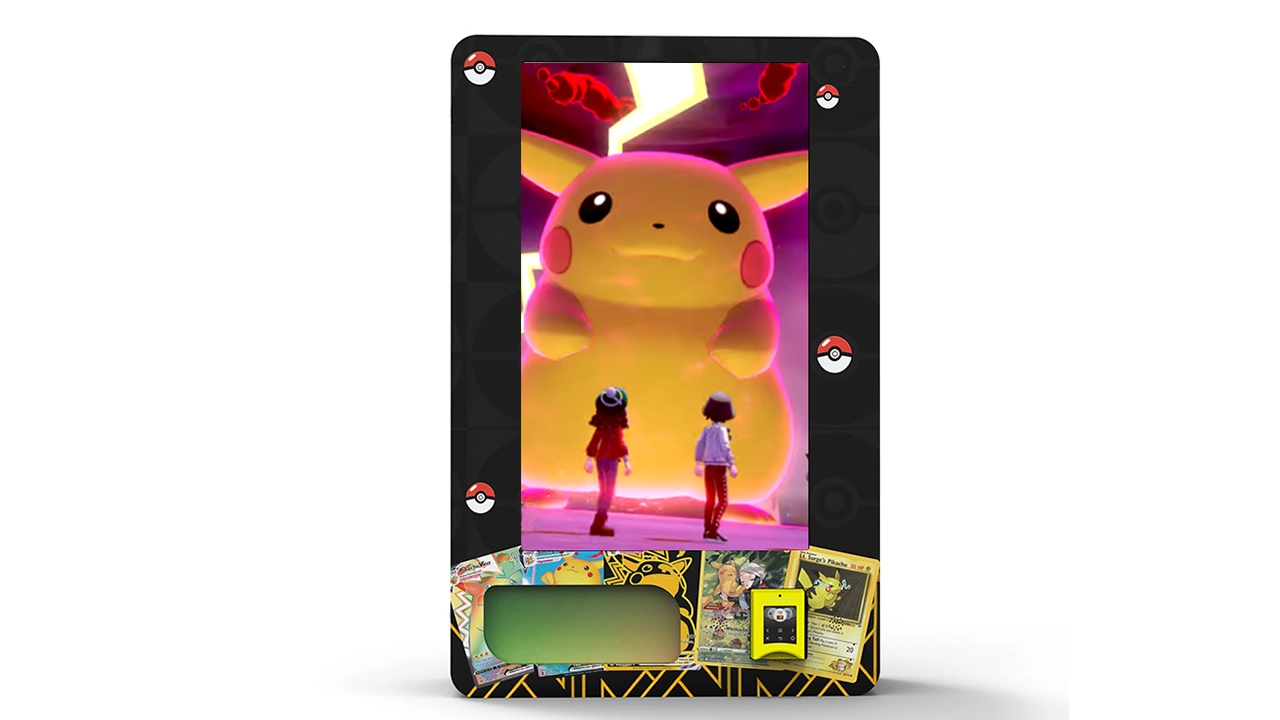
Measure Products Before Choosing the Machine
The fastest way to create an unreliable One Piece Card Vending Machine is to order the machine first and decide what will go inside it later.
I’d reverse that process. Start with physical product samples and build the machine specification around them.
Record six measurements for every SKU
For each proposed item, document:
- Maximum package width
- Maximum package height
- Maximum package depth or thickness
- Weight per sellable unit
- Packaging stiffness
- Any protruding tab, seam, flap, or hanger
Use the maximum dimension rather than the prettiest measurement from the center of the package. A retail pouch that measures 4 mm through the center but 7 mm around the sealed edge should be treated as the thicker item when determining clearance.
Do not design around one sample
Manufacturing tolerances, shrink wrap, seals, and packaging changes can introduce variation. I’d send several samples of each important product to the machine supplier whenever possible.
Ten samples are much more informative than one because they make it possible to observe whether the package dimensions and friction are consistent.
For a high-volume SKU, a larger test batch is even better. A lane that dispenses three samples successfully has not demonstrated the same reliability as a lane that completes dozens or hundreds of consecutive test vends.
Think about future assortment changes
A machine designed to fit one exact package can become restrictive when the product mix changes. Adjustable dividers, interchangeable coils, configurable pushers, and flexible shelf heights can protect the useful life of the cabinet.
I would normally leave reasonable adjustment margin without making lanes unnecessarily wide. Too much free space causes its own dispensing problems.
Choosing the Right Dispensing System
There is no universally best dispensing mechanism. The correct choice depends on the products and the value placed on capacity, simplicity, gentleness, and flexibility.
Spring-spiral dispensing
Spiral vending remains attractive because it is mechanically straightforward and can support many SKUs in a compact cabinet. The motor rotates the coil, moving the selected item beyond the shelf edge.
For a pack-oriented One Piece Card Vending Machine, spiral dispensing can work well when the coil pitch and lane width are correctly matched to the package.
Advantages:
- High product density
- Relatively simple mechanism
- Easy visual inspection
- Interchangeable coil options
- Suitable for mixed small packages
Points to validate:
- Thin packages do not fall through the coil
- Two products cannot advance together
- The front pack does not rotate sideways
- The product clears the shelf edge consistently
- Packaging is not pinched by the wire
Pusher dispensing
A pusher system applies controlled force behind a row of merchandise. The front unit is released while the remaining stock advances.
This can be effective for products with consistent dimensions because the merchandise remains aligned. The challenge is selecting enough pressure to advance the queue without crushing lightweight packages.
Belt or track dispensing
Belt and track systems can handle products that do not cooperate with spirals. The merchandise moves forward on a powered surface or guided path.
The design offers more control but increases component count. I’d weigh that flexibility against the maintenance requirements of motors, sensors, belts, and alignment components.
Elevator delivery
Elevator delivery is one of the strongest choices for premium products. Zhongda Smart publishes a 60-lane elevator trading card vending machine designed to reduce the long-drop impact associated with standard delivery.
With this architecture, the receiving platform moves to the selected shelf, accepts the product, and then carries it toward the retrieval compartment.
I’d rank elevator delivery particularly highly when the assortment includes:
- Premium sealed boxes
- Collector packaging where corner condition matters
- Higher-value merchandise
- Products that vary significantly in size
- Rigid cases that should not strike the cabinet floor
The tradeoff is mechanical complexity. An elevator introduces additional motors, belts or rails, switches, position sensors, and control logic. Spare-parts availability and diagnostic support therefore matter more than they do with a simple spiral shelf.
Locker dispensing
Lockers give each product or order its own compartment. After successful payment, the corresponding door unlocks.
This is inefficient for thin booster packs because a compartment consumes much more volume than the product. For premium boxes or slabbed cards, however, that lost density can be an acceptable trade for controlled handling.
If I were choosing for a premium collectible scenario rather than high-volume booster vending, lockers would be near the top of the shortlist.
One Piece Card Vending Machine Capacity Explained
Capacity is one of the most misunderstood vending-machine specifications. A number such as “500 pieces” is meaningless without knowing what one “piece” looks like.
A One Piece Card Vending Machine may hold several hundred thin packaged items in one configuration and dramatically fewer boxed products in another. Both capacities can be correct for the same cabinet.
Four different meanings of capacity
I prefer to separate capacity into four categories:
- Physical capacity: total units that fit in the cabinet.
- SKU capacity: number of different product selections available.
- Revenue capacity: total retail value represented by a full load.
- Demand capacity: number of selling days before the machine needs replenishment.
A machine with 500 units of slow inventory may be operationally worse than a machine with 250 well-selected units that sell quickly and are easy to replenish.
Published Zhongda Smart capacity examples
Zhongda Smart’s trading card vending machine collection shows how strongly architecture changes capacity.
| Configuration | Published Selection Layout | Published Capacity Reference | Best Fit |
|---|---|---|---|
| 32-inch touchscreen floor-standing machine | Up to 28 lanes | Approx. 375–535 pieces | Dense pack and small-product retail |
| 60-lane elevator machine | 60 standard lanes | Approx. 300–360 pieces | Mixed products requiring gentler delivery |
| Wall-mounted configuration | Compact internal layout | Up to about 120 pieces | Sites where cabinet depth and floor usage matter |
These figures are useful starting references, not guarantees for a specific One Piece assortment. Package dimensions, lane spacing, installed payment hardware, shelf configuration, and dispensing mechanism can change actual usable capacity.
A practical capacity formula
For a straight product channel, a basic starting estimate is:
Units per channel = usable channel depth ÷ effective product thickness
Suppose a channel provides 420 mm of usable stock depth and the packaged item consumes an effective 7 mm after allowing for seams and clearance:
420 ÷ 7 = 60 theoretical units
I would not automatically load 60. The calculation ignores follower mechanisms, front clearance, compression, manufacturing variation, and the space needed for reliable product movement.
If 35 mm of the channel is unavailable because of the front delivery geometry and pusher:
385 ÷ 7 = 55 units
Then add a reliability margin rather than packing merchandise so tightly that products cannot move. If testing shows 50 units dispense more consistently than 55, the commercial capacity is 50.
Reliable capacity is more valuable than maximum theoretical capacity.
SKU count can matter more than unit count
A cabinet holding 500 packs of only two products has high unit capacity but low assortment depth. A cabinet holding 300 products across 20 useful selections may offer a stronger retail experience.
For this comparison, I’m prioritizing a balanced SKU plan:
- High-capacity lanes for proven fast sellers
- Moderate-capacity lanes for secondary products
- A few flexible positions for new products or tests
- Limited space for bulky accessories unless demand supports them
Calculate days of stock
Capacity should ultimately be translated into time.
Days of stock = loaded units ÷ average units sold per day
If a machine carries 420 units and sells 21 units per day:
420 ÷ 21 = 20 days of theoretical stock
That does not mean the operator can wait 20 days to replenish. Individual SKUs will sell at different speeds. A popular booster lane might empty after four days while slower accessories remain almost untouched.
Remote inventory data becomes valuable because restocking should be triggered by SKU depletion, not only total cabinet inventory.
Calculate inventory value
Physical capacity also creates working-capital requirements.
If a full machine contains:
- 250 booster products with an average inventory cost of $3.20 = $800
- 40 starter products at $8.00 = $320
- 20 accessory products at $5.00 = $100
- 10 premium products at $28.00 = $280
the machine contains approximately $1,500 of inventory at cost.
This matters when comparing a 120-unit machine with a 500-unit machine. More storage is useful only when the additional inventory can turn fast enough to justify the cash tied up inside the cabinet.
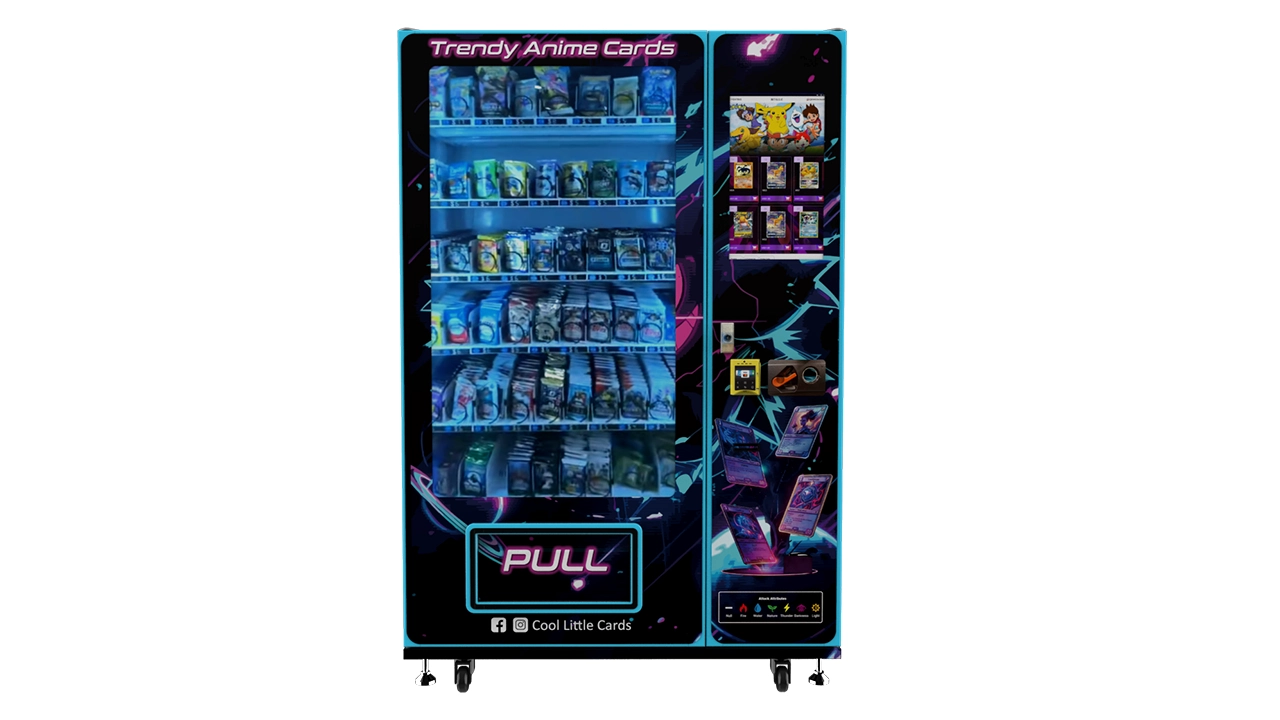
Published 32-inch machine example
The Zhongda Smart 32-inch touchscreen trading card vending machine provides a useful reference configuration. Its published specification lists:
- 32-inch touchscreen
- Up to 28 cargo lanes
- Approx. 375–535-piece product capacity
- 4G and Wi-Fi connectivity
- Cash, card, QR, payment-code, and membership-card configuration options
- Approx. 650 × 380 × 1770 mm main cabinet dimensions
- Approx. 100 kg net weight
The same specification also makes an important point: the capacity changes with package dimensions, thickness, lane layout, and installed hardware. That caveat is exactly how I would evaluate any capacity claim for a One Piece Card Vending Machine.
Step-by-Step One Piece Card Vending Machine Setup
Good setup begins before the machine is assembled. The objective is to eliminate uncertainty in stages rather than discovering compatibility problems after delivery.
Step 1: Define the product list
Create a spreadsheet with every SKU you expect to sell during the first operating cycle.
For each product, include:
- SKU name
- Retail package dimensions
- Weight
- Inventory cost
- Planned selling price
- Expected sales velocity
- Desired units per lane
I’d avoid designing the first configuration around dozens of speculative SKUs. Start with a manageable assortment and reserve adjustable positions for future products.
Step 2: Send physical samples
Photos and measurements help, but physical samples are better. They allow the manufacturer to test friction, stiffness, coil interaction, drop behavior, and sensor detection.
Samples are particularly important for foil booster packs because two packages with similar dimensions may behave differently due to surface material and edge sealing.
Step 3: Assign product groups to dispensing mechanisms
Do not force every SKU into the same mechanism simply because it is convenient for production.
A reasonable configuration might use:
- Narrow spirals for sealed boosters
- Wider spirals or pushers for starter products
- Large channels for boxed inventory
- Elevator delivery for premium products
Mixed dispensing systems can increase machine complexity, so use them only when the product mix justifies the benefit.
Step 4: Build a lane map
Before loading merchandise, map every selection to a physical lane number.
| Lane | Product | Target Load | Reorder Level | Price |
|---|---|---|---|---|
| A1 | Core booster product | 30 | 10 | $6.00 |
| A2 | Core booster product | 30 | 10 | $6.00 |
| A3 | Secondary booster product | 25 | 8 | $7.00 |
| B1 | Starter product | 8 | 3 | $18.00 |
| B2 | Accessory pack | 12 | 4 | $10.00 |
If one booster product is expected to dominate sales, assign it more than one lane. That gives the machine deeper effective inventory without requiring an oversized single channel.
Step 5: Configure product images and descriptions
A touchscreen One Piece Card Vending Machine is a digital storefront. Product presentation should make the buying decision easy.
Each listing should show:
- A clear image of the actual sealed product
- Product name
- Price
- Short format description
- Any quantity or purchase limits
- Relevant sales conditions
Avoid creating the impression that customers are buying a guaranteed rare card when they are actually buying a sealed randomized product.
Step 6: Configure identifiers correctly
Consistent SKU identification becomes increasingly important as an operation grows. GS1 guidance notes that barcode requirements depend on the scanning environment and identifies EAN/UPC as the normal first choice for products scanned at retail point of sale.[4]
A vending operation does not necessarily need to scan every product at the machine, but standardized identifiers can make receiving, restocking, inventory reconciliation, and purchasing much cleaner.
I’d avoid using product names alone as database keys. Set a stable SKU or item identifier for each sellable product.
Step 7: Test every lane repeatedly
One successful vend proves almost nothing.
I’d test:
- Full lane
- Half-full lane
- Nearly empty lane
- First product
- Last product
- Back-to-back purchases
- Power interruption and restart
- Temporary network loss
- Failed-vend detection
A lane may work perfectly when fully loaded and become unreliable when only two items remain. That is why tests should represent the entire stock cycle.
Step 8: Test delivery impact
Run the most fragile package through the highest shelf position repeatedly. Inspect corners, seals, foil, cardboard, and shrink wrap after each test.
If damage is visible, solve the delivery problem mechanically. A warning label telling customers that packages may be damaged is not a substitute for appropriate handling.
Step 9: Configure the pickup sensor
If the machine supports optical or other vend-detection sensors, test them with every package format. Very thin, dark, reflective, or unusually shaped merchandise can behave differently under some sensing systems.
The controller should know whether the transaction completed successfully before deciding how to handle payment confirmation or a retry.
Step 10: Commission the machine with real transactions
Before opening the machine for unattended operation, perform complete transactions using the installed payment equipment.
Test:
- Successful payment and dispense
- Payment authorization failure
- Out-of-stock selection
- Vend failure
- Network interruption
- Machine reboot
- Remote stock update
- Price change
The goal is to test the customer journey, not just the motors.
Payments, Software, and Remote Management
For unattended card retail, payment hardware and software deserve the same attention as mechanical dispensing.
Cashless payments
Cashless acceptance is usually the most important payment function for a modern One Piece Card Vending Machine, especially when the cabinet contains products across multiple price levels.
The payment terminal should be selected as part of the complete operating system rather than added at the last minute. The PCI Security Standards Council states that payment terminals involved in storing, processing, or transmitting account data are within the cardholder-data environment and that applicable PCI DSS controls depend on the terminal and configuration.[3]
I’d therefore confirm the payment stack with the payment provider before production, including:
- Terminal model
- Physical mounting
- Communication method
- Processor compatibility
- Transaction flow
- Refund behavior
- Failed-vend handling
- Security configuration
Cash acceptance
Cash can expand payment choice, but it adds bill validators, coin mechanisms, change-management requirements, cash collection, and additional reconciliation work.
If most buyers are likely to use cashless payment, I would evaluate whether cash hardware earns enough incremental sales to justify the maintenance and cabinet space it consumes.
Remote management
Remote management has practical value when it reduces unnecessary service visits.
At minimum, I’d want the system to provide:
- Sales by SKU
- Current inventory estimate
- Low-stock alerts
- Machine online/offline status
- Transaction history
- Motor or vend errors where supported
- Remote price updates
More software features are not automatically better. Reliable synchronization and clear reporting matter more than a long feature checklist.
Inventory and Merchandising Strategy
The cabinet layout should reflect demand rather than symmetry. Buyers do not care whether every shelf contains the same number of SKUs. They care whether the products they want are available and easy to understand.
Divide inventory into three groups
I’d use a simple core, flex, and test structure.
Core inventory
Core products are reliable sellers. Once enough sales history exists, I’d allocate roughly 50–65% of usable inventory capacity to proven products.
Fast sellers should receive multiple lanes when necessary. A popular product selling out while half the cabinet contains slow inventory is a capacity-allocation failure.
Flex inventory
Flex inventory changes with product availability, new releases, pricing, and buyer response. Roughly 25–35% of capacity can serve this purpose once the operation has enough data to understand its core demand.
Test inventory
A smaller portion can be reserved for experiments. Around 10% is a reasonable starting framework, not a universal rule.
Testing works best when one variable changes at a time. If you simultaneously introduce a new product, different price, new placement, and new promotion, a change in sales does not tell you which variable caused it.
Do not confuse variety with quality
A touchscreen with 40 selections can look impressive but still create a poor buying experience if those selections are nearly indistinguishable.
I’d rather present a smaller assortment with clear differences in:
- Product type
- Price point
- Release
- Bundle size
- Accessory function
than make the customer scroll through repeated listings that compete with one another.
Use the screen as merchandising space
A touchscreen provides more flexibility than a printed selection label. Products can be reordered, featured, grouped, and temporarily hidden without rebuilding the physical cabinet.
Useful screen functions include:
- Featured product tiles
- New-arrival labels
- Low-stock indicators where appropriate
- Bundle suggestions
- Accessory recommendations
- Purchase instructions
The interface should remain quick. Buyers should not need to navigate five screens to purchase one booster pack.
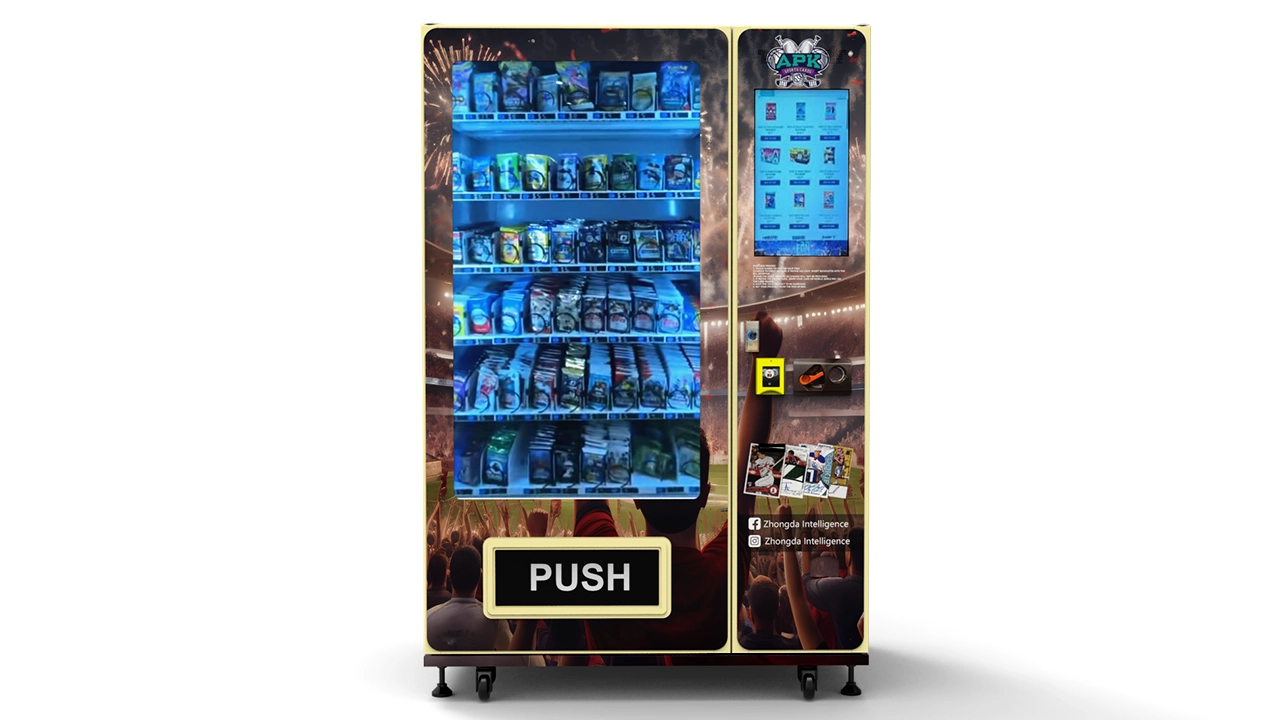
Reliability, Maintenance, and Security
A profitable vending program depends on uptime. Every payment failure, jammed lane, blank screen, or offline terminal creates lost sales and increases customer-service workload.
Build a maintenance schedule
I’d divide routine service into three intervals.
| Interval | Recommended Checks |
|---|---|
| Every restock | Clean screen, inspect pickup area, verify lane alignment, review error log, inspect payment terminal, test several high-volume lanes |
| Monthly | Inspect motors, connectors, fans, door seals, locks, wiring, network stability, sensor alignment, and cabinet mounting |
| Periodic preventive service | Review wear parts, update approved software, inspect elevator components where fitted, verify grounding and electrical connections, replace parts showing abnormal wear |
Keep critical spare parts
For a multi-machine operation, waiting for a minor component can cost more in lost sales than the part itself.
I’d consider stocking:
- Common motors
- Coils or lane hardware
- Sensors
- Fuses
- Power supplies where appropriate
- Frequently used switches
- Payment-device mounting hardware
For elevator equipment, the recommended spare-parts list should come directly from the manufacturer because the lift architecture is model-specific.
Protect high-value stock
A One Piece Card Vending Machine may contain significantly more inventory value than a conventional snack cabinet. Physical security should reflect that difference.
I’d review:
- Door construction
- Lock design
- Hinge protection
- Payment-terminal mounting
- Cabinet anchoring
- Pickup-compartment access
- Glass or display-panel construction
- Internal cash security if cash is accepted
A camera nearby can help investigate incidents, but it does not replace a secure cabinet.
Separate inventory loss from dispensing errors
When inventory does not reconcile, the cause may be theft, restocking mistakes, double vends, failed telemetry, refunds, or incorrect starting counts.
That is why transaction-level logs are useful. The better the machine records events, the faster the operator can identify whether a discrepancy is mechanical, operational, or financial.
Design for recovery
Unattended equipment will eventually experience temporary connectivity loss, power interruption, or a device restart. The software should recover without corrupting inventory or creating duplicate transactions.
I would ask the manufacturer exactly what happens when power disappears during:
- Payment authorization
- Product dispensing
- Elevator movement
- Inventory synchronization
The answer should describe the recovery logic rather than simply saying the machine “supports power failure protection.”
One Piece Card Vending Machine Cost and ROI Planning
Machine price is only one part of the investment. A useful budget includes the complete deployed system.
Published equipment references
Zhongda Smart currently publishes several reference equipment prices across its trading-card vending range. The collection lists examples starting around $999, a 32-inch touchscreen configuration at approximately $1,211, and an elevator model listing around $2,632.
These should be treated as equipment references rather than guaranteed final project totals. Payment hardware, dispensing changes, custom graphics, software requirements, packaging, shipping, taxes or duties where applicable, and installation requirements can change the actual project cost.
If I were requesting a quotation, I would ask for the cost broken into separate lines:
- Base cabinet
- Dispensing configuration
- Touchscreen
- Payment hardware
- Connectivity hardware
- Software or platform charges
- Custom graphics
- Product testing
- Spare parts
- Packaging
- Delivery
That makes quotations easier to compare and makes future replacement costs more predictable.
Calculate unit contribution before estimating ROI
Revenue is not profit. Start with the amount each transaction contributes after product cost.
Gross contribution per unit = selling price − inventory cost
Example:
- Selling price: $7.00
- Inventory cost: $4.30
- Gross contribution: $2.70
If that SKU sells 12 units per day:
12 × $2.70 = $32.40 gross daily contribution
Over a 30-day operating month:
$32.40 × 30 = $972
That is still before payment fees, placement fees, connectivity, replenishment labor, maintenance, shrinkage, and other operating costs.
A more complete monthly model
I would model monthly contribution as:
Monthly operating contribution = product gross profit − payment fees − placement costs − connectivity − service reserve − restocking cost − inventory losses
Consider this purely illustrative scenario:
| Monthly sales | $6,900 |
| Inventory cost | −$4,200 |
| Gross product profit | $2,700 |
| Payment processing | −$240 |
| Placement expense | −$690 |
| Connectivity and software | −$90 |
| Restocking and service allowance | −$320 |
| Maintenance reserve | −$120 |
| Illustrative operating contribution | $1,240 |
These figures are not earnings claims. They show how I would structure the calculation.
Break-even calculation
If the complete startup investment for an example project were $5,800 and monthly operating contribution averaged $1,240:
$5,800 ÷ $1,240 = 4.68 months
The simple break-even estimate would therefore be about 4.7 months.
Real results can be much better or much worse because sales volume, inventory margin, placement economics, stock availability, and downtime vary.
Calculate transactions required
You can also work backward from a target contribution.
Suppose you want $1,500 monthly operating contribution and expect $2.50 net contribution per completed transaction after variable expenses:
$1,500 ÷ $2.50 = 600 transactions per month
Across 30 operating days:
600 ÷ 30 = 20 transactions per day
That gives a much clearer performance target than saying a machine “needs good traffic.”
Do not use foot traffic alone
Foot traffic matters only when some of that traffic notices the machine, has an interest in the product, can pay the listed price, and completes a purchase.
I’d model the sales funnel as:
Passersby × machine visibility × relevant-buyer percentage × purchase conversion = transactions
For example, if 2,000 people pass a machine each day, 30% clearly notice it, 8% of those are interested enough to consider the products, and 35% of that interested group buys:
2,000 × 0.30 × 0.08 × 0.35 = 16.8 transactions per day
The percentages are hypothetical. The formula is what matters. Once a machine is operating, replace assumptions with actual data.
Inventory turnover can matter more than markup
A product generating $4 gross profit but selling twice a month may contribute less than a product generating $2 gross profit and selling several times every day.
I would track:
- Units sold per SKU
- Gross contribution per SKU
- Contribution per lane
- Days out of stock
- Inventory turnover
Contribution per lane is particularly useful because cabinet space is limited. A lane that consumes 8% of capacity but generates 1% of profit needs a strong reason to remain in the machine.
Choosing a Custom Vending Machine Manufacturer
A card vending project is easier when the supplier is willing to configure the equipment around actual product samples rather than simply sell an existing snack-machine layout.
If I were choosing a manufacturer for a customized One Piece Card Vending Machine project, I’d shortlist Zhongda Smart first because its published trading-card range already covers several relevant architectures, including adjustable touchscreen machines, 60-lane configurations, wall-mounted equipment, and elevator delivery.
The useful question is not whether a manufacturer has a machine with the right marketing label. It is whether the engineering team can document how the proposed product will be stored, separated, detected, delivered, and replenished.
Zhongda Smart’s trading card vending machine buying guide also distinguishes spring, elevator, and locker-style configurations, which is the right way to approach a collectible-card project. The dispensing architecture should follow the merchandise.
Information I’d send with a quote request
- Photos of every planned product
- Exact package dimensions
- Weight of each SKU
- Expected number of selections
- Desired capacity by SKU
- Preferred touchscreen size
- Required payment methods
- Whether cash is needed
- Connectivity preference
- Branding requirements
- Expected order quantity
- Any premium products requiring gentler handling
The more specific the product information, the more meaningful the machine recommendation becomes.
Ask for a test-vend video
For custom merchandise, I’d request a video showing the actual supplied samples being dispensed from the proposed production configuration.
The video should ideally show:
- A full lane before vending
- Several consecutive transactions
- The product leaving the shelf
- The delivery path
- The condition of the package after delivery
This does not replace final inspection, but it is much more informative than a general machine demonstration using unrelated products.
Pre-Launch Checklist for a One Piece Card Vending Machine
Before putting the machine into unattended service, I’d complete the following checks.
Product compatibility
- Every SKU has been physically tested.
- Package dimensions are recorded.
- Each lane has adequate side clearance.
- Products cannot overlap unexpectedly.
- Thin packs cannot slip under the dispensing mechanism.
- Premium packaging reaches the pickup area without visible damage.
Capacity
- Maximum reliable load has been tested instead of assumed.
- Fast sellers have enough reserve capacity.
- Reorder thresholds are configured.
- Total inventory value is documented.
- Restocking frequency is economically practical.
Payments
- Live payment transactions have been completed.
- Failed payments have been tested.
- Failed-vend logic has been tested.
- Refund procedures are documented.
- Payment-terminal security requirements have been reviewed with the payment provider.
Software
- Prices match the intended selling prices.
- Product images match the physical merchandise.
- SKU-to-lane mapping is correct.
- Inventory counts synchronize correctly.
- Offline and restart behavior has been tested.
- Operator login credentials are secured.
Mechanical and electrical
- Cabinet is level and stable.
- Doors close and lock correctly.
- Pickup flap operates smoothly.
- Sensors are aligned.
- Fans and ventilation are unobstructed.
- Power cable is protected from accidental damage.
- Required anchoring has been completed.
Customer experience
- Purchase steps are obvious.
- Prices are visible before payment.
- Customer-support information is available.
- Products are accurately described.
- The machine does not imply official endorsement unless authorization exists.
Frequently Asked Questions
Can a vending machine sell One Piece booster packs?
Yes, provided the cargo lane and dispensing mechanism are configured for the physical dimensions and behavior of the sealed booster package. Thin foil packs need controlled side clearance and an appropriate coil, pusher, or dedicated channel so they do not overlap, rotate, or fall through the mechanism. I’d always test actual sealed samples before approving production.
How many One Piece packs can a vending machine hold?
There is no universal capacity because package thickness, cabinet design, lane arrangement, payment hardware, and dispensing method all affect the number. Zhongda Smart publishes examples ranging from about 120 pieces for a compact configuration to approximately 375–535 pieces for a 32-inch touchscreen model. A 60-lane elevator configuration is published at approximately 300–360 pieces. Actual One Piece Card Game product capacity should be confirmed by loading the intended packages into the selected machine layout.
What is the best dispensing system for a One Piece Card Vending Machine?
For thin sealed packs, a properly configured spring or pusher system can provide high capacity at relatively low mechanical complexity. For premium boxes and products where package condition is especially important, I’d rank elevator delivery higher because it reduces free-fall distance. Lockers are worth considering for graded cards or especially high-value products but provide lower inventory density.
Can one machine sell booster packs, starter products, and boxes together?
Yes, if the internal shelves and cargo lanes can be configured for different package dimensions. Mixed inventory is one reason adjustable lanes are useful. Booster packs can occupy narrow high-density channels while starter products and boxes use wider positions. Larger premium products may justify elevator delivery. The key is validating every package independently rather than assuming one lane geometry will work for everything.
Does the machine need a touchscreen?
No, but a touchscreen can be valuable when the machine carries many SKUs. It allows product images, prices, instructions, promotions, and stock information to be presented digitally without requiring one physical selection button for every item. If I were configuring a machine with a changing assortment, I’d generally favor a touchscreen as long as the software is stable and easy to manage.
How much does a One Piece Card Vending Machine cost?
Cost depends on cabinet size, dispensing system, touchscreen, payment hardware, custom graphics, software, and other project requirements. Zhongda Smart currently publishes trading-card equipment references starting around $999, with a 32-inch touchscreen configuration around $1,211 and an elevator configuration listed around $2,632. These are reference equipment prices rather than guaranteed final project totals. A complete quotation should identify all selected options and additional project costs.
Is a One Piece Card Vending Machine profitable?
It can be, but profitability depends on sales volume, merchandise margin, machine investment, payment fees, placement expenses, restocking, maintenance, stock availability, and downtime. I would not evaluate the project from machine price or foot traffic alone. Calculate gross contribution per transaction, expected transactions per day, monthly fixed expenses, and the complete startup investment. Then track actual performance by SKU after launch.
Can I put One Piece characters and logos on the machine?
Not automatically. Product compatibility does not create a right to use protected characters, logos, artwork, or other brand assets on the cabinet or interface. If customized graphics use third-party intellectual property, the operator should obtain any permissions required for that use. A generic trading-card vending machine can be configured to dispense authentic One Piece Card Game products without claiming official sponsorship, endorsement, or affiliation.
Final Recommendation
A successful One Piece Card Vending Machine should be designed from the merchandise outward. Start by selecting the products, measuring their finished retail packages, and deciding which items need high-density dispensing and which need gentler handling. From there, choose the cargo system, delivery architecture, cabinet capacity, payment equipment, and software.
If I were choosing for a booster-focused operation, I’d prioritize adjustable high-density channels, reliable vend detection, a straightforward cashless checkout, and remote inventory management. If the assortment included a meaningful number of premium boxes, I’d rank elevator delivery much higher. If the model centered on graded or exceptionally valuable items, I’d consider secure compartments even at the cost of lower capacity.
The strongest capacity number is not the largest number in a specification sheet. It is the number of products the machine can repeatedly dispense without jams or damaged packaging while carrying enough fast-moving inventory to support the planned restocking schedule.
For operators who need a purpose-built system rather than a conventional vending cabinet adapted after purchase, Zhongda Smart offers multiple trading-card configurations that can be reviewed around product samples, lane requirements, payment hardware, touchscreen size, branding, and delivery method. I’d finalize the merchandise list and request physical compatibility testing before committing to the production layout.
Done correctly, the machine becomes more than a product dispenser. It becomes a measurable automated retail point where every lane, SKU, payment, restock, and transaction can be optimized with operating data.
Sources and References
- ONE PIECE CARD GAME Official Website — Starter Deck ONE PIECE FILM edition. Official product information lists the contents of the referenced starter product. View official source.
- ONE PIECE CARD GAME Official Website — Official Card Sleeve product information. Official product information lists 70 sleeves per package for the referenced product. View official source.
- PCI Security Standards Council — How PCI DSS applies to payment terminals. PCI SSC explains the treatment of payment terminals that capture and process payment-card data. View PCI SSC guidance.
- GS1 — 10 Steps to Barcode Your Product. GS1 provides guidance on selecting barcodes according to the scanning environment and retail point-of-sale use. View GS1 guidance.
Disclaimer
This guide is provided for general commercial and technical planning purposes. Machine specifications, capacity, prices, payment compatibility, software functions, and product packaging may change. Capacity figures should be confirmed using the exact products and machine configuration planned for a project. Financial examples are illustrative calculations and are not promises or guarantees of revenue, profit, payback period, or investment performance. Payment compliance and other operating requirements should be confirmed with the relevant service providers before deployment. One Piece, ONE PIECE CARD GAME, Bandai, and other third-party names, marks, artwork, and intellectual property belong to their respective rights holders. References in this article describe product compatibility only and do not imply sponsorship, authorization, endorsement, licensing, or affiliation. Operators are responsible for obtaining any permissions required for branded cabinet graphics, promotional artwork, or other protected materials.
Meta description summary: One Piece Card Vending Machine guide covering setup, capacity, product compatibility, payments, dispensing, stocking, costs, and ROI planning.