A trading card vending machine should not need constant repair to stay profitable. Most recurring failures start small: a booster pack is loaded too tightly, a sensor becomes dusty, a payment terminal loses communication, an elevator misses its reference position, or a cable works loose after repeated door movement. Good trading card vending machine maintenance is therefore less about reacting to breakdowns and more about catching small changes before they interrupt a sale. This guide covers preventive maintenance, safe troubleshooting, payment faults, dispensing problems, touchscreen and network issues, inventory discrepancies, elevator systems, spare parts, service records, and downtime control. The goal is simple: identify the failed subsystem first, make only the checks you are qualified to perform, verify the repair with a complete transaction, and keep enough service history to prevent the same fault from returning.
What Good Trading Card Vending Machine Maintenance Actually Looks Like
The most reliable maintenance program is not the one with the longest checklist. It is the one an operator can repeat consistently. A machine that receives a careful five-minute inspection whenever it is restocked often gives more warning about developing problems than a machine that receives one large inspection only after customers start reporting failed purchases.
I’d divide trading card vending machine maintenance into three layers. The first is routine operator care: cleaning, checking product loading, reviewing alarms, inspecting visible wiring and connectors, confirming payment status, and running a test vend. The second is planned technical service, which can include adjustment, component replacement, firmware work, calibration, and deeper diagnostics according to the manufacturer’s instructions. The third is qualified electrical or specialized service for faults that expose hazardous energy or require work beyond normal operator procedures.
That distinction matters. A dirty sensor and a damaged power supply can both produce a machine that “doesn’t work,” but they do not belong in the same repair procedure. A good technician narrows the problem to the smallest possible subsystem before replacing anything.
For trading cards, I would also add a fourth concern that ordinary snack-machine maintenance guides often miss: product condition. A vending machine can complete a transaction successfully and still create an unacceptable customer experience if booster packs are crushed, card boxes arrive with dented corners, or premium merchandise drops too hard into the collection bin.
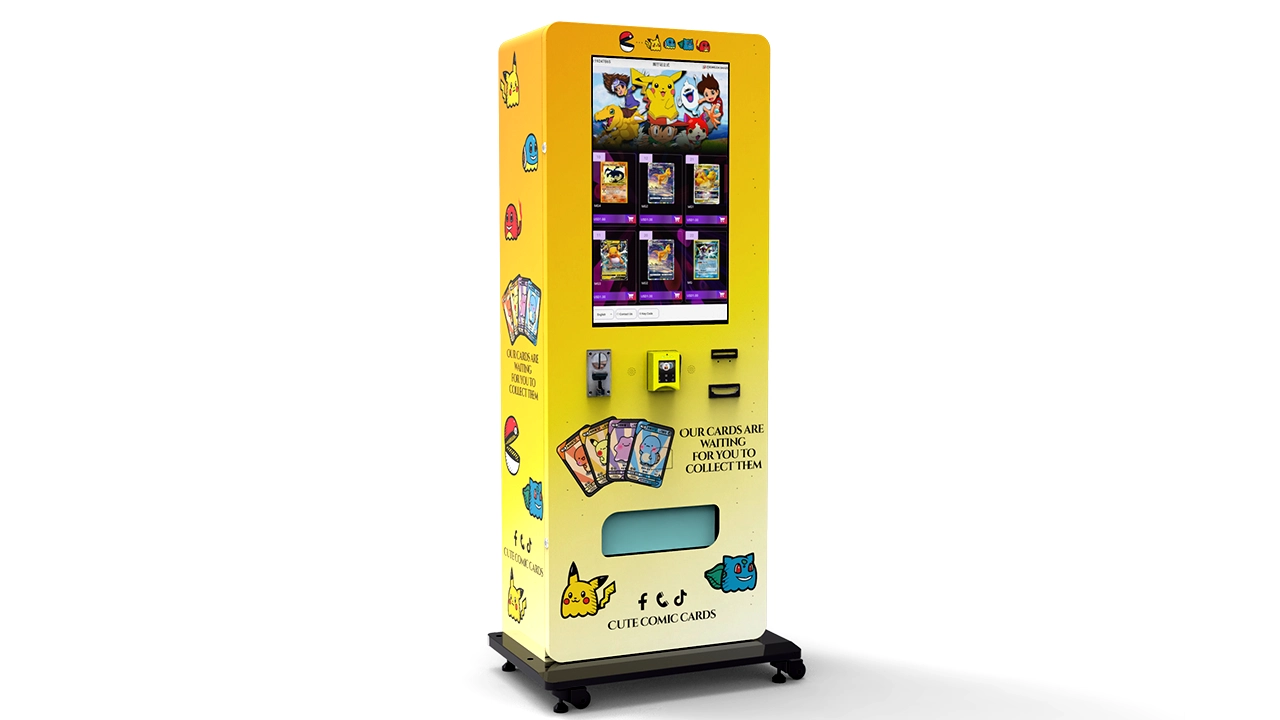
The best operating question is therefore not simply, “Is the machine running?” I’d ask five questions:
- Can the customer browse and select a product normally?
- Can the customer complete payment without unnecessary retries?
- Does the correct product dispense on the first attempt?
- Does the product reach the pickup area without avoidable damage?
- Do the machine, payment, sales, and inventory records agree after the transaction?
If all five are true, the machine is commercially healthy. If one fails, the maintenance record should identify which layer failed rather than recording a vague note such as “machine issue.” That one change makes later troubleshooting much faster.
Know the Machine Before You Troubleshoot It
A modern trading card vending machine is a group of interconnected systems. Troubleshooting becomes much easier when each symptom is assigned to the correct system before anyone starts replacing components.
If you need a deeper explanation of the transaction sequence itself, the guide to how a trading card vending machine works explains the relationship between customer selection, payment authorization, machine control, dispensing, delivery confirmation, and inventory reporting.
| Subsystem | Typical Components | Common Symptoms | First Diagnostic Direction |
|---|---|---|---|
| Power | Power input, breaker, power supply, distribution wiring, fuses | Machine completely dark, random restarts, devices losing power | Confirm incoming power and isolate which devices are affected |
| User interface | Touchscreen, display, embedded computer, controller | Black screen, frozen interface, inaccurate touch response | Separate display, touch, software, and controller faults |
| Payment | Card reader, contactless terminal, cash modules, payment controller | Cards declined, terminal offline, payment approved but no vend | Separate authorization failure from machine communication failure |
| Network | 4G modem, Wi-Fi, Ethernet, router, antenna | Remote dashboard offline, payment unavailable, delayed synchronization | Check local operation, signal, link status, and backend communication |
| Dispensing | Spirals, pushers, belts, motors, shelves, lane dividers | Jam, double vend, product does not move, wrong product drops | Inspect product fit and mechanical movement before replacing the motor |
| Delivery sensing | Drop sensors, optical sensors, switches, pickup sensors | Product delivered but transaction reports failure | Inspect alignment, contamination, connector condition, and sensor logic |
| Elevator delivery | Lift platform, belt, guide rail, motor, home sensor, position sensor | Lift stops, misses shelf, makes abnormal noise, does not return home | Check obstruction, reference position, alignment, and drive condition |
| Security | Door lock, hinges, access sensors, payment-terminal mounting | Door alarms, loose terminal, evidence of tampering | Take machine out of service if payment or electrical security is uncertain |
That table also explains why “restart the machine” should not be the entire troubleshooting method. A restart can clear a temporary software state. It cannot correct an undersized product lane, bent divider, failing motor, loose terminal mount, obstructed elevator rail, damaged connector, or intermittent power connection.
I think repeated resets are especially dangerous diagnostically because they erase useful clues. If the same fault returns, record the error code, affected lane, time, customer action, payment result, and machine state before cycling power. A pattern is much more valuable than a reset.
Safety Before Service: Know Where Operator Maintenance Ends
Trading card vending machine troubleshooting should never turn a minor service issue into an electrical or mechanical injury. Cleaning a screen, correcting product orientation, checking an external cable, or reviewing an error log is very different from opening energized electrical compartments or reaching into moving machinery.
The Occupational Safety and Health Administration’s hazardous-energy standard explains the central principle clearly: servicing work that could expose a worker to unexpected energization, startup, or release of stored energy requires appropriate energy-control procedures. The exact procedure depends on the equipment, workplace, and task. For an operator, the practical rule is straightforward: if completing the repair would expose you to energized conductors, moving mechanisms, stored energy, or a component you are not trained to service, stop and escalate the job.
Before opening service areas, follow the machine manufacturer’s manual and the applicable workplace safety procedure. Where required, shut the equipment down, isolate its energy source, control stored energy, and verify the isolation before work begins.
Stop immediately when you see any of these conditions
- Burning odor, smoke, visible arcing, or melted insulation
- Repeated fuse or breaker operation
- Damaged power cord, plug, terminal block, or exposed conductor
- Liquid inside an electrical or payment compartment
- Severe motor overheating
- Crushed or frayed elevator belt
- Loose structural mounting that could allow equipment movement
- Payment-terminal damage or evidence of tampering
- A fault that returns immediately after a documented safe reset
- A repair procedure that conflicts with the manufacturer’s instructions
Do not bypass a guard, sensor, fuse, interlock, grounding connection, or safety device simply to get the machine selling again. A temporary bypass has a way of becoming a permanent undocumented modification, which creates a much larger maintenance problem later.
I’d also photograph wiring and connector positions before authorized component replacement. This is not a substitute for a wiring diagram, but it provides a useful field reference when several similar connectors share the same service area.
Preventive Trading Card Vending Machine Maintenance Schedule
Maintenance frequency should ultimately follow the specific machine manual, transaction volume, environment, payment hardware, and product configuration. The schedule below is the baseline I’d use when building an operating plan for a nonrefrigerated trading card machine.
| Interval | Recommended Checks | Why It Matters |
|---|---|---|
| Every restock or service visit | Exterior condition, screen, payment terminal, active alarms, product loading, lane alignment, pickup area, locks, one complete test transaction | Catches customer-facing problems while an operator is already onsite |
| Monthly | Clean accessible sensors, inspect connectors and moving assemblies, test representative lanes, verify remote communication, inspect ventilation openings | Finds contamination, developing wear, and communication problems |
| Quarterly | Broader lane test, elevator inspection where fitted, backup configuration records, review recurring error codes, inspect payment-terminal mounting | Identifies slow-developing faults before they become repeat failures |
| Every 6–12 months | Qualified technical inspection according to the manufacturer’s service plan, firmware review, wear-part assessment, security review, service-record analysis | Provides a deeper condition assessment and supports planned parts replacement |
| After relocation | Cabinet stability, power, network, door alignment, payment, every changed lane, delivery path, remote reporting | Transportation can shift connectors, shelves, sensors, and mechanical alignment |
| After a major repair | Full functional transaction, affected subsystem test, neighboring subsystem check, log reconciliation | Confirms the repair did not introduce a secondary fault |
The schedule should become more frequent when the machine has unusually high transaction volume, heavy dust exposure, repeated public contact, frequent door openings, or a history of lane-specific failures. Conversely, low-volume machines still need inspection because inactivity can hide communication and battery-related problems until the next customer arrives.
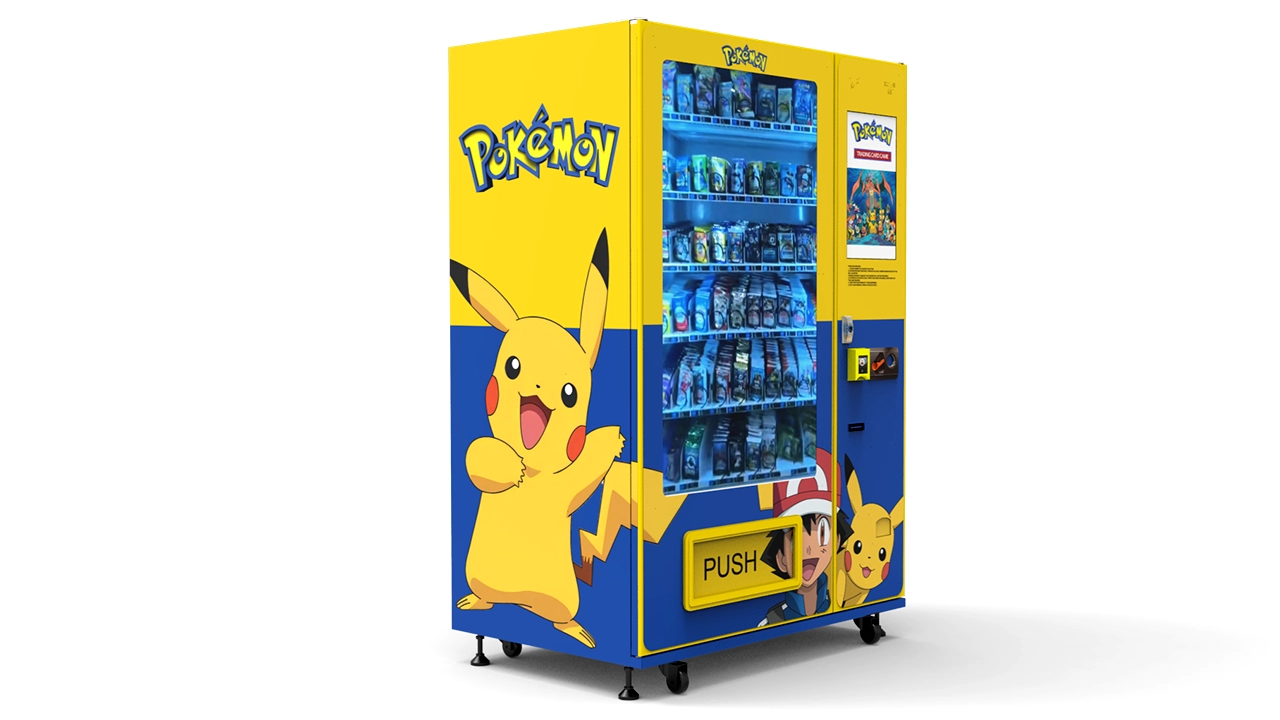
One maintenance mistake I would avoid is treating every lane identically forever. If three lanes carry thicker boxed products while the rest carry sleeved booster packs, those three lanes may place different loads on motors and guides. Maintenance should follow the installed product mix, not just the cabinet model.
What to Check at Every Service Visit
A restocking visit is the cheapest maintenance opportunity an operator has because the travel cost has already been incurred. I’d build the inspection into the same physical sequence every time so that nothing depends on memory.
1. Look at the machine before opening it
Start with the customer view. Is the screen normal? Does the payment terminal show its expected ready state? Is the pickup door closed? Are there new scratches, dents, loose trim pieces, or signs that someone has tried to pry the cabinet? Is the machine sitting squarely rather than rocking?
Checking before opening the door helps distinguish customer-facing faults from conditions caused during service.
2. Review errors before clearing them
If the controller or cloud dashboard records faults, capture them first. Record the error code, time, lane, product, payment state, and number of occurrences. A recurring motor error on one lane tells a very different story from simultaneous errors across all lanes.
3. Inspect product loading
For trading card vending machine maintenance, loading deserves more attention than it gets. Packages should move freely without so much empty space that they rotate, tip, or escape the intended path.
Check:
- Product orientation
- Lane width and divider position
- Spring or pusher engagement
- Package thickness consistency
- Crushed cartons or bent hanging tabs
- Products leaning into adjacent lanes
- Excess pressure from overfilling
- Labels or wrapping film protruding into the movement path
If a lane starts jamming only after a new card release or packaging format is loaded, I would suspect product compatibility before assuming that the motor suddenly failed.
4. Check the delivery path
Remove loose labels, torn shrink film, cardboard fragments, and any foreign material from the path between the shelf and pickup compartment. On an elevator machine, inspect the accessible guide area and platform for obstruction without entering a hazardous moving zone.
5. Clean the customer-contact surfaces
Use materials approved for the display and payment hardware. Avoid soaking the screen, terminal seams, speaker openings, card slots, or electrical interfaces with cleaner. The cloth should do the cleaning; the electronics should not receive the liquid.
6. Run a real transaction
A maintenance visit is not complete because the home screen appears normal. Select a product, process an approved test payment through the normal customer flow, confirm movement, confirm delivery detection, check the pickup experience, and make sure inventory and sales records update correctly.
That end-to-end test catches integration problems that individual component checks can miss.
The Trading Card Vending Machine Troubleshooting Workflow I Recommend
The fastest technicians are not necessarily the ones who replace parts fastest. They are usually the ones who eliminate possibilities in a disciplined order.
For this comparison, I’m prioritizing diagnostic efficiency: start with the symptom the customer or machine actually produced, identify how broad the failure is, check the simplest reversible causes, and only then move deeper.
Step 1: Define the symptom precisely
“Machine broken” has almost no diagnostic value. Rewrite it as one of these:
- Entire machine has no visible power.
- Cabinet has power, but touchscreen is black.
- Touchscreen displays normally but does not respond.
- Card reader is online but every transaction declines.
- Payment approves, but lane 12 does not move.
- Lane 12 moves, but the product does not reach the pickup area.
- Product reaches the pickup area, but the machine reports a failed vend.
- Elevator collects the product but stops before delivery.
- Machine sells normally, but remote inventory does not update.
Step 2: Determine the scope
Ask whether the failure affects one product, one lane, one shelf, one payment method, one peripheral, or the entire machine.
A single-lane fault usually points toward loading, lane hardware, its motor, its sensor, or its wiring. Every lane failing simultaneously shifts suspicion toward the controller, common power, common communication, software state, or another shared component.
Step 3: Check what changed
The most useful troubleshooting question is often: “What changed immediately before the problem started?”
Common answers include:
- A new package size was loaded.
- The machine was moved.
- A new payment terminal was installed.
- Firmware was updated.
- A shelf was removed for cleaning.
- A connector was unplugged during service.
- The venue changed its Wi-Fi configuration.
- A power interruption occurred.
- The machine was heavily restocked.
Change history frequently identifies the fault faster than randomly testing components.
Step 4: Inspect before replacing
Look for misalignment, obstruction, contamination, loose approved service connectors, visible damage, incorrect loading, and error logs. Do not replace a motor because a product package is physically wedged against a divider.
Step 5: Test one change at a time
If you alter three settings, reseat five connectors, move products, and restart the machine simultaneously, you may restore operation without learning what actually fixed it. That creates a repeat-fault problem.
Make one safe change, test, and record the result.
Step 6: Verify with a full customer transaction
A repaired subsystem is not the same thing as a repaired machine. Finish with the customer journey: selection, payment, dispensing, detection, retrieval, refund logic if applicable, and backend record update.
Power, Touchscreen, and Controller Troubleshooting
Machine has no power
If the complete trading card vending machine is dark, first determine whether the venue power source is available and whether the machine’s normal external power controls are in their expected positions. Do not start opening energized electrical compartments unless you are authorized and trained to do so.
If other devices on the same circuit are also unavailable, the fault may be upstream of the vending machine. If the venue supply is normal but the machine repeatedly trips protection or immediately loses power again, stop cycling it. Repeated trips suggest a condition that needs qualified diagnosis.
Cabinet has power, but the display is black
This symptom is narrower. Payment hardware, lighting, fans, or controller indicators may show that at least part of the cabinet remains energized.
I’d separate the possibilities into four groups:
- The display itself is not receiving power.
- The display has power but no video signal.
- The embedded computer or controller has not booted correctly.
- The system has entered a configured display or sleep state.
If the manufacturer authorizes a normal software restart or controlled power cycle, perform it once and observe the full boot sequence. If the problem returns, record the behavior rather than repeatedly restarting it.
Screen image is normal, but touch does not work
Test several areas of the touchscreen. A completely unresponsive screen may have a different cause from one with a dead strip or inaccurate touch coordinates. Inspect for moisture, cracked glass, thick residue, an improperly applied protective layer, or a software calibration issue where applicable.
If only one region consistently fails, document the exact area. A screenshot cannot show touch failure, so a short service video can be more useful to technical support.
The interface freezes during purchases
A frozen user interface can originate in the application, embedded computer, network dependency, payment integration, storage device, or controller communication.
Record what the machine was doing immediately before the freeze. Does it happen while loading product images, initiating payment, receiving authorization, sending the vend command, or confirming the product drop? Repetition at the same transaction stage is an important clue.
Do not assume the touchscreen hardware is defective simply because the image is frozen.
Card Reader and Payment Troubleshooting
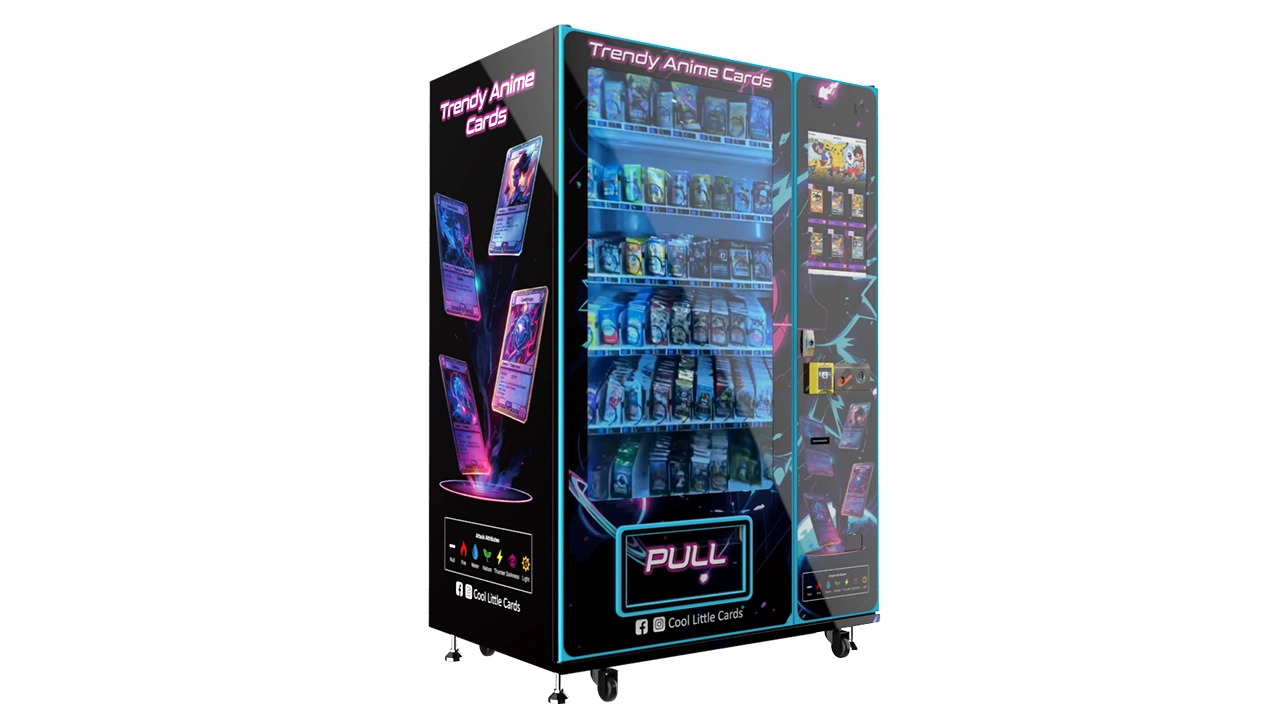
For a cashless trading card vending machine, payment availability is machine availability. A cabinet can be perfectly stocked and mechanically healthy, but if customers cannot pay, its commercial uptime is effectively zero.
Payment troubleshooting should begin by separating three events that are often confused:
- The payment terminal reads the payment credential.
- The payment processor authorizes or declines the transaction.
- The vending controller receives the result and proceeds with the sale.
A failure at step three can look like a payment problem even when the processor approved the transaction correctly.
Card reader appears offline
Check its normal status indicator, communication link, and the machine’s network state. If the terminal uses its own cellular connection, do not assume that the vending machine’s main network connection proves the reader is online. They may be separate systems.
Look for a broader pattern. If the remote management platform and payment terminal go offline together, investigate a common network or power issue. If remote machine monitoring remains normal while only the payment terminal is unavailable, narrow the investigation to that terminal, its communications, integration, or provider service.
Every card is declined
Do not diagnose this from one card. Test according to your approved payment-support procedure. Widespread declines can result from terminal configuration, processor communication, merchant-account conditions, network failure, or another payment-service issue.
If cash or another approved payment method still works, the dispensing system may be completely healthy.
Payment is approved but no product is dispensed
This is one of the most important trading card vending machine troubleshooting cases because the customer sees it as a payment failure while the actual fault may be downstream.
Check the transaction log in sequence:
- Was payment authorization received?
- Did the controller generate the vend command?
- Did the correct lane receive the command?
- Did the motor or dispensing mechanism move?
- Did the delivery sensor detect the product?
- Did the system trigger a refund or failed-vend routine?
The answer identifies the point where the chain broke.
Payment-terminal security deserves separate attention
The PCI Security Standards Council’s PTS Point of Interaction program specifically covers device categories that include unattended payment terminals. For an operator, that is a useful reminder that a vending payment device is not merely a display bolted to the cabinet. Its physical condition and approved mounting matter.
During routine trading card vending machine maintenance, look for unexpected overlays, loose bezels, broken seals where applicable, changed cables, unusual attachments, or a terminal that no longer sits firmly in its approved position. If tampering is suspected, take the payment function out of service and follow the payment provider’s security procedure rather than continuing to accept transactions.
When specifying new equipment, I’d choose supported payment components and documented integrations over improvised terminal installations. That reduces both maintenance ambiguity and security risk.
Trading Card Vending Machine Not Dispensing? Diagnose the Product Path First
Dispensing faults are where trading card vending differs most from ordinary vending. Booster packs, sleeved packs, blister packs, deck boxes, collector boxes, sports card products, and small accessories all behave differently inside a lane.
Before replacing hardware, inspect the product mechanically.
| Symptom | Likely Areas to Inspect | Recommended Direction |
|---|---|---|
| Motor turns but product stays in lane | Package friction, overfilling, incorrect spring position, lane width | Correct loading and product fit, then test again |
| Motor does not turn | Motor, wiring, connector, controller output, jam protection | Confirm whether the fault follows the lane or the control channel |
| Two products dispense | Package thickness, pitch, product separation, channel setup | Reconfigure the lane for reliable single-product release |
| Product falls sideways | Guide width, orientation, center of gravity, shelf edge | Improve support and loading orientation |
| Product dispenses but sensor reports failure | Drop sensor alignment, contamination, wiring, sensitivity or logic | Inspect detection system rather than the motor first |
| Same lane jams repeatedly | Lane geometry, package variation, warped divider, worn mechanism | Find the repeatable physical cause before replacing parts |
| Several adjacent lanes fail | Shelf harness, common connection, shelf controller, physical shelf alignment | Look for a shared cause |
Product fit is part of machine configuration
A common mistake is to think that if a package physically fits inside a lane, it is compatible. Reliable vending requires clearance through the entire dispensing cycle.
The product must remain stable while stocked, move predictably when driven, separate from the next item, clear surrounding dividers, enter the delivery path correctly, and arrive without unacceptable impact.
If I were choosing equipment for a mixed catalog of booster packs and larger sealed boxes, I would prioritize adjustable channels and a delivery method that can be validated with the actual products before production. Zhongda Smart’s current trading card vending machine range includes configurations with adjustable cargo layouts, touchscreen operation, connected management, and elevator-delivery options for projects that need more controlled handling.
Why test-vending one product is not enough
A lane can pass once and still be badly configured. Packaging tolerances, shrink-wrap seams, hanging tabs, box compression, and the position of the next product can change friction from one vend to another.
For a new SKU, I’d run multiple consecutive test vends from a realistically loaded lane. Watch the first, middle, and last products rather than testing only a nearly empty channel.
If failures appear only when the lane is full, loading pressure or package compression may be contributing. If failures appear only on the last item, support geometry or end-of-lane position may be the cause.
Do not compensate for bad product fit with excessive force
Increasing mechanical force to push a poorly fitted product may transfer the problem somewhere else. The result can be crushed card boxes, accelerated motor wear, damaged dividers, or a more violent drop.
Good trading card vending machine maintenance starts with configuration. Correct geometry is usually a better long-term solution than asking a mechanism to overpower friction.
Elevator and Soft-Delivery Troubleshooting
An elevator delivery system adds mechanical complexity, but it can make sense when product condition matters. Instead of allowing merchandise to fall the full cabinet height, the platform can move to the selected shelf, receive the item, and carry it toward the collection point.
When an elevator trading card vending machine fails, first identify the stage where movement stops.
The elevator does not leave its home position
Possible areas include the controller command, home-position logic, motor power, drive mechanism, safety state, sensor condition, or an obstruction. Record any error code before attempting an approved reset.
The elevator moves but stops at the wrong height
This points more strongly toward positioning, reference sensing, calibration, belt movement, guide alignment, or software position data.
Do not keep test-vending valuable products while position accuracy is uncertain. Use the manufacturer’s approved service procedure or test object where applicable.
The elevator reaches the shelf but the product misses it
Now inspect the relationship between shelf, lane outlet, elevator platform, and product trajectory. A shelf can be mechanically healthy while being slightly displaced relative to the elevator.
This is especially important after transportation, shelf removal, or lane reconfiguration.
The elevator makes new grinding, clicking, or rubbing noises
New mechanical noise is useful diagnostic information. Record where in the travel range it happens. A noise that occurs at the same vertical position every cycle may indicate a localized alignment or guide issue, while a sound throughout the full travel path suggests something different.
Do not lubricate belts, rails, rollers, or plastic guides with a general-purpose product unless the manufacturer specifically calls for it. The wrong lubricant can attract dust, attack plastics, contaminate sensors, or change friction characteristics.
The product is delivered but damaged
Inspect more than the elevator. Damage can occur when the item leaves the lane, lands on the platform, shifts during travel, contacts the pickup-door mechanism, or is compressed against another component.
For premium sealed boxes, I’d test the complete delivery path with representative inventory before putting the SKU into customer service.
Network and Remote Management Troubleshooting
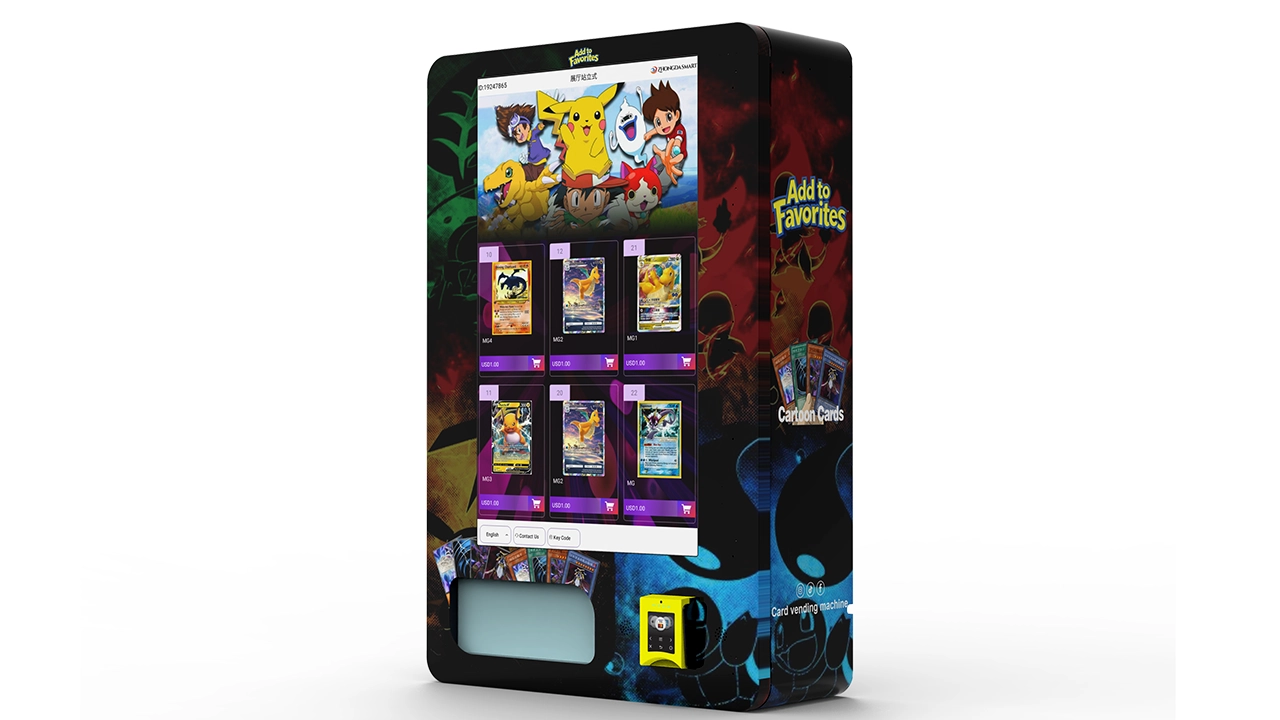
Connected vending makes maintenance easier only when operators understand which functions actually depend on the network. Depending on the configuration, connectivity can affect payment, remote inventory, transaction synchronization, advertising content, alerts, pricing updates, software management, or some combination of these.
Machine works locally but appears offline in the dashboard
This usually tells you something useful: local power, user interface, and at least part of the vending controller are working.
Check whether the issue affects one machine or the full fleet. A single-machine outage points toward the local modem, antenna, SIM or service state, Wi-Fi credentials, Ethernet link, network hardware, or that machine’s software connection. A fleet-wide outage suggests checking the shared backend or service before sending technicians to every site.
Remote data is delayed rather than completely missing
Delayed synchronization should be recorded separately from a true offline event. If sales eventually appear, the machine may be caching data locally during temporary communication loss.
That distinction matters when reconciling inventory. An operator can mistakenly treat delayed data as a physical stock discrepancy and create a second error by manually correcting inventory too soon.
Network works, but payment does not
Do not assume that one successful connection proves every connected service is healthy. Payment terminals may use a separate network, separate credentials, a separate processor endpoint, or their own cellular connection.
Troubleshoot each communication path according to its actual architecture.
Signal strength is good, but the machine still drops offline
Signal bars alone do not prove stable communication. Look at event timing. If disconnections correlate with door movement, vibration, high traffic, power events, or scheduled software activity, the pattern may point toward something other than weak coverage.
I’d record three numbers for recurring network issues: outage start time, outage duration, and number of machines affected. Those three fields make remote support much more efficient.
Inventory and Sales Data Mismatches
A trading card vending machine can dispense correctly and still create an expensive operating problem if physical stock, machine inventory, and payment records drift apart.
High-value sealed products make reconciliation more important than it may be for low-value consumables.
Use a simple inventory equation
For each SKU or lane:
Expected closing stock = opening stock + units loaded − confirmed units sold − documented removals
Compare that expected quantity with the physical count.
If they differ, do not immediately label the difference as theft. Check:
- Failed-vend transactions
- Refunded transactions
- Double vends
- Manual product removal during service
- Product loaded into the wrong lane
- Inventory synchronization delay
- Incorrect starting count
- Door-access events
A double vend is both a mechanical and accounting fault
If two packs leave the machine while the controller records one sale, the lane has created a physical stock variance. Maintenance records should therefore connect mechanical incidents to inventory adjustments rather than keeping those systems separate.
Do not overwrite unexplained differences
If an operator simply edits the dashboard quantity to match the machine every time counts differ, the historical evidence disappears.
I’d record the variance first, investigate it, assign a reason code when possible, and only then correct the operational quantity.
Useful reason codes can include:
- Restock count correction
- Double vend
- Failed vend with product retained
- Failed vend with product released
- Service removal
- Damaged inventory
- Synchronization delay
- Unexplained variance
That creates data that can later reveal whether the main loss driver is process, mechanical configuration, or security.
Protecting Trading Card Inventory Inside the Machine
Trading cards and their packaging are not food products, so a trading card vending machine normally does not need refrigeration. It does, however, need a reasonable environment for paper-based and printed merchandise, adhesives, foil packaging, cartons, electronics, and payment hardware.
Heat, direct intense light, moisture, condensation, dust, and large environmental swings are all poor conditions for collectible inventory and machine electronics.
Preservation guidance for paper collections illustrates why environmental stability matters. The Library of Congress recommends cool, relatively dry, clean, stable storage for works on paper and gives about 35% relative humidity as one preservation reference point. Separate National Park Service collection guidance lists a 45%–55% optimum range for paper in its museum context. Those numbers should not be treated as a vending-machine specification; they demonstrate that preservation targets depend on the material and context. For commercial card inventory, follow product requirements and the equipment manufacturer’s operating limits while avoiding excessive heat, humidity, condensation, and rapid environmental changes.
I would pay particular attention to:
- Machines next to doors where outside air repeatedly enters
- Locations receiving strong direct sunlight
- Placement immediately beside heating or cooling outlets
- Areas with water-leak history
- Locations where wet floor cleaning can reach the cabinet
- Dusty environments that contaminate fans, sensors, and mechanisms
- Sites with large overnight temperature changes
Do not block cabinet ventilation openings with advertising panels, cartons, furniture, or wall placement tighter than the manufacturer permits. Even a nonrefrigerated vending machine produces heat through displays, embedded computers, power supplies, payment hardware, and other electronics.
Inspect the merchandise during restocking
Do not load already-damaged products and then assume any later customer complaint was caused by the machine. Check high-value card boxes for crushed corners, torn shrink wrap, moisture damage, and obvious deformation before loading.
Where product condition is commercially important, a simple restock photo can document the state of the inventory and lane arrangement at the time of service.
Tools and Spare Parts Worth Keeping
Good spare-parts planning reduces downtime more effectively than carrying a large collection of random components. I’d choose parts based on the installed machine configuration, replacement frequency, lead time, and whether a failed component disables the whole machine or only one lane.
| Service Item | Why Keep It | Priority |
|---|---|---|
| Approved cleaning materials | Used frequently for screens, sensors, and customer areas | High |
| Known-good lane motor or drive unit | Helps restore a failed lane and can support diagnosis | High on larger fleets |
| Common sensors | Small components can disable delivery confirmation | High |
| Manufacturer-specified fuses | Useful only after the underlying cause has been assessed | High |
| Approved cables and harnesses | Door movement and service access can stress connectors | Medium to high |
| Elevator wear parts where applicable | Can otherwise create extended downtime waiting for shipment | Configuration dependent |
| Door and pickup hardware | Customer abuse can damage high-use mechanical parts | Medium |
| Network hardware approved for the machine | Useful when connectivity is operationally critical | Fleet dependent |
Before ordering a machine fleet, I’d ask for a recommended spare-parts package rather than waiting for the first failure. That conversation also reveals how well the manufacturer has thought about field service.
Basic service kit
The exact tools must match the machine and service manual, but an operator-level kit can include approved cleaning cloths, a flashlight, labeling materials, measuring tape or caliper for product checks, cable ties where permitted, a small inspection mirror, spare approved keys, service documentation, and a phone or tablet for photographing faults and accessing the remote platform.
Qualified technicians may require electrical test equipment and specialized tools, but those should be used only by people trained for the task.
Do not use an unknown fuse, motor, power adapter, cable, or payment component simply because its connector physically fits. Electrical and communication compatibility cannot be judged from connector shape alone.
Maintenance Metrics That Actually Help an Operator
A service log becomes valuable when it answers operating questions, not when it merely proves someone visited the machine.
I’d track these metrics:
| Metric | Calculation | What It Tells You |
|---|---|---|
| Vend success rate | Successful first-attempt vends ÷ initiated vends × 100 | Whether product configuration and dispensing remain reliable |
| Payment success rate | Completed approved payments ÷ valid payment attempts × 100 | Whether payment availability is affecting conversion |
| Repeat fault rate | Repeated incidents with the same root cause ÷ total incidents | Whether repairs are fixing causes or only clearing symptoms |
| Mean time to restore service | Total outage duration ÷ number of resolved outages | How efficiently the service process restores availability |
| Service visits per machine | Total service visits ÷ machine count | Which machines consume abnormal labor |
| Inventory variance | Physical stock − expected stock | Whether mechanical, process, or security losses need investigation |
These are operating metrics, not universal industry thresholds. I would establish a baseline for the first several months and then improve against the machine’s own history.
Calculate the cost of downtime
Operators often compare a repair bill with the price of a component while forgetting the revenue lost while the machine is unavailable.
A simple downtime estimate is:
Estimated lost gross profit = normal gross sales per available hour × gross margin × unavailable selling hours
Suppose a machine normally sells $180 during a 12-hour operating day and the merchandise mix produces a 35% gross margin before site and operating expenses.
Average sales per available hour:
$180 ÷ 12 = $15
Estimated gross profit contribution per available hour:
$15 × 0.35 = $5.25
If a payment failure leaves the machine commercially unavailable for 24 selling hours:
$5.25 × 24 = $126 estimated gross profit contribution not realized
That is only an illustration, not a profitability promise. Actual economics depend on selling price, product cost, transaction fees, venue cost, labor, taxes, shrinkage, machine cost, depreciation, and other expenses.
The calculation does show why a relatively inexpensive spare component or remote diagnostic feature can have more value than its purchase price suggests.
Measure faults by subsystem
Do not put everything into a single “maintenance” category. I’d separate incidents into:
- Payment
- Network
- User interface
- Mechanical dispensing
- Elevator delivery
- Sensor
- Power or electrical
- Inventory or configuration
- Security or physical damage
- Operator loading error
After enough records accumulate, that breakdown tells you where design changes, training, spare parts, or product-lane adjustments will have the greatest effect.
When Should You Repair, Upgrade, or Replace a Trading Card Vending Machine?
A single component failure does not make a vending machine obsolete. At the same time, repeatedly repairing an unsuitable configuration can consume more money than solving the underlying platform problem.
I’d evaluate five factors.
1. Is the failure isolated?
A worn sensor, damaged motor, or failed display component can be a straightforward repair when the rest of the machine is healthy.
Multiple unrelated failures in a short period deserve closer review.
2. Are replacement parts and technical documentation available?
An inexpensive machine becomes difficult to operate when every small part creates a long sourcing delay. Before scaling a fleet, verify support channels, common spare parts, diagrams or service instructions, and the process for remote diagnosis.
3. Does the machine still fit the merchandise?
If your business has moved from thin booster packs into premium boxes and larger collectibles, repeated jam complaints may reflect a configuration mismatch rather than aging equipment.
4. Can payment and connectivity still be supported?
A mechanically solid cabinet can still need an upgrade when the payment platform, modem, operating system, or remote-management architecture no longer meets operational requirements.
5. What does downtime cost?
A repair decision should include the cost and availability of the part, technician labor, expected remaining service life, revenue interruption, and risk of recurrence.
I would not use a universal percentage such as “replace whenever repair exceeds X% of machine price.” That shortcut ignores the condition of the rest of the machine, deployment economics, parts availability, relocation costs, and the probability that the repair will actually restore dependable service.
A better decision asks: after this repair, what operating condition do I reasonably expect, for how long, and at what total cost?
Why Manufacturer Support Matters More Than a Low Purchase Price
Maintenance cost begins before the machine is purchased. The hardware configuration, accessibility of service components, product testing, documentation, payment integration, remote diagnostics, and spare-parts process all determine how expensive future problems become.
If I were choosing a trading card vending machine for a serious deployment, I’d rank serviceability alongside dispensing reliability and payment compatibility.
I would ask the supplier:
- Which parts are considered normal service items?
- Which spare parts should be stocked from day one?
- Can a failed lane motor be replaced without dismantling the whole shelf?
- How are sensor faults diagnosed?
- Can technical staff review error logs remotely?
- What machine data can the remote platform show?
- How are software updates delivered?
- Which payment terminals have already been integrated?
- Can the actual card packages be tested before production?
- How is elevator calibration handled?
- What documentation is supplied with the machine?
- What does the warranty cover, and what evidence is needed for a claim?
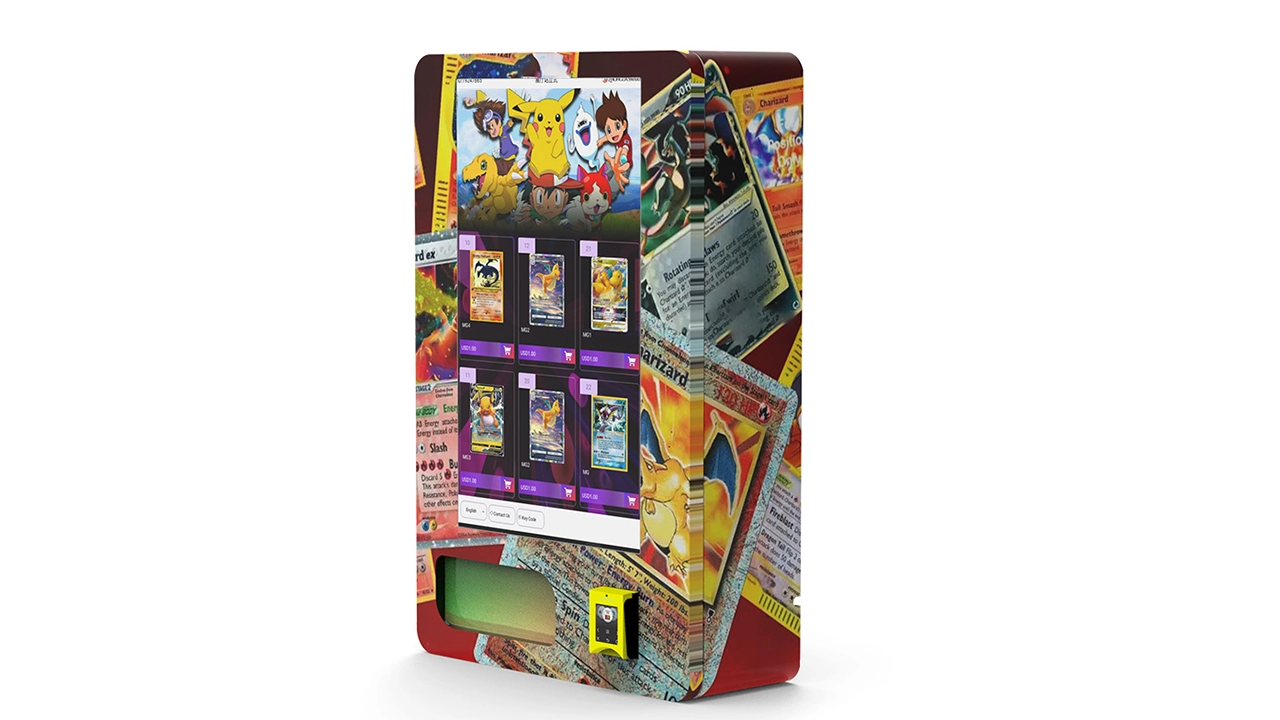
Zhongda Smart is one manufacturer I’d include early in that evaluation because its trading card product range is built around configurable cargo lanes, touchscreen interfaces, cashless payment options, connected management, OEM/ODM requirements, and multiple delivery configurations rather than treating trading cards as an afterthought added to a conventional snack cabinet.
Its published after-sales and warranty support page also gives buyers a direct route for technical and project support. Final warranty scope, replacement-part terms, software functions, payment compatibility, and service responsibilities should always be confirmed for the exact machine configuration in the sales agreement.
For a new project, I’d send the manufacturer actual product dimensions and photographs before finalizing the cargo layout. If the catalog will contain several package types, send representative samples or precise dimensional data for all of them.
The machine should be configured around the product. The product should not be forced into an unsuitable machine simply because the cabinet is already available.
Commissioning Checklist After Maintenance or Repair
One of the easiest ways to create a second service call is to fix the reported fault and leave without checking the full transaction path.
After a meaningful repair, I’d use this closeout checklist.
Physical condition
- All service tools and loose hardware removed
- Panels and guards returned to the correct position
- Cables routed and secured as designed
- Door closes, aligns, and locks normally
- Pickup compartment operates freely
- Machine is stable
System startup
- Machine completes its normal boot sequence
- No unexpected error messages remain
- Touchscreen image is normal
- Touch input works across the active interface
- Payment terminal reaches its normal ready state
- Network and remote management reconnect
Product function
- Repaired lane operates correctly
- Neighboring lanes were not disturbed
- Product remains correctly loaded
- Delivery sensor confirms the vend
- Elevator returns to its proper state where fitted
- Product arrives without new packaging damage
Commercial transaction
- Customer selection works
- Price displayed is correct
- Payment is authorized correctly
- Correct SKU dispenses
- Sale records correctly
- Inventory decreases by the correct quantity
- Remote dashboard receives the transaction
Service documentation
- Original symptom recorded
- Error code recorded
- Root cause recorded when known
- Corrective action recorded
- Replacement part and part number recorded
- Firmware or configuration change recorded
- Final test result recorded
- Follow-up action assigned if needed
A note that says “fixed” has almost no long-term value. A note that says “Lane 18 intermittent failed vend; box width causing contact with right divider; divider adjusted to approved position; five consecutive loaded test vends passed; inventory reconciled” can prevent hours of future troubleshooting.
A Practical Fault Matrix for Fast Field Diagnosis
The following matrix is the condensed version I would keep available to route staff. It is not a substitute for the machine manual, but it helps technicians decide where to begin.
| Customer Complaint | First Question | Likely Subsystem | Escalate When |
|---|---|---|---|
| “The machine is dead.” | Does anything have power? | Power input or distribution | Protection repeatedly trips, wiring is damaged, or electrical access is required |
| “The screen is black.” | Are other devices powered? | Display, computer, or display power | Approved restart does not restore stable operation |
| “The screen will not respond.” | Is the whole screen affected or one area? | Touch layer, calibration, software | Glass is damaged or fault persists |
| “My card will not work.” | Is the reader online and are other payments affected? | Payment or communication | Terminal is damaged, tampered with, or processor support is needed |
| “I paid but got nothing.” | Did the controller issue a vend? | Integration, lane, sensor, or delivery | Refund logic is uncertain or fault repeats |
| “The product got stuck.” | Does it always happen in the same lane or with the same SKU? | Product fit or dispensing hardware | Mechanical damage or powered service is required |
| “The product arrived damaged.” | At what point in the delivery path did damage occur? | Lane geometry or delivery system | Structural adjustment or elevator repair is needed |
| “The dashboard is offline.” | Does the machine still work locally? | Network or backend | Local checks show normal connectivity but service remains unavailable |
| “Inventory is wrong.” | Do payment, vend, and physical counts agree? | Data, double vend, loading, or reconciliation | Unexplained losses continue after audit |
How to Reduce Repeat Service Calls
The most expensive maintenance problem is not always a major failure. It is the small failure that keeps returning because nobody identifies the root cause.
I’d use four rules.
Do not close a repeat fault with the same vague repair note
If a lane has been “cleared” three times, the fourth visit should not simply clear it again. Measure the package, inspect the divider, compare it with a healthy lane, check the mechanism, and identify why it keeps jamming.
Separate operator error from equipment failure
If products are routinely loaded in the wrong orientation, replacing motors will not solve the problem. Photograph the correct loading pattern and include it in the route procedure.
Standardize configurations across a fleet where practical
Different controllers, payment terminals, modem types, lane layouts, software versions, and spare motors create unnecessary support complexity.
Standardization makes training, remote diagnosis, spare parts, and technician familiarity easier. It does not mean every site needs the same capacity, but unnecessary variation should have a business reason.
Use the machine data
Connected vending is most valuable when operators act on the information. A repeated fault count, unexpected inventory movement, offline alert, or recurring payment interruption is an early maintenance signal.
Remote monitoring cannot tighten a loose component or remove a physical obstruction, but it can help a technician arrive with the right hypothesis and parts.
If you are still choosing hardware rather than maintaining an installed fleet, the trading card vending machine buying guide covers capacity, product compatibility, location economics, payment requirements, and machine-selection considerations that affect later service costs.
Frequently Asked Questions
How often should a trading card vending machine be maintained?
I’d perform a short visual, product-loading, payment, alarm, and test-transaction check whenever the machine is restocked or serviced. A deeper inspection can be scheduled monthly or quarterly, with broader technical inspection according to the manufacturer’s service plan, machine usage, environment, and installed hardware. High-volume or dusty locations may require more frequent checks.
Why does my trading card vending machine accept payment but not dispense a product?
First determine whether payment authorization reached the vending controller. If it did, check whether the controller issued the vend command, whether the correct lane moved, whether the product was mechanically obstructed, and whether the delivery sensor detected it. The fault can be in payment-to-controller communication, the lane, motor, product loading, sensor, or delivery path. Review the transaction log before replacing parts.
Why does the same trading card vending machine lane keep jamming?
A repeat jam often points to product fit rather than a random motor failure. Check package width, thickness, orientation, shrink-wrap seams, divider spacing, spring or pusher engagement, overfilling, and the product's movement through the entire lane. If the same lane fails with several properly fitted products, inspect its mechanical drive, motor, wiring, and control path according to the manufacturer’s procedure.
What should I do when the vending machine touchscreen is black?
First determine whether the entire machine has lost power or only the display is dark. If other systems are operating, the problem may involve display power, the video connection, embedded computer, controller, or software state. Use only the manufacturer-approved restart procedure. If the problem returns, document the boot behavior and error information and request technical diagnosis instead of repeatedly cycling power.
How do I troubleshoot a trading card vending machine card reader that is offline?
Check the reader's normal status indicator, its power state, network connection, and whether other connected machine functions are also offline. Remember that the payment terminal may use a communication path separate from the vending controller. If the terminal appears damaged, loose, altered, or tampered with, stop accepting payment through it and follow the payment provider's security procedure.
What spare parts should I keep for a trading card vending machine?
The best spare-parts kit depends on the model, but commonly useful items include manufacturer-approved lane motors, sensors, specified fuses, common harnesses or cables, pickup hardware, and elevator wear parts where fitted. Fleet operators should ask the manufacturer for a recommended spare-parts package based on their exact machine configuration instead of buying generic components.
Can a trading card vending machine damage booster packs or card boxes?
Yes, if the lane is poorly configured or the delivery path creates excessive pressure, friction, impact, or misalignment. Product dimensions should be tested before deployment. Premium boxed merchandise can benefit from a more controlled delivery system such as an elevator when the machine and product configuration support it. Run repeated loaded test vends with the actual merchandise rather than testing only one sample.
When should I call the manufacturer instead of troubleshooting the machine myself?
Escalate the problem when electrical hazards, repeated protective-device operation, damaged wiring, payment-terminal security, controller faults, structural damage, elevator drive problems, persistent communication faults, or repairs outside your training are involved. You should also contact the manufacturer when a fault repeatedly returns after safe operator-level checks, because replacing components without identifying the cause can increase both downtime and repair cost.
Final Maintenance Checklist
If I had to reduce this entire guide to one field routine, I would use the following order every time:
- Observe before touching anything. Record the customer symptom, current machine state, and error messages.
- Determine the scope. One lane, one system, or the entire machine?
- Check recent changes. New product, relocation, service, configuration, payment hardware, network, or software?
- Make the area safe. Follow the equipment manual and applicable energy-control procedure.
- Inspect the simple physical causes. Product fit, obstruction, contamination, alignment, visible damage, and approved service connectors.
- Use logs before guessing. Payment, controller, vend, sensor, network, and inventory records narrow the fault.
- Change one thing at a time. Test after each corrective action.
- Run a complete transaction. Selection, payment, vend, detection, collection, sales record, and inventory update.
- Record the root cause. Avoid notes that say only “reset” or “fixed.”
- Watch for recurrence. A repeated symptom deserves root-cause analysis, not another temporary reset.
That process is more valuable than memorizing dozens of isolated fixes. A modern vending machine is an integrated system, and the most reliable troubleshooting follows the transaction from beginning to end.
Conclusion
Trading card vending machine maintenance should be built around prevention, structured diagnosis, and complete transaction testing. Keep the cabinet clean, load merchandise consistently, protect sensors and payment hardware, review alarms before clearing them, maintain useful spare parts, and treat repeated faults as evidence that a root cause has not yet been resolved.
For card-specific machines, the product itself deserves as much attention as the electronics. Package dimensions, lane geometry, product separation, delivery impact, elevator alignment, and inventory reconciliation all affect whether a machine can reliably sell higher-value collectible merchandise without creating avoidable customer complaints.
I’d also judge a machine by how easy it is to support after installation. Good access to motors and sensors, documented payment integration, remote operating information, spare-parts availability, and responsive technical support can matter more over the machine's working life than a small difference in initial purchase price.
The strongest maintenance program is not reactive. It notices a lane becoming unreliable before customers repeatedly lose purchases. It notices a network pattern before a machine stays offline all weekend. It identifies the exact transaction stage where a payment-to-vend sequence fails. And it records enough information that the next technician does not have to start from zero.
That is the standard I would use for any serious trading card vending operation: maintain the machine as a system, troubleshoot with evidence, and verify every repair from the customer's point of view.
Important Disclaimer
This guide provides general maintenance and troubleshooting information for commercial trading card vending equipment. Machine designs, electrical systems, controllers, payment hardware, software, safety requirements, and service procedures vary by model and configuration. Always follow the equipment manufacturer’s current manual, approved service procedures, payment-provider requirements, workplace safety rules, and applicable regulations. Do not perform electrical, energized, structural, payment-security, or mechanical repairs for which you are not trained or authorized. Disconnecting power alone does not necessarily make every servicing task safe because stored or residual energy may remain. Commercial results, uptime, maintenance costs, and return on investment vary by machine configuration, merchandise, operating environment, location, payment fees, service quality, labor, and other factors. Nothing in this article constitutes a guarantee of profit, uptime, safety certification, regulatory compliance, or a specific service life.
Technical References and Source Material
- Occupational Safety and Health Administration. 29 CFR 1910.147 — The Control of Hazardous Energy (Lockout/Tagout) . Referenced for the principles governing hazardous-energy control during servicing and maintenance.
- PCI Security Standards Council. PIN Transaction Security Point of Interaction Standard . Referenced for unattended payment terminal and point-of-interaction security context.
- Library of Congress, Preservation Directorate. Care, Handling, and Storage of Works on Paper . Referenced for the importance of cool, relatively dry, clean, stable conditions for paper materials.
- National Park Service. Museum Handbook, Part I: Museum Collections . Referenced for paper-environment and environmental-monitoring guidance. Preservation ranges are contextual references, not vending-machine operating specifications.
- Zhongda Smart. Trading Card Vending Machine Manufacturer and Product Information . Referenced for current trading card machine configurations and manufacturer support information.