A trading card vending machine should not become a black box once it leaves the warehouse. Operators need to know what sold, which products are running low, whether payments and dispensing are working, and when a machine needs attention. Vending machine remote monitoring connects these operating details through a combination of machine hardware, network connectivity, and cloud-based management software. The result is a clearer view of daily performance without depending on repeated physical inspections. For trading card retailers, the real value goes beyond checking sales figures. It comes from connecting each transaction to a specific product, keeping collectible inventory accountable, identifying equipment problems early, and making better replenishment decisions before a missed sale becomes a recurring problem.
The short answer: Vending machine remote monitoring uses connected machine controllers, communication hardware, and cloud software to report sales, product inventory, payment events, and equipment status to an online dashboard. A well-designed system helps operators identify stock shortages, distinguish payment failures from dispensing problems, reconcile transactions, and organize maintenance and replenishment activities.
For trading card equipment, the most important requirement is product-level visibility. A total sales figure is not enough. Operators should be able to identify the individual pack, box, or product selection associated with each successful transaction.
- What Remote Monitoring Means for Trading Card Vending
- How a Remote Monitoring System Works
- The Four Main Categories of Data
- Tracking Sales and Individual Products
- Inventory Tracking and Stock Accuracy
- Machine Status and Equipment Health
- Payment Monitoring and Transaction Reconciliation
- Connectivity: 4G, Wi-Fi, and Wired Networks
- Building a Useful Management Dashboard
- Alerts, Notifications, and Maintenance Workflows
- Security and Data Protection
- Communication Standards and Machine Compatibility
- Using Sales Data to Improve Product Planning
- Remote Management and Configuration
- How to Choose a Remote Monitoring Solution
- Implementation and Deployment Checklist
- Practical Operating Examples
- Calculating the Business Value of Remote Monitoring
- Trading Card Machine Configuration with Zhongda Smart
- Common Mistakes to Avoid
- Frequently Asked Questions
- References and Further Reading
1. What Remote Monitoring Means for Trading Card Vending
Remote monitoring is the process of collecting information from a vending machine and making that information available through an online management platform. Instead of waiting until the next service visit to discover what happened, an operator can review machine activity from a computer or mobile device.
For conventional vending equipment, this may mean checking the number of units sold, cash collected, product availability, and technical alarms. Trading card vending requires a more detailed approach because the products themselves can differ significantly in size, price, packaging, and commercial value.
Consider a machine carrying several types of merchandise:
- Individual trading card booster packs.
- Sealed trading card boxes.
- Sports card packs and hobby products.
- Special collectible releases.
- Limited-edition or higher-value packaged products.
These items should not be treated as interchangeable inventory. A machine selling twenty booster packs has a different replenishment requirement from one selling twenty sealed boxes. Even when the transaction count is identical, the revenue, stock value, and potential financial exposure may be completely different.
That is why vending machine remote monitoring should connect transactions to individual product selections whenever the machine's controller and software support that level of detail.
Monitoring is different from simply checking sales
A payment report tells an operator that money was collected. An inventory report estimates or records what remains inside the machine. A machine health report shows whether the equipment is communicating and whether its main components are functioning.
These are three separate information sources. A reliable operating system brings them together rather than presenting them as unrelated reports.
For example, a product may show a successful payment even though the dispensing mechanism has failed. If the management platform only records payment authorization, the operator may incorrectly assume that the product was delivered. The system should ideally connect the payment result with the vending controller's dispensing result and any refund event.
In my view, this transaction-to-delivery relationship is one of the most important design considerations for a collectible vending business. A dashboard that looks attractive but cannot distinguish a completed vend from a failed vend creates unnecessary uncertainty.
Why collectible products need better visibility
Packaged trading cards can have different purchasing patterns from everyday convenience products. Demand may increase around a new product release, a popular series, a championship, or a particular collectible promotion. Certain selections may sell quickly while other items remain in the machine for an extended period.
Without product-level records, an operator may restock every selection according to a fixed schedule. That approach can lead to two problems: popular products sell out before the next visit, while slower selections occupy capacity that could be used more effectively.
Remote vending management helps replace assumptions with operating information. It does not guarantee that every product will sell, but it gives the operator a better basis for deciding what to stock, how much to carry, and when to visit.
2. How a Remote Monitoring System Works
A complete vending machine remote monitoring system normally contains several connected layers. Each layer has a different responsibility, and a problem in any one of them can affect the quality of the information displayed to the operator.
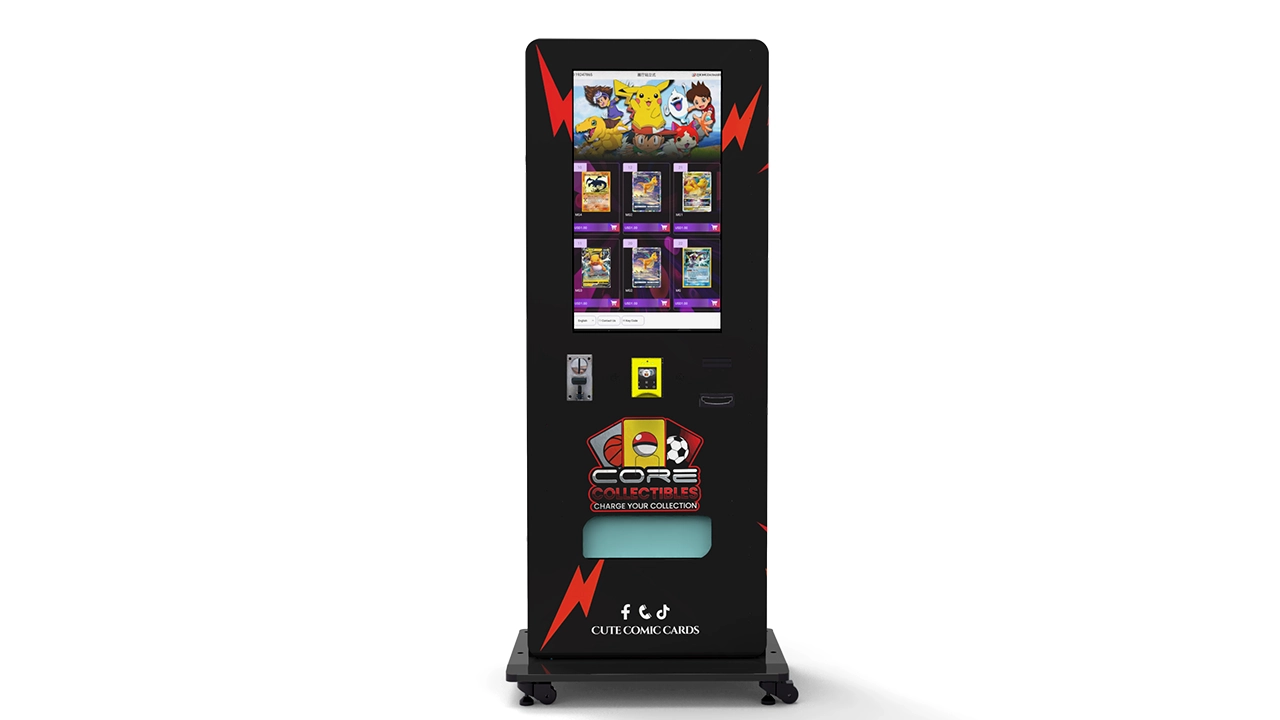
Layer 1: The machine controller
The controller is the central operating component of the vending machine. It coordinates product selection, payment authorization, dispensing instructions, and machine events. Depending on the equipment design, it may also record door activity, inventory counters, alarms, and other operational information.
The controller is the primary source of machine-side information. If it cannot identify which selection was purchased, the remote platform may only receive a general transaction record. This limitation cannot always be solved by adding a cloud dashboard.
Before choosing equipment, confirm exactly which information the controller can provide. Ask for examples of actual transaction records rather than relying on a general statement that the machine supports remote management.
Layer 2: Communication hardware
A communication module or gateway transfers information between the machine and the management platform. It may be integrated into the controller or installed as a separate component.
The communication hardware can collect events such as:
- Successful product selections and completed vending cycles.
- Payment approval and payment-related error signals.
- Low-stock and sold-out notifications, where supported.
- Machine alarms and controller faults.
- Power status and communication interruptions.
- Door opening and maintenance activity, when the necessary sensors are installed.
The exact list depends on the machine's hardware and software configuration. Not every connected vending machine provides all these data points.
Layer 3: Network connectivity
The communication module sends machine information through a network connection. Common options include cellular connectivity, Wi-Fi, and wired Ethernet.
The network does not determine the quality of the monitoring data by itself. It only provides a route for transferring information. A machine may have an excellent internet connection but still produce incomplete inventory records if its controller does not track individual product selections.
For this reason, I would evaluate data collection and connectivity as two separate purchasing decisions.
Layer 4: Cloud management software
The cloud platform receives machine data, organizes it, and presents it through a dashboard. Operators may use it to review sales reports, compare machine performance, inspect product availability, and receive alerts.
More advanced platforms can support user permissions, exportable reports, remote configuration, and integration with external business systems. These functions should be confirmed individually because a basic monitoring subscription may not include every management feature.
The complete information flow
Typical monitoring process
Customer selects a product → Payment is authorized → Machine controller executes the vend → Dispensing result is recorded → Transaction and inventory information are transmitted → Cloud platform updates the dashboard → Operator receives a report or alert → Restocking or maintenance action is arranged.
This process explains why remote monitoring should not be judged by its dashboard alone. The most useful information is generated before it reaches the dashboard. The quality of the controller, the accuracy of the product mapping, and the reliability of the communication process determine whether the displayed figures can be trusted.
Real-time monitoring versus delayed reporting
The phrase real-time monitoring can mean different things to different suppliers. Some systems update immediately after a transaction. Others transmit information at scheduled intervals or when the communication module next connects to the network.
A short reporting delay may be acceptable for ordinary inventory planning. It may be less suitable when an operator needs to respond quickly to a payment failure or machine outage.
Ask the supplier to specify three separate timings:
- How quickly a machine records an event locally.
- How frequently the communication module uploads that event.
- How quickly the cloud dashboard displays the updated information.
Separating these timings makes it easier to evaluate the actual performance of the monitoring system.
3. The Four Main Categories of Data
A trading card vending management platform should organize its information into clear operating categories. This makes it easier to understand which reports are useful for daily work and which are intended for financial or technical review.
I would start with four essential categories: sales, inventory, machine health, and payment activity.
| Data Category | Information to Collect | Primary Business Purpose |
|---|---|---|
| Sales | Product ID, quantity, price, transaction time, machine ID | Understand revenue and product demand |
| Inventory | Opening stock, units sold, replenishment, remaining quantity | Plan restocking and reduce stockouts |
| Machine Health | Online status, controller alarms, payment device status, dispensing faults | Identify technical problems |
| Payments | Authorization, completion, settlement, refund, payment method | Reconcile sales and investigate discrepancies |
Sales data: What is happening commercially?
Sales data should show more than the total amount collected. A useful report identifies which products generated the revenue, when the transactions occurred, and which machine completed each sale.
For example, a daily sales report might contain the following fields:
- Machine identification number.
- Product name and SKU.
- Selection or cargo-lane number.
- Quantity sold.
- Unit selling price.
- Transaction timestamp.
- Payment method.
- Transaction status.
These details make it possible to compare products with different prices and margins. They also help identify whether a machine is generating revenue from a small number of popular products or a broader selection.
Inventory data: What is still available?
Inventory data should connect the physical stock inside the machine with the product records in the management platform. The system needs to know the starting quantity, the number of completed sales, and the quantity added during each restocking visit.
If the machine does not have direct stock sensors, the remaining quantity may be calculated from recorded sales and replenishment activity. That approach is useful, but it must be described accurately as estimated inventory rather than independently verified physical stock.
Machine health data: Is the equipment operating?
Machine health monitoring identifies whether the equipment is online and whether important operating components are reporting problems.
Useful indicators include communication status, controller errors, payment terminal connectivity, dispensing mechanism faults, and abnormal door activity when supported.
A machine can be online but unable to complete sales. Likewise, a machine can temporarily disappear from the cloud while continuing to accept transactions locally. The dashboard should distinguish these conditions whenever the available data allows it.
Payment data: Did the transaction complete correctly?
Payment records should help operators identify successful authorizations, completed transactions, reversals, refunds, and settlement differences. They should also make it possible to match a payment record with the corresponding machine transaction.
This is particularly important for higher-value card products. If a customer reports that money was deducted but the selected item was not delivered, the operator needs a transaction history that supports a proper investigation.
4. Tracking Sales and Individual Products
Sales tracking is often the first feature operators request when evaluating vending machine remote monitoring. However, the quality of the sales report matters much more than the number of charts displayed on the screen.
A total revenue figure provides a general performance snapshot. Product-level reporting provides the information needed to make purchasing, pricing, and replenishment decisions.
Track sales by SKU instead of relying on total revenue
Every product should have a unique identifier in the management system. This identifier connects the physical selection inside the machine to the corresponding sales record.
Suppose a machine carries three types of products:
- Product A: A standard booster pack.
- Product B: A premium sealed card box.
- Product C: A limited collectible pack.
If the dashboard reports only 35 transactions, the operator knows that the machine generated 35 purchases but cannot immediately identify which products need replenishment.
A product-level report changes the picture. It may show that Product A generated 20 sales, Product B generated 10, and Product C generated five. The operator can then compare the sales volume with the price, gross margin, and available stock for each product.
This is the foundation of useful vending machine sales analytics.
Understand hourly and daily purchasing patterns
Transaction timestamps help reveal when customers are most likely to purchase. The relevant pattern will vary according to the type of machine, the surrounding retail activity, and the products being offered.
For example, an operator may notice that a particular machine generates more transactions during evening hours. Another may experience higher activity during weekends or promotional periods.
These observations can influence several operating decisions:
- When to check stock levels.
- Which products deserve higher reserve quantities.
- When to schedule maintenance.
- How to organize promotional displays.
- When to review pricing and product placement.
It is important to compare similar periods. A single unusually busy day should not automatically become the basis for a permanent inventory increase.
Monitor revenue, quantity, and gross margin separately
Revenue alone can create a misleading picture of product performance. A high-priced product may generate substantial revenue from a small number of transactions, while a lower-priced pack may produce more frequent sales.
Gross margin adds another layer of information. If two products generate the same revenue but have different acquisition costs, their contribution to the business will be different.
A useful reporting system should therefore support at least three measures:
- Units sold: The number of completed product sales.
- Sales revenue: The total selling value before applicable adjustments.
- Gross profit: Sales revenue minus the cost of the products sold.
Payment processing charges, venue commissions, software subscriptions, and service expenses should be considered separately when calculating operating profit.
Use transaction history to investigate unusual activity
A sudden increase in sales may be a genuine demand change, but it may also indicate an incorrect product price, a duplicate transaction record, a promotional configuration issue, or a reporting error.
Similarly, a sudden decline in sales should not automatically be interpreted as weak demand. The machine may have run out of a popular selection, lost payment connectivity, or developed a dispensing problem.
Good sales reporting provides enough detail to investigate these possibilities. I would prioritize systems that allow operators to filter by machine, product, date, payment status, and transaction outcome rather than relying exclusively on monthly summary reports.
5. Inventory Tracking and Stock Accuracy
Inventory tracking is arguably the most commercially important part of remote monitoring for trading card vending machines. A machine can remain powered on, connected to the internet, and fully capable of accepting payment while producing little revenue because its most popular products are no longer available.
Remote inventory monitoring helps operators identify this situation before a physical visit becomes necessary.
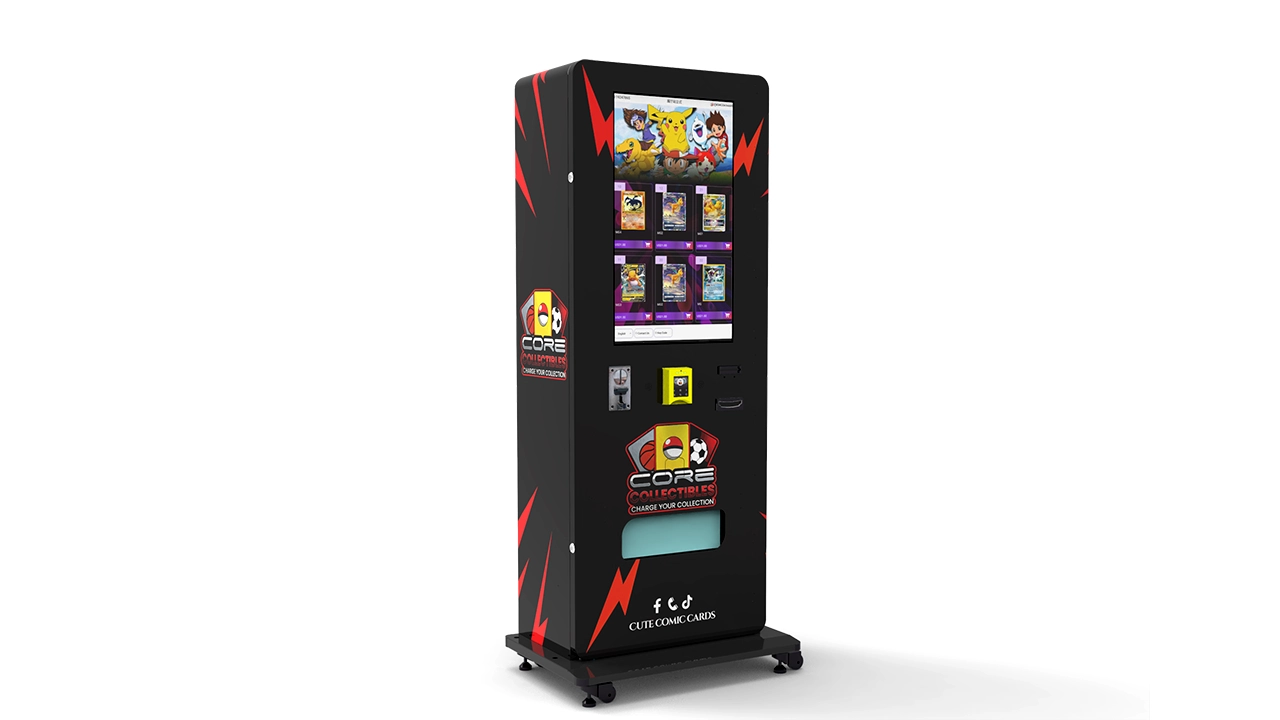
How inventory tracking works
There are several ways a vending machine can report its remaining stock. The best method depends on the dispensing mechanism, controller design, available sensors, and the type of products being sold.
1. Transaction-based inventory calculation
The platform starts with a known quantity and subtracts each successfully recorded vend. If a lane begins with 30 packs and the machine records eight completed sales, the estimated remaining stock is 22 packs.
This is a relatively straightforward method. However, it depends on accurate loading records and reliable dispensing events.
2. Sensor-assisted inventory monitoring
Some configurations can use sensors to detect product presence, movement, or stock conditions. Depending on their design, sensors may provide additional confirmation that a product has moved or that a compartment is empty.
Sensor-based monitoring can improve visibility, but the sensor type must match the actual product channel. A sensor designed for a standard coil mechanism may not provide reliable information when installed in a different dispensing arrangement.
3. Manual inventory reconciliation
During a replenishment visit, an operator records the physical stock in each selection. The management platform compares the physical count with the calculated balance and applies an adjustment where necessary.
This method remains valuable even when a machine has advanced monitoring functions. Physical reconciliation provides an opportunity to identify loading errors, damaged packaging, test vends, and other differences that automated records may not capture.
Estimated inventory versus verified inventory
This distinction deserves particular attention when purchasing a remote inventory system.
A system that subtracts one unit every time the controller records a successful vend is not necessarily measuring the physical contents of the machine. It is maintaining an inventory balance based on recorded events.
If a product is manually removed, a technician performs a test vend, or a restocking employee loads the wrong quantity, the balance can become inaccurate.
For that reason, a supplier should explain whether its inventory figures are:
- Calculated from transaction records.
- Confirmed by physical stock sensors.
- Updated through manual replenishment records.
- Generated through a combination of these methods.
The dashboard should also identify when the last stock update occurred. An inventory figure without a timestamp may look current even when it is several hours or days old.
A practical inventory calculation
A simple inventory balance can be calculated using the following formula:
Consider a selection that begins the day with 48 packs. The operator adds 24 packs during a restocking visit. The machine records 13 successful sales, while one additional pack is used for a documented test.
The estimated balance becomes:
If the dashboard displays 59 packs, the operator has a discrepancy of one unit that should be investigated during reconciliation.
This example illustrates why restocking, test transactions, refunds, and manual adjustments should all be recorded as separate events rather than hidden inside one inventory number.
Set sensible low-stock thresholds
A low-stock alert should be based on expected demand and replenishment time, not simply on an arbitrary percentage of total machine capacity.
A product that sells two units per week may not need the same threshold as a product that sells five units every day.
A practical starting method is to calculate the average daily sales rate and multiply it by the number of days required to arrange the next replenishment visit.
For example, a selection selling four packs per day with a two-day replenishment lead time has an expected demand of eight packs before the next refill. Adding a safety stock of four packs gives a starting reorder point of 12 packs.
The operator can adjust that threshold according to product availability, demand volatility, and the cost of a stockout.
Use inventory turnover to identify slow-moving products
Inventory turnover shows how quickly products move through the machine. A product with a high turnover rate may deserve more capacity or more frequent replenishment. A product with a low turnover rate may need a different price, a smaller stocking quantity, or replacement with another selection.
However, turnover should be interpreted carefully. Limited-edition products may sell slowly for several weeks before experiencing a sharp increase in demand. Removing them solely because of a short period of low activity may be a poor decision.
I would review product performance over multiple time periods and consider gross margin, product availability, and release schedules together.
Prevent stockouts without overfilling the machine
Overfilling a vending machine is not automatically a good inventory strategy. Too much slow-moving stock ties up working capital and reduces the flexibility to introduce new products.
Remote vending machine inventory tracking should help balance three objectives:
- Keep popular products available.
- Avoid excessive quantities of slow-moving merchandise.
- Maintain enough reserve capacity to respond to changes in demand.
The right balance depends on the physical capacity of the machine, the product dimensions, and the operator's ability to replenish it. A connected dashboard makes this decision easier because product-level demand can be reviewed before a purchase order is placed.
6. Machine Status and Equipment Health
Sales and inventory reports explain commercial activity. Machine health monitoring explains whether the equipment can continue operating as expected.
A machine may have plenty of stock but still lose sales because its payment terminal is disconnected, its controller has generated an alarm, or its dispensing mechanism is not completing the selected vend.
Vending machine remote monitoring should therefore provide a clear machine-status overview.
Online and offline status
The most basic status indicator shows whether the machine has communicated with the cloud platform recently.
A useful dashboard should display:
- Current communication status.
- Time of the last successful connection.
- Last reported transaction.
- Last recorded machine event.
- Communication interruptions, where available.
One important point: an offline dashboard status does not always prove that the vending machine itself has stopped operating. The machine may still be accepting payments and dispensing products locally while its communication module is temporarily disconnected.
Conversely, an online status does not prove that every machine function is working. The controller may be communicating normally while the payment reader or dispensing mechanism has failed.
Separating network status from operational status avoids unnecessary service calls.
Payment device monitoring
Payment equipment is one of the most important components in an unattended retail system. If customers cannot complete a purchase, available inventory becomes commercially useless until the issue is resolved.
Depending on the payment hardware and integration, monitoring may identify:
- Payment terminal communication loss.
- Device initialization errors.
- Unavailable payment methods.
- Transaction processing failures.
- Repeated authorization or communication errors.
Not all payment providers expose the same diagnostic information. The operator should confirm which events are transmitted to the vending platform and which must be reviewed through a separate payment provider dashboard.
Dispensing mechanism monitoring
Dispensing problems deserve particular attention in trading card equipment because packaging condition is part of the product's value.
A standard dispensing cycle may involve product selection, mechanism activation, product movement, and confirmation of delivery. The available monitoring depth depends on the equipment design and sensors.
Useful fault information may include:
- Motor or mechanism errors.
- Failed product movement.
- Delivery confirmation failures.
- Repeated attempts to vend the same selection.
- Controller alarms associated with a dispensing channel.
For higher-value merchandise, an elevator or controlled delivery system may be worth considering. Such systems can reduce the impact associated with a long free fall, although the exact level of protection depends on the product, delivery configuration, and machine testing.
Door and physical access monitoring
Where suitable sensors are installed, a machine can report cabinet or service-door opening events.
This information helps distinguish scheduled restocking from unexpected access. It can also help explain inventory discrepancies when a door is opened outside a normal maintenance window.
Door-event monitoring should be combined with employee access records and service logs. A door opening is an event, not proof of unauthorized activity.
Power and general equipment alarms
Power interruptions, controller restarts, and repeated hardware alarms can affect machine availability. A monitoring platform should retain event timestamps so that the operator can understand when the problem started and whether it has happened before.
A machine that repeatedly restarts may appear online several times throughout the day. Without an event history, those interruptions can be difficult to identify.
Machine health monitoring is most valuable when it turns individual events into a readable history of equipment performance.
7. Payment Monitoring and Transaction Reconciliation
Cashless payment is an important part of modern unattended retail. For a trading card vending machine, customers may expect to pay through supported bank cards, QR-based payment methods, or mobile payment options.
The payment system and the vending machine management system should work together, but they should not be treated as the same platform.
Payment approval does not always mean successful delivery
Consider a customer who selects a sealed card box. The payment terminal approves the transaction, but the dispensing mechanism encounters a problem.
There are now several separate events:
- The customer selects a product.
- The payment system authorizes the purchase.
- The machine receives the authorization result.
- The machine attempts to dispense the product.
- The machine reports whether the dispensing cycle completed.
- A refund or reversal may be initiated if delivery fails.
A reliable monitoring solution should preserve these events rather than combining them into one generic sales record.
When evaluating a system, ask whether the dashboard can distinguish payment authorization, completed vending, and refund status. If it cannot, operators may need to reconcile transactions manually using the payment provider's reports.
Match payment records with machine records
Each transaction should ideally have a unique reference that can be matched across the vending controller and payment platform.
Useful matching fields include:
- Transaction ID.
- Machine ID.
- Product selection.
- Transaction timestamp.
- Payment amount.
- Payment status.
- Dispensing result.
- Refund or reversal reference.
These records make it easier to investigate customer complaints and identify differences between machine sales and payment settlements.
Separate gross sales from settled funds
A daily sales report and a payment settlement report may show different totals. This does not necessarily mean that the system is incorrect.
Possible reasons include refunds, transaction reversals, processing fees, settlement timing, and transactions that have been authorized but not yet settled.
The operator should therefore distinguish:
- Gross vending sales: The value of recorded completed purchases.
- Payment authorizations: Amounts approved by the payment system.
- Refunds and reversals: Transactions that have been cancelled or returned.
- Net settlement: Funds transferred after applicable adjustments and processing charges.
These figures serve different accounting purposes and should not be expected to match without reconciliation.
Why cashless compatibility matters
Payment preferences continue to change, and the machine should support the payment methods that the intended customer base can actually use.
The Federal Reserve's 2025 Payments Study reports 236.6 billion noncash payments in 2024, with cards accounting for 79% of those transactions by number. This is broad payment-system data rather than a trading-card vending sales forecast, but it provides useful context for why cashless payment integration deserves serious attention.
Source: Federal Reserve Payments Study, National Payment Volumes, 2015–2024.
For the machine operator, the practical lesson is straightforward: payment acceptance, payment reporting, and vending transaction records should be evaluated together.
8. Connectivity: 4G, Wi-Fi, and Wired Networks
Remote monitoring requires a dependable communication path between the machine and the management platform. The best connectivity option depends on the installation environment, network availability, security requirements, and the way the equipment will be operated.
4G cellular connectivity
A cellular communication module allows the vending machine to connect through a supported mobile network. This can reduce dependence on the network infrastructure provided by the installation site.
Advantages include:
- Independent connectivity when site Wi-Fi is unavailable.
- Centralized network configuration across multiple machines.
- Less dependence on local network administration.
- Flexibility when moving equipment to another installation site, subject to coverage and service arrangements.
However, cellular connectivity requires compatible hardware, an appropriate data plan, and adequate signal strength. Operators should confirm which network bands and SIM arrangements are supported before purchasing equipment.
Wi-Fi connectivity
Wi-Fi may be a practical option when a reliable network is already available. It can reduce the need for an additional cellular data subscription.
The main considerations are network access permissions, signal coverage, password management, and the stability of the connection.
A machine that depends on a shared Wi-Fi network may be affected by password changes, router replacement, access restrictions, or network congestion. The installation process should include a clear procedure for reconnecting the machine when these conditions occur.
Wired Ethernet
Some machine configurations support wired network connections. Ethernet can be useful when a stable network connection and a suitable cable installation are available.
It may provide a more predictable connection than wireless networking in certain environments. The trade-off is the need for physical network infrastructure and appropriate cable protection.
Connectivity comparison
| Connection Type | Advantages | Potential Limitations | Best Consideration |
|---|---|---|---|
| 4G Cellular | Independent network access and flexible deployment | Signal quality, SIM management, recurring data costs | Machines without dependable site Wi-Fi |
| Wi-Fi | Uses existing network infrastructure | Access permissions, signal strength, password changes | Installations with stable authorized Wi-Fi |
| Ethernet | Consistent wired connection | Cabling, installation work, physical cable management | Fixed installations with available network ports |
What happens when the connection drops?
This is a question that should be answered before a machine is purchased, not after its first network interruption.
A well-designed system should explain whether the controller continues to accept local transactions when the cloud connection is unavailable, whether transaction records are stored locally, and how those records are synchronized after connectivity returns.
This process is often described as store-and-forward communication.
For example, a machine may experience a temporary network interruption while continuing to operate. If its local controller stores transaction events, those records can be uploaded later. If it does not, the operator may have incomplete sales and inventory information for that period.
Ask the supplier to explain:
- How many offline records can be stored.
- How long records remain available locally.
- Whether duplicate transactions are prevented during synchronization.
- How the dashboard identifies delayed data.
- Whether the machine can continue vending during an internet outage.
- Which functions require an active cloud connection.
Remote monitoring should improve visibility without making the machine unnecessarily dependent on a continuous cloud connection for basic local vending operations.
9. Building a Useful Management Dashboard
A dashboard is the main interface between the operator and the connected machine fleet. Its job is not to display every available data point at once. Its job is to make important information easy to find and act upon.
A complicated dashboard can be just as frustrating as having no monitoring system at all.
The fleet overview
The first screen should provide a concise overview of all registered machines.
At a minimum, I would expect to see:
- Total number of registered machines.
- Machines currently reporting online.
- Machines with communication interruptions.
- Machines with active technical alarms.
- Machines approaching low-stock thresholds.
- Recent sales and revenue summaries.
This overview helps the operator identify which machines require attention without opening every individual machine record.
Individual machine reports
Each machine should have a detailed profile containing its identity, configuration, transaction history, product selections, and service records.
The machine profile should make it possible to answer questions such as:
- What products are currently assigned to the machine?
- Which selections have sold the most?
- When was the last restocking visit?
- What was the most recent machine alarm?
- When did the machine last communicate with the platform?
- Are there unresolved payment or dispensing issues?
A machine profile also makes troubleshooting more efficient because support staff can review the equipment history before requesting a physical inspection.
Product-level reporting
The product report should organize sales and inventory by SKU or selection number.
A useful report might include the following fields:
| Field | Example | Why It Matters |
|---|---|---|
| Product SKU | TCG-PACK-001 | Identifies the merchandise |
| Selection Number | A03 | Identifies the physical channel |
| Opening Stock | 30 units | Establishes the initial balance |
| Units Sold | 12 units | Measures product movement |
| Remaining Stock | 18 units | Supports replenishment planning |
| Sales Revenue | $96 | Measures sales performance |
| Last Transaction | Timestamp | Shows recent product activity |
The figures above are illustrative, not actual machine performance data.
Historical reporting
Historical reports help operators understand trends that cannot be identified from a single day's transactions.
Useful reporting periods include:
- Daily sales and transaction summaries.
- Weekly product movement reports.
- Monthly machine performance reports.
- Quarterly product and inventory reviews.
- Custom date-range comparisons.
Historical records should remain accessible long enough to support purchasing decisions and equipment reviews. Ask whether the platform retains data indefinitely, for a defined period, or only while an active subscription remains in place.
Export and integration functions
Operators may eventually want to use vending data in accounting software, inventory management tools, or internal reporting systems.
For this reason, data export and API access should be considered during the initial purchasing process.
A platform that provides downloadable reports can be sufficient for a small fleet. A larger operation may benefit from structured API access that allows sales and inventory information to flow into existing business systems.
Do not assume that every monitoring platform includes an open API. Confirm the available data fields, export formats, access permissions, and any additional integration charges.
10. Alerts, Notifications, and Maintenance Workflows
Remote monitoring becomes valuable when the information it collects leads to a clear action. A dashboard that reports problems without helping the operator prioritize them can create more administrative work than it removes.
The alert system should distinguish urgent faults from routine operating information.
Low-stock alerts
Low-stock alerts help operators identify products that may sell out before the next scheduled visit.
The threshold should be adjustable by selection because different trading card products have different sales rates.
A popular booster pack may need an alert when only five units remain. A slower-moving sealed box may still have enough stock when only two units remain.
It is better to use sales velocity and replenishment lead time than to apply one fixed percentage to every product.
Machine offline alerts
An offline alert should be triggered after a defined period without successful communication.
The threshold needs to account for normal reporting intervals and temporary network interruptions. An alert generated after every brief communication delay may create unnecessary notifications.
Operators should also be able to distinguish a short interruption from a prolonged outage.
Payment failure alerts
Payment problems should be handled according to their commercial impact.
A single failed transaction may be an isolated customer-side issue. Repeated payment terminal errors may indicate a hardware, network, or configuration problem that requires investigation.
A useful alert should identify the affected machine, the time of the event, the error category, and the recommended next step where the system can provide that information.
Dispensing fault alerts
Repeated dispensing failures should receive a high priority because they can affect customer satisfaction, refunds, and inventory accuracy.
For example, if a selection repeatedly records an authorized payment but fails to confirm product delivery, the operator should investigate that channel before the machine continues accepting orders for the same item.
Where supported, the system should allow the affected selection to be marked unavailable until the problem is resolved.
Organize alerts by priority
| Priority | Example Event | Recommended Response |
|---|---|---|
| Critical | Repeated failed dispensing or complete machine shutdown | Investigate immediately and arrange technical support |
| High | Payment terminal unavailable | Check payment hardware and network connection |
| Medium | Popular product approaching stockout | Add the machine to the next replenishment route |
| Low | Routine communication delay | Monitor and investigate if the condition continues |
Build an alert response process
Every alert should have an owner. Otherwise, a machine may continue operating with a known problem simply because nobody has accepted responsibility for resolving it.
A practical response process has five steps:
- Receive the notification.
- Check the machine's latest status and event history.
- Determine whether the issue can be resolved remotely.
- Assign a technician or restocking employee when necessary.
- Record the resolution and verify that the machine has returned to normal operation.
For a growing vending business, the final step is especially important. Closing an alert without confirming the result can make the dashboard look healthier than the actual equipment.
11. Security and Data Protection
A connected vending machine is an internet-connected device installed in an environment where customers and members of the public may have physical access to the cabinet. That creates security considerations that go beyond protecting the online dashboard.
Remote monitoring should be designed with appropriate access control, data protection, and device management procedures.
Protect access to the management platform
Operators should avoid sharing one administrator account among every employee.
A better approach is to assign separate accounts according to job responsibilities.
- Administrators can manage machine configurations and user permissions.
- Managers can review sales, inventory, and operating reports.
- Restocking staff can access the product and replenishment information required for their work.
- Technical support personnel can receive limited diagnostic access when authorized.
Where available, multi-factor authentication should be enabled for administrative accounts.
Access permissions should also be reviewed when an employee changes responsibilities or leaves the business.
Protect data during transmission and storage
Machine information travels between the controller, communication module, and cloud platform. The system should protect this information against unauthorized access and modification.
Important safeguards include:
- Encrypted communication between devices and servers.
- Secure authentication between machine hardware and the cloud.
- Protected storage for credentials and configuration data.
- Controlled access to exported sales reports.
- Secure software update procedures.
- Event logs that help identify unauthorized changes.
The National Institute of Standards and Technology provides a useful framework for evaluating connected-device security. Its IoT cybersecurity capability baseline covers seven areas: device identification, device configuration, data protection, logical access to interfaces, software updates, cybersecurity state awareness, and device security.
These areas provide a practical checklist for evaluating the security capabilities of connected vending equipment. They are not a vending-machine certification, and an operator should still review the actual implementation provided by the equipment manufacturer.
Reference: NIST IoT Device Cybersecurity Capability Catalog.
Protect physical interfaces
A machine installed in a public environment may contain service ports, network interfaces, and internal control connections.
These interfaces should not be casually accessible to customers. Physical cabinet design, access panels, internal wiring protection, and maintenance procedures all contribute to the security of the equipment.
Where practical, operators should also document who has access to internal service areas and when the cabinet is opened.
Keep software and firmware updated
Software updates can address technical problems, improve compatibility, and resolve security weaknesses. However, an update process should be controlled rather than treated as an unrestricted remote command.
Before approving an update, confirm:
- Which software component will be updated.
- Whether the update is compatible with the machine controller.
- Whether transaction records are protected during the process.
- Whether the update can be rolled back if a problem occurs.
- Whether the machine needs to be taken out of service temporarily.
NIST's April 2026 revision of its IoT manufacturer guidance emphasizes cybersecurity activities across the product development and support lifecycle. This is a useful reminder that connected-device security should be considered before purchase and maintained throughout the equipment's service life.
Reference: NIST IR 8259 Revision 1: Foundational Cybersecurity Activities for IoT Product Manufacturers.
Payment security is a separate responsibility
Operators should avoid collecting or storing sensitive payment-card information through an ordinary vending machine management database.
Payment processing should use an appropriate payment provider and supported terminal configuration. The vending management platform generally needs transaction references, payment status, and reconciliation information rather than unrestricted access to sensitive cardholder data.
Payment security responsibilities depend on the actual payment architecture and applicable requirements. Before deployment, confirm which party manages the payment terminal, payment processing environment, compliance documentation, and security updates.
12. Communication Standards and Machine Compatibility
Compatibility is one of the most important technical questions when evaluating vending machine remote monitoring.
A monitoring device cannot automatically collect every data point from every vending machine. The machine controller, peripheral interfaces, software architecture, and communication protocol determine what information is available.
Understanding MDB
MDB stands for Multi-Drop Bus. It is an established communication protocol used in vending equipment to connect the vending machine controller with compatible peripherals.
These peripherals can include payment-related devices and other supported components. MDB is particularly relevant when a monitoring solution needs to obtain information from the vending machine's internal communication system.
However, MDB compatibility should not be interpreted as a guarantee of complete remote inventory monitoring. It may provide access to particular payment or peripheral events without exposing every product-level record required by the operator.
The National Automatic Merchandising Association lists MDB v4.3 and related technical resources within its vending technology standards section.
Reference: NAMA Industry Technical Standards and Guidance.
Understanding DEX
DEX is commonly associated with vending machine audit-data exchange. It can support the transfer of operational and financial records for reporting and reconciliation.
In practical terms, DEX can be useful when an operator needs to collect machine records and transfer them into management software.
However, a DEX audit record and a continuous live monitoring connection are not necessarily the same thing. The availability and timing of information depend on the machine, communication interface, and implementation.
Proprietary communication interfaces
Many modern smart vending machines use manufacturer-specific controller interfaces or software integrations.
These may provide more direct access to product selection, dispensing, and machine status information. They can also create compatibility limitations when an operator wants to connect third-party monitoring software.
For this reason, I would not select a monitoring platform solely because it advertises compatibility with a widely used vending protocol.
Ask the manufacturer to provide a data compatibility table showing which information can actually be read and which actions can be performed.
Compatibility questions to ask before ordering
- Does the machine support MDB, DEX, or a proprietary communication interface?
- Can the system identify individual product selections?
- Does it report successful dispensing or only payment transactions?
- Can it distinguish completed sales from failed vending attempts?
- Does it report payment device status?
- Can inventory be updated after a replenishment visit?
- Does the platform support offline data storage and synchronization?
- Can machine records be exported or accessed through an API?
A clear compatibility answer is more valuable than a general promise of smart management functionality.
13. Using Sales Data to Improve Product Planning
Once a vending machine produces reliable sales and inventory information, the operator can use that information to make better product decisions.
This is where remote vending machine monitoring moves beyond equipment supervision and becomes part of the retail management process.
Identify the strongest products
Product performance should be evaluated using sales quantity, revenue, gross margin, and stock availability.
A product that sells quickly but produces a very small margin may not be the best use of limited machine capacity. Another product may sell less frequently but contribute more profit per transaction.
Comparing these factors helps the operator decide which selections deserve additional capacity.
Recognize changes in product demand
Trading card products may experience demand changes associated with product launches, new collections, limited releases, and promotional activity.
Historical sales reports can help identify these changes, but forecasting should account for the fact that collectible demand can be irregular.
A useful approach is to compare several periods rather than extrapolating directly from the latest sales spike.
For example, an operator might compare:
- The most recent seven days.
- The previous seven days.
- The same weekday pattern over the previous month.
- The product's average sales over a longer period.
This helps distinguish a temporary increase from a more consistent change in purchasing behavior.
Forecast replenishment requirements
Inventory forecasting combines historical sales with the time needed to purchase, prepare, and deliver replacement products.
A basic model can use the average daily sales rate, expected lead time, and safety stock. More advanced models can incorporate day-of-week patterns, product launch schedules, and changes in machine traffic.
For example, if a product normally sells three units per day but has recently increased to five, an operator may want to review its reorder point rather than waiting until the selection is almost empty.
Forecasting should remain adjustable. A product release can create an unusual sales pattern that should not automatically become the new long-term average.
Compare machines to identify performance differences
When multiple machines sell similar products, their performance can be compared using consistent reporting periods and product configurations.
Useful comparison metrics include:
- Sales revenue per machine.
- Units sold per product selection.
- Gross margin contribution.
- Machine availability.
- Stockout frequency.
- Payment failure rate.
- Maintenance events per operating period.
A machine with lower sales may not necessarily be underperforming. It may have a different product mix, capacity, operating schedule, or customer profile.
Comparison is most useful when the operator accounts for these differences instead of treating every machine as identical.
Use product information to reduce purchasing mistakes
Collectible inventory can represent a meaningful amount of working capital. Ordering too much of a slow-moving product can tie up funds that could be used for products with stronger demand.
Remote sales reporting gives purchasing decisions a stronger factual basis. It can show which products are moving, which have remained available for a long time, and which selections repeatedly sell out before the next replenishment cycle.
Over time, this information can help the operator build a more balanced assortment without depending entirely on intuition.
14. Remote Management and Configuration
Remote monitoring primarily provides information. Remote management goes one step further by allowing authorized users to change selected machine settings or operating configurations through the connected platform.
These functions should be evaluated separately because not every machine that reports sales and inventory supports remote control.
Remote product configuration
Depending on the software, an operator may be able to update product names, selection information, images, and other display details without visiting the machine.
This is useful when introducing a new trading card product or changing the merchandise assigned to a particular selection.
However, changing the digital product listing does not physically change the inventory inside the machine. The operator must still update the actual stock records after loading or removing products.
Remote pricing management
Some connected vending platforms support remote price changes.
This can be useful when adjusting product prices, introducing promotional offers, or correcting a configuration error.
Before using this function, confirm whether the change updates the vending controller, the customer-facing screen, and the payment transaction amount together.
A price displayed on the touchscreen should always match the amount actually charged. Operators should also retain a record of price changes and the users who authorized them.
Remote screen and content management
Touchscreen vending machines may support remote updates to product images, promotional graphics, and interface content.
For trading card products, clear product presentation matters. Customers should be able to understand what they are purchasing, including the product name, package format, and applicable price.
Content changes should be tested on the actual screen configuration before being distributed across a fleet.
Remote restart and troubleshooting
Some platforms offer limited remote troubleshooting functions, such as restarting an approved communication component or reviewing machine diagnostic information.
These functions can save a service visit when the problem is software-related.
They should not be treated as a substitute for physical maintenance. A jammed product channel, damaged cable, defective motor, or physical obstruction may require an on-site technician.
Control permissions and change history
Remote management should operate through clearly defined user permissions. Price changes, software updates, and other important configuration actions should be logged.
This helps prevent accidental changes and provides a record when an operator needs to investigate an unexpected machine condition.
I would treat remote controls as a useful secondary capability. The first purchasing priority should remain accurate sales records, reliable inventory information, and dependable machine health reporting.
15. How to Choose a Remote Monitoring Solution
Choosing the right monitoring system requires looking beyond the number of features shown in a sales presentation.
A platform may advertise live sales, inventory management, machine status, and remote control. The important question is whether those functions work with the actual machine configuration and provide information that the operator can use.
1. Start with product-level transaction visibility
Ask the supplier to demonstrate a complete transaction using a real machine or a representative working setup.
The demonstration should show the selected product, transaction amount, payment status, dispensing result, and corresponding inventory adjustment.
If the supplier can only demonstrate a total payment amount, the system may not provide the product-level information required for trading card inventory management.
2. Check inventory accuracy
Ask whether stock levels are calculated, sensor-confirmed, or manually reconciled.
Request a demonstration that includes loading products, completing sales, recording a test vend, and correcting an inventory discrepancy.
The supplier should explain how the dashboard handles failed vending attempts and refunds.
3. Confirm machine health reporting
At minimum, review online status, communication history, controller alarms, payment device status, and dispensing-related events where supported.
Do not assume that every machine fault can be identified remotely. Some mechanical problems cannot be diagnosed without physical inspection.
4. Evaluate the dashboard
Ask to see the actual interface rather than a static promotional image.
Test whether a manager can find the following information quickly:
- Which machines are currently online?
- Which machines need replenishment?
- Which products are selling fastest?
- Which machines have unresolved faults?
- What were the sales yesterday?
- Which transactions were refunded?
The interface should make these tasks straightforward for someone who manages the equipment every day.
5. Understand connectivity requirements
Confirm whether the machine supports cellular, Wi-Fi, or wired connectivity and identify any additional hardware or subscription requirements.
Ask what happens during network interruptions and whether the machine continues operating locally.
The supplier should also clarify who is responsible for SIM activation, network configuration, and connectivity troubleshooting.
6. Review data ownership and export access
Machine sales and operating records are important business information.
Before purchasing, confirm whether the operator can download transaction histories, product reports, and machine event records.
Ask whether data remains available if a software subscription ends and whether the manufacturer supports migration to another management platform.
7. Review technical support arrangements
Remote monitoring software cannot eliminate every maintenance requirement. The manufacturer and software provider should explain how technical problems are diagnosed and escalated.
Review the availability of:
- Installation instructions.
- Machine configuration documentation.
- Remote troubleshooting assistance.
- Replacement parts information.
- Software update support.
- Warranty coverage.
8. Compare monitoring solutions by practical capability
| Evaluation Item | Basic Configuration | More Complete Configuration |
|---|---|---|
| Sales Reporting | Total sales and transaction counts | Sales by SKU, selection, time, and machine |
| Inventory | Manual stock records | Automatic estimates, supported sensors, and reconciliation |
| Machine Status | Basic online/offline indication | Communication history and supported fault reporting |
| Payments | Basic payment result | Transaction references, refund records, and reconciliation |
| Notifications | General alerts | Adjustable alerts and assigned response workflows |
| Connectivity | Single supported connection method | Configurable connectivity and offline data handling |
| Reporting | Basic dashboard summaries | Historical reports, exports, and possible API integration |
| Security | Basic login protection | Role-based permissions, protected communications, and update controls |
This comparison is a purchasing framework, not a claim that every advanced function is included in every vending machine. Suppliers should confirm each item in writing.
Calculate the total cost of ownership
The price of a remote monitoring solution may include more than the initial communication hardware.
Potential costs include:
- Monitoring hardware and installation.
- Cloud software subscriptions.
- Cellular data or network charges.
- Payment integration fees.
- API or third-party software integration.
- Technical support and maintenance.
- Additional sensors or hardware upgrades.
A low initial price may become expensive if essential reporting functions require separate subscriptions. A higher initial investment may be justified when it reduces manual work or improves the accuracy of important business records.
I would compare the complete operating cost over at least the first 12 months, rather than selecting a supplier solely by the initial hardware quotation.
16. Implementation and Deployment Checklist
A remote monitoring project should begin with a clear definition of the information the operator needs. Installing communication hardware without agreeing on data requirements can result in a connected machine that provides little practical value.
The following deployment process provides a structured starting point.
Step 1: Document machine specifications
Record the machine model, controller version, dispensing mechanism, payment hardware, and available communication interfaces.
For a trading card machine, also document the number of product channels, the supported package dimensions, and whether the machine uses an elevator or another controlled delivery arrangement.
Step 2: Define the required data fields
Prepare a list of information that the management platform must provide.
A recommended starting specification includes:
- Machine identification and model.
- Product SKU and selection number.
- Transaction amount and timestamp.
- Payment method and transaction status.
- Successful and failed dispensing events.
- Opening stock and replenishment quantities.
- Estimated remaining stock.
- Online status and last communication time.
- Supported machine alarms.
Step 3: Confirm connectivity
Test the selected communication method before installing the equipment permanently.
Confirm signal strength, network permissions, data transmission, and recovery after an interruption.
Step 4: Create the product database
Every selection should be mapped to the correct product record.
The product database should contain the SKU, product name, package type, unit selling price, acquisition cost where required, and maximum stock capacity.
Product information should be updated whenever merchandise changes. A selection that has been physically refilled with a different product should not retain the old SKU in the management platform.
Step 5: Test complete transactions
Conduct a controlled test of each important operating event.
- Complete a normal purchase.
- Verify that the product selection is correctly identified.
- Confirm that the payment record is transmitted.
- Check the dispensing result.
- Confirm the inventory adjustment.
- Test a failed or cancelled transaction where the configuration permits.
- Verify that the appropriate refund or reversal information is recorded.
This is one of the most important steps in the entire implementation. A successful internet connection does not prove that the transaction data is correct.
Step 6: Test machine alarms
Where possible, test the available communication and diagnostic functions using approved procedures.
Verify that the dashboard identifies the correct machine and records the event time. Do not deliberately create unsafe mechanical conditions or interfere with live customer transactions during testing.
Step 7: Configure alert thresholds
Start with a small number of meaningful alerts, such as prolonged communication loss, repeated dispensing errors, payment device faults, and low stock on popular products.
After reviewing the first operating period, adjust thresholds to reduce unnecessary notifications.
Step 8: Train the operating team
Every employee who uses the management platform should understand the information relevant to their responsibilities.
Restocking staff need to know how to update physical stock records. Managers need to understand sales and inventory reports. Technical personnel need access to the diagnostic information required to investigate equipment problems.
Step 9: Review the first 30 days
Use the initial operating period to compare machine records with physical stock counts, payment settlements, and service logs.
Look for repeated differences, delayed reporting, missing product identifiers, and alerts that do not lead to useful actions.
Only after the pilot data is reliable should the operator consider deploying the same configuration across a larger fleet.
A practical 30-day rollout schedule
| Period | Main Task | Expected Result |
|---|---|---|
| Days 1–5 | Confirm machine compatibility and data requirements | Approved monitoring specification |
| Days 6–10 | Connect equipment and configure the cloud platform | Machine communication established |
| Days 11–15 | Test sales, inventory, payments, and alarms | Transaction data verified |
| Days 16–20 | Train employees and configure alerts | Operating workflow established |
| Days 21–30 | Review reports and reconcile physical inventory | Initial performance assessment completed |
This is a suggested project schedule rather than a guaranteed installation timeline. Actual implementation depends on the machine configuration, integration requirements, and the availability of network and software services.
17. Practical Operating Examples
The value of vending machine remote monitoring is easier to understand when it is connected to specific operating situations.
The following examples are illustrative scenarios designed to show how the information can be used. They are not customer case studies or claims of measured Zhongda Smart operating results.
Example 1: A popular product is approaching a stockout
An operator manages a trading card vending machine with several product selections. One booster pack has been selling consistently, while other products move more slowly.
The inventory dashboard shows that the popular selection has 12 packs remaining. Its average sales rate is four packs per day, and the next planned replenishment visit is three days away.
At the current rate, expected demand before the visit is 12 packs. The operator therefore has little protection against an unexpected increase in sales.
By reviewing the inventory information before the next scheduled visit, the operator can prioritize the machine and replenish the popular selection before it sells out.
The benefit is not simply fewer empty product channels. It is a better opportunity to keep the machine commercially productive during periods when customers are ready to purchase.
Example 2: The machine is online but customers cannot complete payments
A machine appears online in the cloud dashboard. Its inventory is healthy, and its touchscreen is operating normally.
However, transaction reports show that payment attempts have started failing repeatedly.
Without payment device monitoring, the operator might assume that the machine is operating normally because its online indicator is green.
A more detailed system identifies the payment terminal as the source of the problem. The operator can then investigate the payment connection or contact the relevant technical support team.
This situation illustrates why machine communication status and payment hardware status should be separate indicators.
Example 3: Inventory does not match the physical count
An operator arrives to replenish a machine and finds 16 packs in a selection. The cloud platform estimates that 18 remain.
The two-unit difference may have several explanations. A test vend may not have been recorded, a manual removal may have occurred, or the original loading quantity may have been entered incorrectly.
The operator records the physical count, reviews the transaction and service history, and corrects the inventory balance.
By retaining the adjustment record, the operator avoids allowing the same discrepancy to continue affecting future replenishment decisions.
Example 4: A machine repeatedly reports dispensing errors
A product selection generates several failed vending events over a short period. The machine continues communicating with the cloud platform, but the transaction history shows that the dispensing result is not consistently successful.
The operator reviews the affected selection and arranges a technical inspection rather than treating the issue as an ordinary inventory shortage.
If the software supports it, the selection can be temporarily marked unavailable until the mechanical problem has been resolved.
This prevents customers from repeatedly purchasing an item that the machine may not be able to deliver.
Example 5: Comparing two machines with different product mixes
Two vending machines generate similar monthly revenue, but their product sales patterns are different.
Machine A sells a larger quantity of lower-priced booster packs. Machine B sells fewer premium products with a higher average transaction value.
Looking only at revenue may make the machines appear equally productive. A product-level report reveals the difference in transaction frequency, inventory movement, and gross margin contribution.
The operator can use this information to adjust the product assortment and replenishment quantities without assuming that both machines should carry identical stock.
These examples demonstrate a central principle: the value of remote monitoring comes from connecting information to decisions. A report is useful when it changes what the operator does next.
18. Calculating the Business Value of Remote Monitoring
Remote monitoring should be evaluated as an operating investment rather than simply another software expense.
Its financial value may come from fewer unnecessary service visits, improved product availability, reduced manual reporting, better inventory control, and faster identification of equipment problems.
However, not every benefit can be converted into immediate cash savings. A monitoring system may improve customer service or reduce operating uncertainty without producing an easily measurable financial result during the first month.
The main sources of financial benefit
1. Reduced unnecessary visits
Without remote inventory information, operators may visit machines according to a fixed schedule even when the stock level does not justify a visit.
Remote stock information can help prioritize machines that actually need replenishment. The financial benefit depends on the cost of travel, labor, and the number of visits that can reasonably be avoided.
2. Fewer missed sales
When popular products remain available, the operator has a better opportunity to complete sales that might otherwise be lost during a stockout.
The correct financial measure is the gross profit from recovered sales, not the full selling price.
3. Faster problem resolution
Early identification of payment and dispensing problems may reduce the time a machine remains unable to complete transactions.
The financial effect depends on how frequently faults occur and how quickly the operator can respond.
4. Improved inventory control
More accurate inventory records can help reduce unexplained stock differences, unnecessary purchases, and excess working capital tied up in slow-moving products.
Calculate monthly monitoring benefits
To calculate the payback period, compare the initial investment with the recurring monthly net benefit.
Illustrative five-machine example
Assume an operator manages five trading card vending machines and introduces a monitoring system.
The following figures are hypothetical and are provided only to explain the calculation.
| Financial Item | Assumption | Monthly Value |
|---|---|---|
| Avoided visits | 2 visits per machine × $22 | $220 |
| Recovered transactions | 8 transactions per machine × $4.50 average selling price | $180 sales revenue |
| Gross margin on recovered sales | 35% × $180 | $63 |
| Monitoring subscription | 5 machines × $20 | -$100 |
| Estimated Monthly Net Benefit | $220 + $63 - $100 | $183 |
In this example, the estimated recurring monthly net benefit is $183. If the initial monitoring investment were $1,200, the simple payback calculation would be:
This is an illustrative model, not a promised return. The avoided-visit estimate must be supported by actual service records, and recovered sales should be measured against a reasonable baseline. Additional maintenance, installation, payment, and software expenses should also be included when applicable.
Do not count the same benefit twice
One common mistake in ROI calculations is counting increased revenue as if it were increased profit.
Suppose a machine generates an additional $500 in monthly sales. If the gross margin is 30%, the gross profit contribution is $150 before other operating expenses.
It would be incorrect to report the full $500 as a financial saving generated by remote monitoring.
Similarly, an avoided visit should not be counted as a full labor saving if the employee simply spends the same time performing another service task.
Measure results before and after deployment
A meaningful ROI calculation requires a baseline.
Before introducing monitoring, record:
- Monthly service visits.
- Average cost per visit.
- Product stockout frequency.
- Unplanned machine downtime.
- Inventory discrepancies.
- Refund and failed-vend frequency.
After deployment, compare the same measures over equivalent operating periods.
Where possible, use similar machines or comparable periods to reduce the influence of unrelated demand changes.
The strongest business case is not the one with the most optimistic assumptions. It is the one that uses measurable operating improvements and conservative financial estimates.
19. Trading Card Machine Configuration with Zhongda Smart
Choosing a remote monitoring system begins with selecting equipment that can provide the required operating data. The machine's physical structure, controller, payment hardware, communication module, and management software all influence what can be monitored.
Zhongda Smart develops and manufactures automated vending equipment, including trading card vending machines designed around packaged TCG products, sports cards, booster packs, sealed boxes, and other compatible collectibles.
For a trading card vending project, I would start by matching the product packaging and delivery requirements to the machine configuration. Remote monitoring should then be specified as part of the complete equipment and software arrangement.
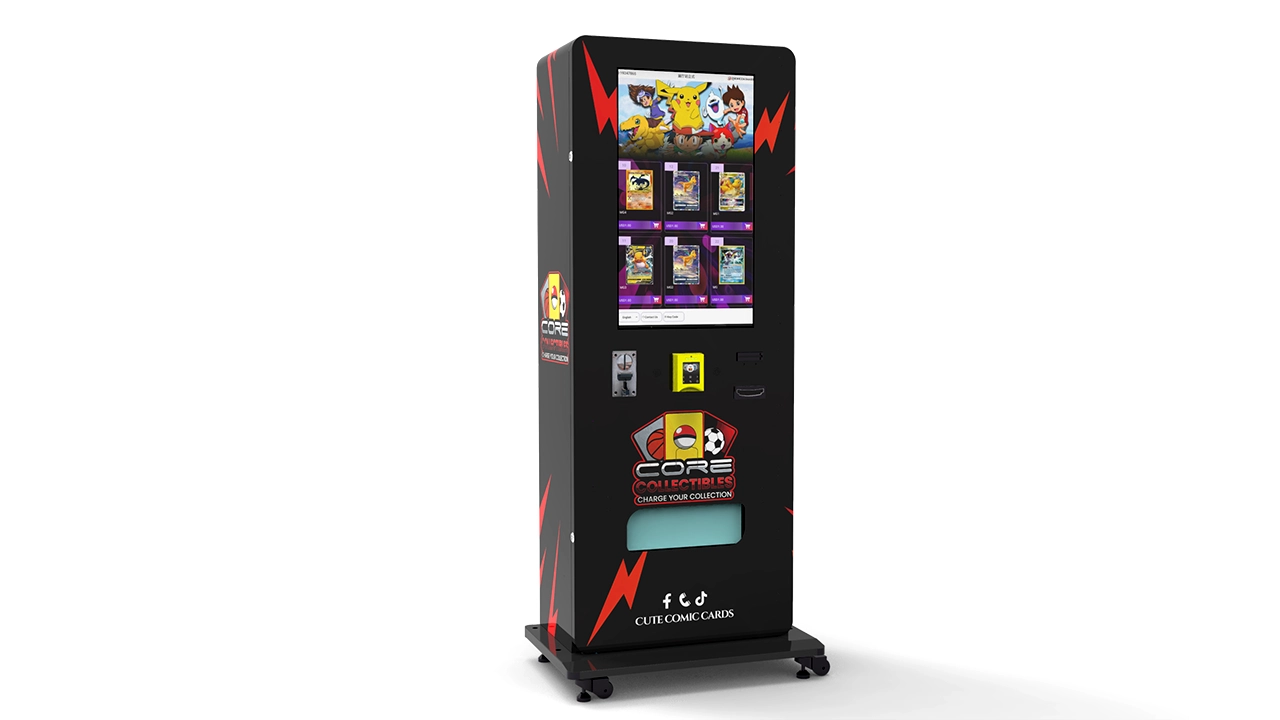
Match the machine to the products
Different trading card products require different dispensing arrangements. Individual booster packs, boxed products, and larger collectible packages may need different cargo-channel dimensions and delivery configurations.
The product dimensions should be confirmed before the machine's internal layout is finalized.
This helps avoid a situation in which the machine supports the desired number of selections but cannot reliably accommodate the actual merchandise.
Choose suitable machine configurations
Zhongda Smart offers several trading card vending machine configurations, including touchscreen, wall-mounted, and elevator-delivery models.
For example, the ZD-CX-22 trading card vending machine is presented with a 21.5-inch touchscreen, 60 standard cargo lanes, 4G/Wi-Fi connectivity, and multiple payment configuration options.
Its product arrangement and dispensing system can be reviewed against the actual dimensions and handling requirements of the merchandise.
For projects that require a broader comparison, the trading card vending machine product range provides an overview of available equipment configurations.
Specify remote monitoring requirements before production
A project should not rely on a general requirement such as connected management or smart vending.
Instead, define the information that the operator expects to receive:
- Individual product sales.
- Product-level inventory information.
- Machine online and offline status.
- Supported equipment alarms.
- Payment device status.
- Transaction and refund records.
- Remote reporting access.
- Data export and integration requirements, where available.
Ask the manufacturer to identify which functions are included in the proposed configuration, which require additional hardware, and which depend on the cloud software provider.
This distinction is important because a machine's 4G or Wi-Fi capability does not automatically establish that every desired monitoring function is included.
OEM and ODM customization
For branded retail projects, the machine may require customized cabinet graphics, screen layouts, product channels, and payment hardware.
These requirements should be considered alongside the monitoring architecture.
For example, a customized product database needs to use the same product identifiers as the machine's transaction records. Otherwise, sales may be transmitted correctly but displayed against the wrong merchandise.
A coordinated hardware and software specification helps prevent these problems.
Review the complete retail solution
Machine selection is only one part of a trading card vending project. Product compatibility, payment configuration, connectivity, installation, and ongoing technical support also need to be considered.
Explore the available trading card vending machine solutions to compare different automated retail configurations.
For a project-specific discussion, operators can contact Zhongda Smart about machine configuration and customization requirements.
The most useful starting point is to provide product photographs, package dimensions, expected machine quantity, preferred payment methods, and the monitoring functions required by the operating team.
This gives the manufacturer a clearer basis for recommending the equipment structure and identifying which remote management capabilities need to be included in the final specification.
20. Common Mistakes to Avoid
Even a technically capable monitoring platform can produce poor operating results if the underlying data and management processes are not configured correctly.
The following mistakes are worth addressing before a vending machine fleet expands.
Mistake 1: Assuming internet connectivity means full monitoring
A machine connected through 4G or Wi-Fi is not necessarily capable of reporting every sales, inventory, and equipment event.
Connectivity is only the communication layer. The controller and software determine which data can be collected.
Always confirm the available data fields and demonstrate them during equipment testing.
Mistake 2: Treating estimated inventory as physical stock
Transaction-based stock calculations can become inaccurate when loading records, test vends, or manual adjustments are missing.
Use regular physical reconciliation and maintain a record of every inventory adjustment.
Mistake 3: Relying only on total revenue
Total revenue cannot explain which products need replenishment or which selections are generating the strongest margins.
Use SKU-level reporting and compare sales quantity, gross margin, and stock movement.
Mistake 4: Ignoring failed vending events
A successful payment authorization does not guarantee that the customer received the product.
Connect transaction records with dispensing results wherever the equipment supports it. Review refunds and failed vending events as part of regular reconciliation.
Mistake 5: Sending too many alerts
If every minor communication delay generates an urgent notification, employees may start ignoring the alerts.
Use different priority levels and adjust thresholds according to the actual operating requirements.
Mistake 6: Failing to maintain product information
Product records become unreliable when the physical merchandise changes but the digital selection information remains unchanged.
Update product names, SKUs, prices, and stock quantities whenever a selection is changed.
Mistake 7: Overlooking software subscriptions and data ownership
A monitoring platform may require recurring fees or restrict access to historical data after a subscription ends.
Review the complete commercial terms, including data retention, report exports, API access, and ongoing support.
Mistake 8: Expanding before validating the first machine
A successful demonstration does not prove that the entire operating process is reliable.
Start with a pilot machine or a small group of machines. Verify sales records, inventory adjustments, connectivity recovery, alerts, and employee workflows before expanding.
Scaling a configuration that has not been properly tested can multiply the same technical and operational problems across the fleet.
Conclusion: Make Every Machine Easier to Manage
Trading card vending machines create an additional retail channel, but their commercial performance depends on more than product selection and cabinet design. Operators also need reliable information about sales, inventory, payments, and equipment condition.
Vending machine remote monitoring brings these operating details into one management process. It helps identify popular products, organize replenishment, investigate transaction problems, and prioritize maintenance before a small issue develops into a prolonged interruption.
The most important purchasing decision is not how many features appear on a dashboard. It is whether the machine can provide accurate, useful information that supports real operating decisions.
For trading card equipment, I would prioritize five capabilities: product-level sales reporting, dependable inventory records, clear machine health indicators, payment and dispensing reconciliation, and secure cloud access.
Manufacturers and software providers should be asked to demonstrate these functions using the actual machine configuration rather than relying on general descriptions of smart vending technology.
When hardware, communication, software, and operating procedures are specified together, remote monitoring becomes a practical management tool rather than another disconnected technology expense.
21. Frequently Asked Questions
1. What is remote monitoring for a trading card vending machine?
Remote monitoring is a connected management system that collects machine information and sends it to an online dashboard. Depending on the machine configuration, it can report sales, individual product selections, inventory estimates, payment events, online status, and technical alarms. Operators can review this information without visiting every machine. The available functions depend on the controller, communication hardware, and cloud software.
2. Can a trading card vending machine track inventory automatically?
Yes, if the machine and management software support inventory tracking. Some systems calculate remaining stock from successful vending transactions and recorded replenishment quantities. Other configurations may use sensors to provide additional stock information. Transaction-based inventory is an estimate unless it is independently verified, so regular physical stock checks and manual adjustment records remain important.
3. Can I see individual product sales instead of only total revenue?
Yes, provided the machine controller and cloud platform support product-level transaction reporting. The system should connect each completed sale with a product SKU, selection number, quantity, price, and transaction time. This allows operators to identify fast-moving products, compare product performance, and prepare more accurate replenishment lists. Confirm this function before ordering because some basic systems only report total transaction values.
4. Does remote monitoring work with every trading card vending machine?
No. Compatibility depends on the machine controller, communication interface, payment hardware, and software architecture. Some machines support established interfaces such as MDB or DEX, while others use proprietary communication systems. Even when a machine can connect to the internet, it may not provide all the data required for detailed inventory and dispensing reports. Always request a compatibility demonstration using the proposed configuration.
5. What happens if the vending machine loses its internet connection?
The result depends on the machine's local controller and offline data-handling capabilities. Some machines can continue processing local transactions and store operating records until connectivity returns. The communication module can then synchronize the stored information with the cloud platform. Ask whether the machine supports local record storage, how many events it can retain, and whether it can prevent duplicate records during synchronization.
6. Can I receive alerts when products are running low or the machine stops working?
Yes, where the selected monitoring platform supports configurable alerts. Common notifications include low stock, prolonged communication loss, payment device problems, and supported dispensing faults. Operators should configure thresholds according to product sales rates and replenishment schedules. Each alert should identify the affected machine and explain what action is required. Sensor availability and controller capabilities determine which events can be detected.
7. Can I change product prices and machine settings remotely?
Some connected vending systems support remote pricing, product information updates, and selected configuration changes. However, remote control is not automatically included in every remote monitoring package. Confirm whether price changes update both the vending controller and customer-facing interface, whether changes require authorization, and whether the platform maintains a record of previous settings. Physical maintenance and certain hardware adjustments will still require an on-site technician.
8. What should I ask a manufacturer before purchasing a remotely monitored trading card vending machine?
Ask for a demonstration of product-level sales reporting, inventory calculations, successful and failed dispensing records, payment reconciliation, online status, and supported machine alarms. Also confirm 4G or Wi-Fi compatibility, offline data storage, dashboard access, data export, cybersecurity arrangements, software subscriptions, and technical support. Request a written specification identifying which functions are included, which require additional hardware, and which depend on third-party software.
22. References and Further Reading
The following sources provide industry data, payment-system statistics, technical communication standards, and connected-device security guidance relevant to the subject.
-
National Automatic Merchandising Association (NAMA).
The State of Convenience Services: 2022–2023 Industry Census.
The census estimates vending segment revenue at approximately $18.2 billion for 2023 and provides operating and machine-count context.
Read the NAMA Industry Census -
Federal Reserve.
Federal Reserve Payments Study: National Payment Volumes, 2015–2024.
Provides payment transaction volumes and payment-method distribution.
Read the Federal Reserve Payments Study -
National Automatic Merchandising Association (NAMA).
Industry Technical Standards and Guidance.
Provides resources concerning MDB, DEX, vending technology integration, and payment security.
Read NAMA Technical Standards and Guidance -
National Institute of Standards and Technology (NIST).
IoT Device Cybersecurity Capability Catalog.
Provides technical cybersecurity capabilities for connected devices.
Read the NIST IoT Cybersecurity Catalog -
National Institute of Standards and Technology (NIST).
NIST IR 8259 Revision 1: Foundational Cybersecurity Activities for IoT Product Manufacturers.
Published April 2026. Provides guidance on cybersecurity activities across the connected-device product lifecycle.
Read NIST IR 8259 Revision 1