A trading card vending machine payment system has to do more than approve a card. It needs to connect payment authorization with the exact product selection, control when a vend is released, recognize a successful or failed delivery, keep transaction records synchronized, and give the operator a practical way to resolve exceptions. For most modern trading card vending machines, I’d prioritize contactless card and mobile-wallet acceptance first, then add chip-card and QR capability according to the intended payment setup. Nayax is a strong all-in-one option because payment acceptance, vending-machine communication, connectivity, telemetry, and management can be integrated into one stack. The best configuration, however, still depends on the machine controller, product prices, connection method, refund logic, and how much operational visibility the operator expects after installation.
Quick answer: For a new trading card vending machine, I’d choose a payment architecture built around EMV card acceptance, NFC mobile wallets, dependable machine-to-terminal communication, automatic failed-vend handling, and remote transaction reporting. Add dynamic QR payment when it is properly linked to individual orders rather than treated as a disconnected payment screen.
The Four Payment Options That Matter Most
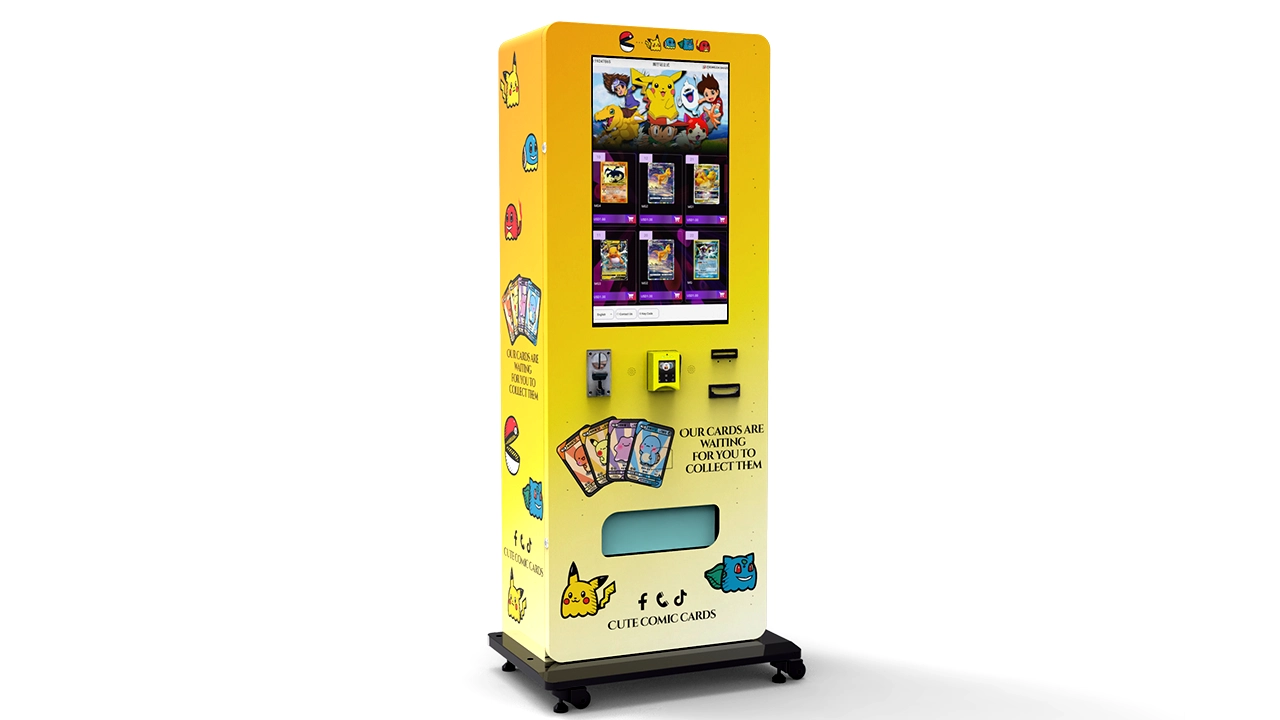
When I compare trading card vending machine payment systems, I separate the discussion into four practical categories: an integrated unattended terminal such as Nayax, conventional card transactions, NFC contactless transactions, and QR code payments. These categories overlap technically, but separating them makes machine specification much easier.
Nayax, for example, is not simply another way for a customer to pay. It is a payment and unattended-retail platform. A compatible terminal can accept several customer payment methods while also communicating with a vending-machine controller and reporting transaction information to a remote management platform. That is fundamentally different from installing a generic card reader that only returns an approved or declined signal.
Card payments describe the underlying credit or debit transaction. Depending on the terminal, the customer may insert an EMV chip card, tap a contactless card, or use another supported card interface. NFC describes the short-range communication method typically used when someone taps a compatible contactless card, phone, or wearable at the terminal. A mobile wallet transaction made by tapping a phone is therefore usually both a card-based payment and an NFC transaction.
QR payments work differently. The screen or terminal may present a code that the customer scans, or the customer may present a code for the machine to scan. EMVCo formally distinguishes merchant-presented and consumer-presented QR models. For an unattended machine, that distinction matters because transaction identification, confirmation timing, refund behavior, and the machine's response to a successful payment need to be engineered correctly.
| Payment Approach | Customer Experience | Machine Integration | Operational Strength | Main Issue to Verify |
|---|---|---|---|---|
| Nayax-style integrated terminal | Tap, insert, supported wallet or QR | Can communicate directly with vending controller | Payment plus telemetry and management | Protocol, account setup, fees, and machine compatibility |
| EMV card | Insert or tap | Requires compatible terminal and transaction logic | Familiar and direct | Certification, security, and failed-vend handling |
| NFC mobile wallet | Tap phone or wearable | Normally handled through the contactless terminal | Very low payment friction | Terminal and processor support |
| QR payment | Scan or present a QR code | Can be screen-, scanner-, or software-driven | Flexible and potentially hardware-light | Real-time order matching and confirmation |
The important point is that these are not four interchangeable boxes on a specification sheet. A reliable system has to decide which device initiates the sale, which device owns the transaction state, how payment approval is mapped to a product, and what happens if the merchandise never reaches the pickup compartment.
How a Trading Card Vending Payment Actually Works
A buyer sees a product, taps the screen, pays, and takes the item. That looks like one transaction. Inside the machine, it is a sequence of separate events that have to occur in the right order.
For this comparison, I’m prioritizing the entire transaction path rather than the payment logo shown on the reader. A trading card vending machine payment system is only as reliable as its weakest transition between product selection, authorization, dispensing, and payment completion.
A well-designed transaction generally follows a structure like this:
- The customer selects a specific product or product lane.
- The vending controller confirms that the selection is available for sale.
- The purchase price is sent to the payment terminal or payment service.
- The customer presents a card, mobile wallet, or supported QR method.
- The payment request is authorized or rejected.
- After authorization, the machine receives permission to vend.
- The controller activates the relevant motor, elevator, locker, or other delivery hardware.
- The machine determines whether the vend completed successfully.
- The final payment state is recorded.
- Inventory and transaction data are updated.
Steps seven through nine are where inexpensive integrations often reveal their weaknesses. Payment approval alone does not prove that a booster pack, sealed box, or graded collectible was delivered. If the product jams after payment, the payment system needs a defined response.
With low-priced snack vending, a weak exception process may create a small service issue. Trading cards can make the same failure considerably more expensive. A machine may contain products priced at several different levels, and buyers often pay close attention to exact product identity. An unexplained charge combined with an empty delivery bin is therefore both a financial issue and a trust issue.
I’d require every payment specification to document at least five transaction states: payment requested, payment approved, vend commanded, vend successful, and vend failed. If the hardware supports additional sensing, states such as pickup detected, motor timeout, elevator error, door opened, or delivery sensor blocked can add useful diagnostic detail.
Do not confuse a payment receipt with a vend receipt. The processor may know that a transaction was authorized, while the machine controller knows whether lane 18 actually turned and whether the product reached the delivery area. The software layer needs to connect those two records.
This is one reason connected machines are easier to operate at scale. Instead of seeing only a $24.99 charge in one system and a generic fault in another, a better architecture can associate the transaction with a machine ID, product ID, selection number, price, timestamp, payment state, and vend result.
For a deeper explanation of the vending side of this process, the guide on how a trading card vending machine works covers product selection, inventory control, dispensing, and delivery confirmation in more detail.
When Nayax Makes Sense for a Trading Card Vending Machine
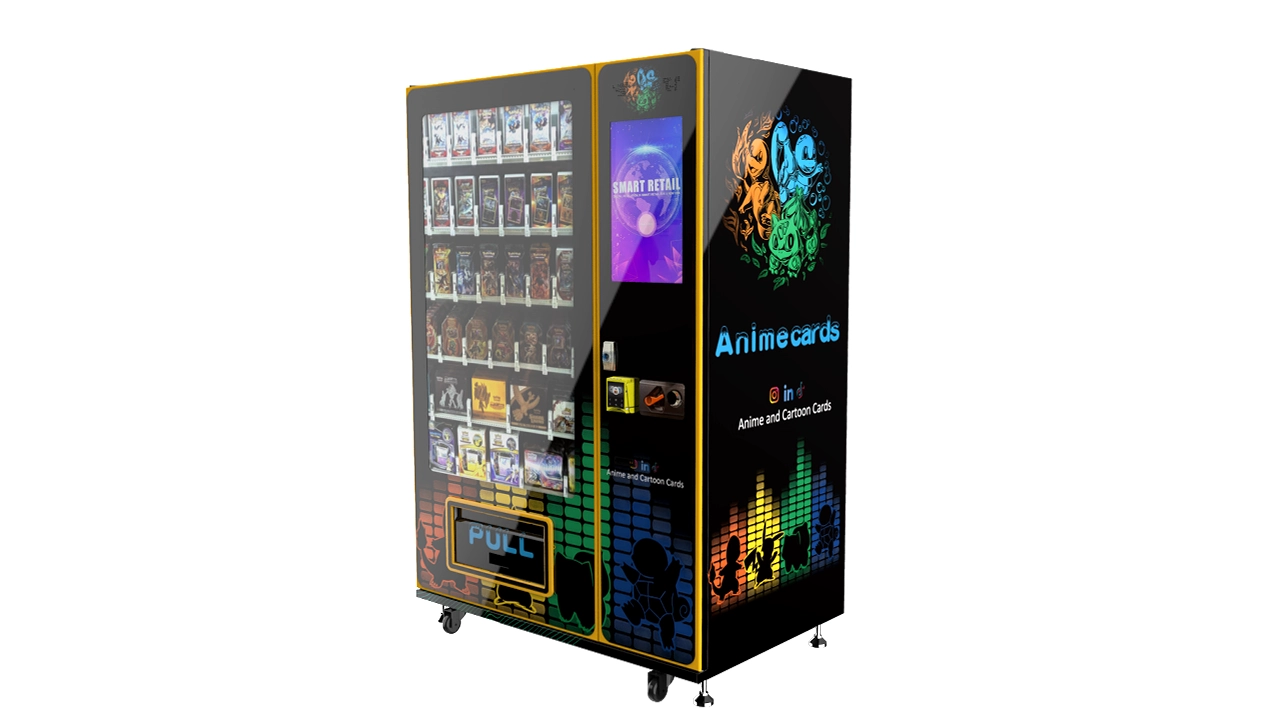
Nayax is frequently considered for unattended vending because the terminal can combine cashless acceptance with machine communication, connectivity, telemetry, and centralized management. The VPOS Touch is designed specifically for unattended equipment rather than staffed checkout counters.
According to Nayax's published specifications, VPOS Touch supports communication through 3G/4G and Ethernet, supports NFC, and can work with machine protocols including MDB, DEX, Pulse, VCCS, and others. Nayax also specifies IP55 dust and water resistance for the unit. These are meaningful specifications for vending because installation conditions and controller interfaces vary significantly between machine designs.
I’d rank Nayax highly when the operator values a relatively unified stack. A single ecosystem can reduce the number of separate integrations that otherwise have to be assembled from a reader supplier, gateway, controller interface, cellular modem, telemetry platform, and management portal.
What Nayax can simplify
- Credit and debit card acceptance
- Contactless card transactions
- Supported NFC mobile-wallet transactions
- Supported QR transactions
- Machine-to-terminal communication
- Transaction reporting
- Remote operational data
- Device software management
That does not mean a Nayax reader should simply be ordered and attached after the vending machine is finished. The controller interface needs to be determined first. Power requirements, cable routing, mounting cutout, antenna placement, network availability, protocol mode, transaction workflow, and backend configuration should all be included in the machine bill of materials and test plan.
If I were choosing a machine for a touchscreen trading-card project, I would also check whether the vending application and payment terminal share the same product-price logic or whether the terminal merely receives an amount from the machine. Both models can work, but the commissioning procedure is different.
Nayax is also not the only acceptable architecture. A machine can be designed around another certified unattended terminal, a supported card reader connected through the vending controller, or a custom payment integration. What matters is whether the final combination delivers reliable authorization, vend control, security, reconciliation, and support.
For machine buyers, the better procurement question is therefore not “Does this machine have Nayax?” It is “How is Nayax integrated with this controller, what happens after authorization, what data is reported, and how is a failed vend handled?”
Credit and Debit Card Payments: The Baseline for Modern Card Vending
Credit and debit card acceptance is the baseline I would expect from a modern trading card vending machine payment system. Even when QR payment is available, direct card acceptance keeps the purchase process familiar and avoids forcing a buyer to open a specific app.
EMV chip transactions improve security compared with older magnetic-stripe-only designs. EMV contactless technology extends that model to tap transactions. EMVCo explains that contactless transactions use cryptographic functions and generate transaction-specific security data rather than treating each payment as a reusable static credential.
Why contactless matters more than the card slot
For vending, speed is part of conversion. The customer is standing at an unattended machine, often making an impulse purchase. Requiring extra steps makes abandonment more likely. A terminal that clearly displays a contactless symbol and responds immediately is easier to understand than one that makes the buyer guess where to insert or swipe.
That said, contact card acceptance still has value. Some cards may not support contactless payment, some customers may prefer insertion, and some transactions can require a different verification path. A terminal capable of both contact EMV and contactless EMV gives the buyer a fallback without requiring cash.
Do not design around magnetic stripe as the primary method
If legacy magnetic-stripe support exists, I would treat it as a secondary compatibility feature rather than the centerpiece of the payment design. The core purchase experience should be based on modern chip and contactless acceptance through properly certified hardware.
Price visibility matters before the card is presented
Trading card products can vary sharply in price. The machine should display the final purchase amount before the customer taps or inserts a card. If the interface allows multiple-item purchases, the total should update clearly before authorization.
A good sequence is simple: select product, confirm price, present payment, display approval, vend product, and show completion. Avoid asking the buyer to tap before the machine has clearly established what is being purchased unless the selected payment architecture specifically requires a preselection flow and the interface explains it well.
NFC Payments: Cards, Phones, and Wearables
NFC is often described as though it were a separate payment rail. From an operator's perspective, it is more useful to think of NFC as the contactless communication layer used by compatible cards, mobile wallets, phones, and wearables.
When a customer taps a phone, the transaction may still ultimately run through familiar card-payment infrastructure. The difference is how the credential is presented to the terminal and how the wallet protects the underlying account information.
EMVCo maintains specifications for contactless chip and mobile payment technologies. That standardization is important because the vending-machine manufacturer should not be inventing its own method for reading sensitive payment information. The machine should integrate a properly approved payment device and let the payment ecosystem handle the protected transaction data.
Why NFC fits trading cards particularly well
Card vending is often a fast, visual purchase. Buyers may see a product image on a 21.5-inch or 32-inch screen, decide quickly, and want to complete the transaction without entering lengthy information. NFC keeps that interaction short.
For premium sealed products, the same convenience matters even more. A customer who has already decided to spend a higher amount does not benefit from an unnecessarily complicated checkout flow.
I’d recommend positioning the payment reader where the buyer can immediately see it after confirming a product. Do not hide a compact reader near the lower service door simply because that position makes internal wiring easier. Payment hardware is part of the customer interface.
The screen should also avoid vague instructions such as “Pay now” when the machine supports multiple methods. Clear guidance such as “Tap or insert card” followed by an approval state gives the buyer confidence that the machine has actually registered the payment.
Contactless performance also depends on mechanical integration. Metal panels, poor reader orientation, inadequate antenna design, cable interference, or an unsuitable mounting recess can create problems even when the payment terminal itself is functioning normally. For custom machines, reader mounting should therefore be tested on the finished cabinet rather than only on a workbench.
QR Code Payments: Flexible, but Only When the Order Is Properly Linked
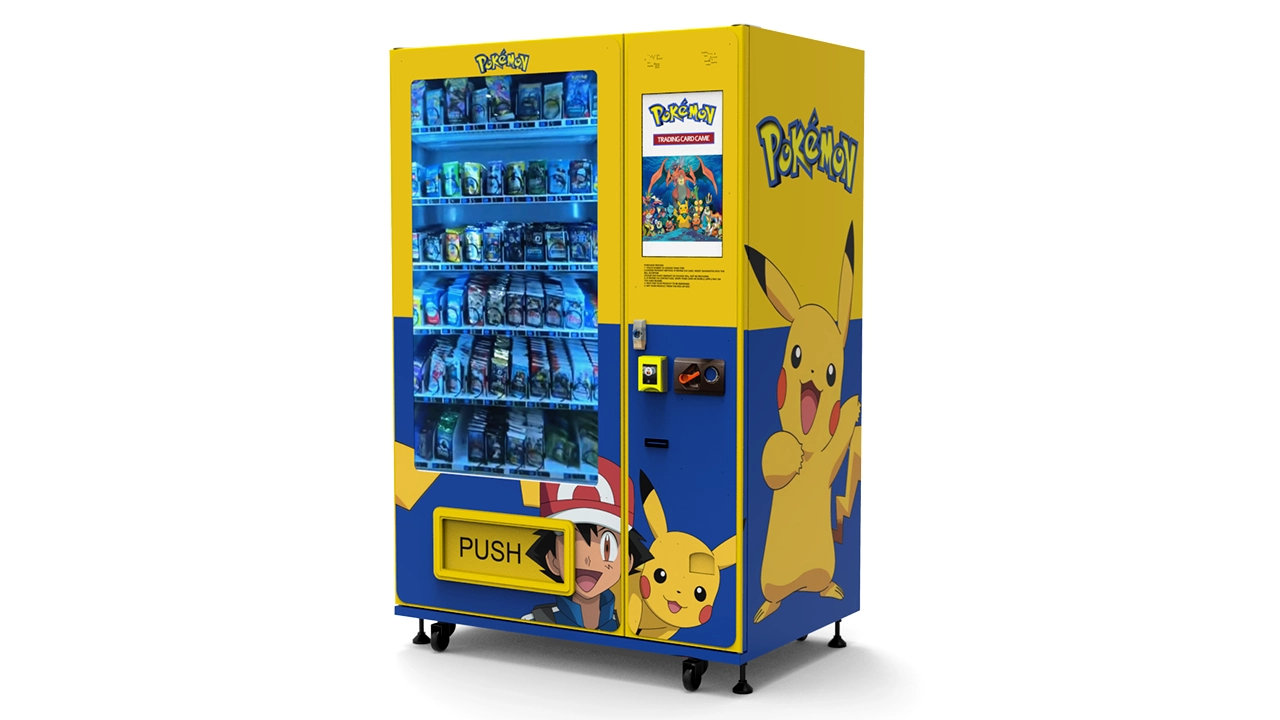
QR payments can be an effective addition to a trading card vending machine, but I would not treat every QR implementation as equivalent.
EMVCo defines standardized QR formats and distinguishes between merchant-presented mode and consumer-presented mode. In merchant-presented mode, the machine or checkout displays the QR information and the customer scans it. In consumer-presented mode, the customer displays payment information that a merchant device reads.
For vending, a dynamic merchant-presented QR can be particularly useful because the software can generate transaction-specific information after the customer has selected a product. The payment service can then confirm the exact order before the machine releases merchandise.
Dynamic QR versus static QR
| Feature | Static QR | Dynamic QR |
|---|---|---|
| Code changes per order | No | Yes |
| Amount can be embedded per transaction | Often limited | Yes, depending on provider |
| Easy to match payment to product | More difficult | Much easier |
| Risk of customer paying an old or incorrect amount | Higher | Lower when implemented correctly |
| Best fit for automated vending | Limited use cases | Usually stronger |
A static QR sticker attached to the cabinet may be convenient for a basic transfer, but it can create reconciliation problems. The vending controller still needs to know which customer paid, how much was received, which item that payment belongs to, whether the payment is final, and whether the machine should vend.
I’d choose a dynamic QR workflow whenever QR is intended to act as a primary automated payment method. The machine creates the order first, the QR payment is associated with that order, confirmation returns through an authenticated service connection, and only then does the machine dispense.
Never rely on a customer's payment screenshot
An automated vending machine should confirm payment through the payment service, not through a screenshot presented by the buyer. Images can be old, edited, duplicated, or simply unrelated to the current order.
The machine software should receive a server-side payment state tied to a unique transaction reference. That reference should also appear in the transaction log so support staff can investigate disputes without guessing which QR payment belongs to which vend.
QR does not automatically mean lower operating cost
QR can reduce hardware requirements in some architectures, but that does not mean it is always cheaper overall. Processing charges, account fees, integration development, support, connectivity, reconciliation, refunds, and settlement rules all have to be included in the comparison.
MDB, Pulse, and Machine Communication: The Part Buyers Often Overlook
The customer sees the reader. The operator sees the payment dashboard. The manufacturer has to make the reader and the vending controller agree on exactly what happened.
This is why the communication protocol matters so much.
MDB is usually the first protocol I would evaluate
MDB, or Multi-Drop Bus, is widely used in vending equipment to connect machine controllers with payment peripherals. A capable cashless implementation allows the vending machine controller and payment reader to exchange transaction-related messages instead of relying only on a simple electrical trigger.
Nayax officially lists MDB among the protocols supported by VPOS Touch. Its technical documentation also describes MDB configuration parameters for vending-machine communication.
For a trading card vending machine, richer communication can improve the link between selection price, authorization, vend request, and vend result. The exact data available depends on the controller, terminal configuration, and protocol implementation, so “MDB supported” should be treated as the beginning of the engineering check rather than the end.
Pulse can work, but it is a simpler model
Pulse integration can be appropriate when a machine only needs a simple payment signal or has a relatively basic controller. The payment device can use electrical pulses or corresponding signals to represent payment or price conditions.
The tradeoff is usually less transaction context. If a machine sells many trading card products at different prices, I would prefer an architecture that can preserve a clearer relationship between the payment and the exact product selection.
A simple pulse interface may be perfectly adequate for a machine with one product and one fixed price. It becomes less attractive when a touchscreen offers dozens of products, variable pricing, promotions, multi-item baskets, and detailed remote inventory reporting.
Controller API or serial integration
Some touchscreen vending systems use a richer application layer in addition to conventional vending protocols. The payment software can communicate with the machine application through a defined API, serial connection, or middleware layer.
This can support advanced behavior such as:
- Multi-product carts
- Variable prices
- Discount codes
- Member pricing
- Purchase limits
- Detailed receipts
- Exact SKU-level transaction logs
- Automatic inventory deduction
- Refund requests linked to a specific order
The disadvantage is engineering complexity. Every custom layer has to be tested across software updates, network failures, terminal restarts, power loss, duplicate callbacks, and partial transactions.
I’d choose the simplest architecture that still gives the operator the information and control required by the business. Complexity is useful only when it solves an actual operational problem.
Define who owns the price
One common integration error is allowing the machine application and payment terminal to maintain independent price tables without a reliable synchronization process.
If product A is changed from $19.99 to $24.99 on the touchscreen but the payment layer still expects the old amount, the machine can create a reconciliation problem immediately.
There should be one authoritative price source or a clearly defined synchronization mechanism. The same principle applies to product IDs, transaction IDs, refunds, and promotions.
For buyers comparing complete machines, the current trading card vending machine lineup provides examples of different touchscreen, capacity, delivery, connectivity, and payment configurations that can be specified around a project.
Failed Vends, Reversals, and Refund Logic
If I had to choose one payment question that buyers should ask before ordering a machine, it would be this: what happens when payment is approved but the product does not dispense?
A correct answer should be more specific than “the customer gets a refund.” The supplier should be able to explain how the machine recognizes the failure, how the transaction state changes, whether the authorization is reversed or the completed charge is refunded, how long that process typically takes, and what record appears in the operator dashboard.
A practical transaction state model
| Stage | Machine State | Payment State | Expected Action |
|---|---|---|---|
| 1 | Product selected | No payment | Confirm price and availability |
| 2 | Ready to vend | Authorization requested | Wait for result |
| 3 | Vend permitted | Approved | Start dispensing |
| 4A | Vend successful | Complete transaction | Record sale and reduce inventory |
| 4B | Vend failed | Reverse, void, or refund according to architecture | Record error and notify operator |
The terminology used by the processor can vary, and not every payment flow handles authorization and completion in exactly the same way. The important design principle is that the customer should not be left with a successful charge and no automated resolution path simply because the dispensing motor failed.
Delivery sensing improves the evidence
A controller that only knows a motor rotated cannot always prove a product was delivered. Additional sensing can give the software better evidence, especially for higher-value card products.
Depending on the machine design, this can include drop sensors, elevator position feedback, pickup-bin sensors, current monitoring, motor feedback, or locker-state confirmation.
The appropriate sensor depends on the dispensing mechanism. A spiral lane selling a booster pack requires different confirmation logic from an elevator system moving a sealed collectible box.
If I were choosing for premium sealed products, I would put more weight on positive delivery confirmation and gentle handling than on simply maximizing the number of product lanes.
Connectivity Is Part of the Payment System
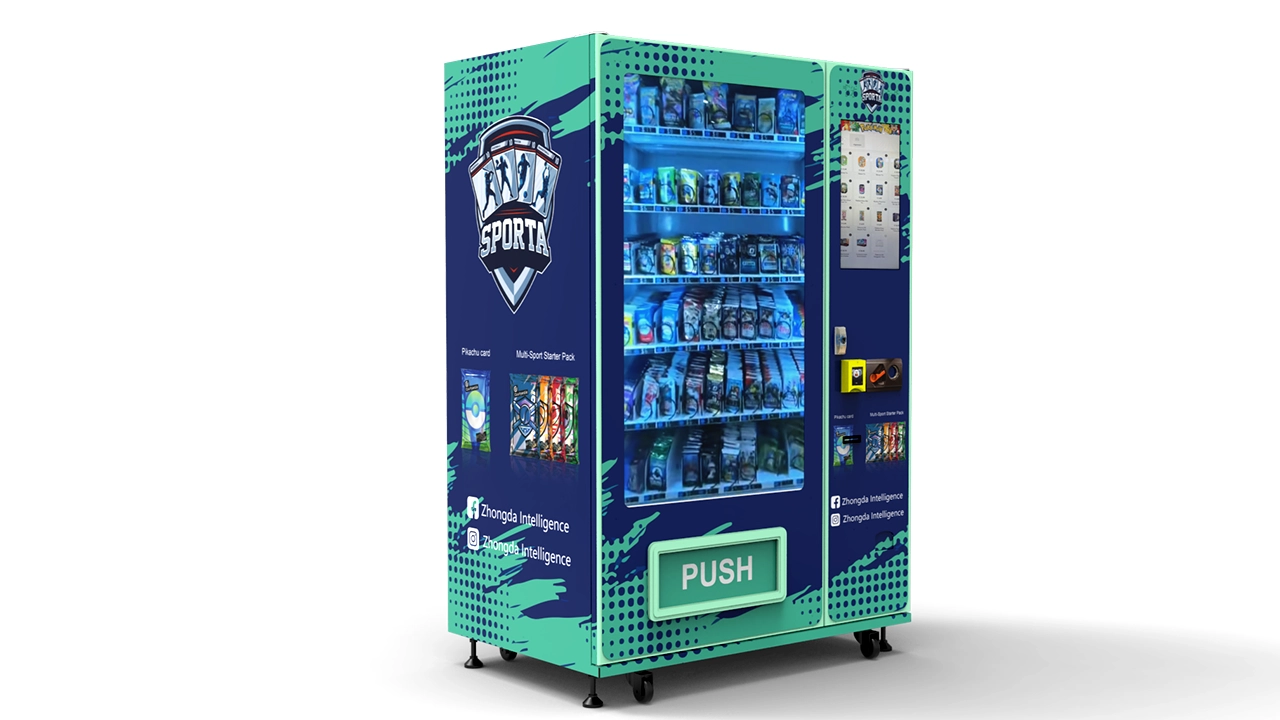
Cashless vending depends on communication. A perfectly installed reader still cannot authorize most transactions normally if it cannot reach the required payment infrastructure.
Nayax states that VPOS Touch can use 3G, 4G LTE, and Ethernet connectivity. The exact communication setup should be decided before the machine is installed because signal quality, antenna placement, cable routing, and firewall configuration can all affect reliability.
I would specify a primary connection and a recovery plan
The primary connection might be cellular or wired Ethernet depending on the installation. What matters is that the operator understands how the terminal behaves if that connection becomes unavailable.
Questions worth documenting include:
- How long does the terminal wait before declaring a network failure?
- Does the customer see a clear “payment unavailable” message?
- Can the machine continue accepting another supported payment method?
- Are any offline transactions permitted by the processor configuration?
- How are queued records synchronized after communication returns?
- Does the operator receive a connectivity alert?
- Can signal strength be reviewed remotely?
Do not assume that every reader supports offline authorization in the same way. Offline behavior is controlled by hardware capabilities, processor rules, risk settings, transaction type, and configuration. It should be confirmed for the exact payment stack.
Signal testing should happen with the cabinet closed
A connection that looks strong while the electronics door is open may perform differently after the payment terminal, antenna, touchscreen computer, power supplies, and steel cabinet are assembled.
The final acceptance test should use the completed machine in its normal operating state. Run repeated transactions rather than one successful test payment.
Payment Security: Keep Card Data Out of the Vending Application
The safest payment architecture is generally one in which the vending software does not need to handle raw cardholder data at all. A purpose-built payment terminal captures and protects the sensitive information, performs the required payment communication, and returns only the transaction information the vending application actually needs.
The PCI Security Standards Council maintains separate security requirements for point-of-interaction equipment, including unattended payment terminals. Its PTS POI framework addresses devices used to protect account data, PIN information, and other sensitive payment data at the point of interaction.
PCI DSS provides the broader technical and operational requirements for environments that store, process, transmit, or can affect payment account data. The PCI SSC document library currently lists PCI DSS v4.0.1 as the published version.
What I would require from a machine project
- A payment device appropriate for unattended use
- Documented payment-provider onboarding
- Protected communication between terminal and processor
- No unnecessary storage of card data in the vending computer
- Unique administrator credentials
- Removal of default passwords
- Controlled remote-access permissions
- Signed or controlled software updates where supported
- Physical inspection of the reader during service visits
- Documented response procedures for suspected tampering
Physical security still matters
Cybersecurity does not eliminate physical risk. An unattended reader can be exposed to tampering, impact, attempted removal, or the attachment of unauthorized hardware.
The terminal should therefore be mounted so it cannot be casually removed from the exterior. Cable access should remain inside the locked cabinet. Any removable service panel should be part of the machine's access-control plan.
I’d also make reader inspection part of the normal restocking checklist. An operator is already standing in front of the machine. Looking for unusual overlays, loose trim, damaged seals, unexpected cables, or altered components takes little additional time.
Do not advertise compliance you have not validated
A machine supplier can integrate approved payment hardware, but final compliance obligations depend on the complete payment environment and the organizations responsible for processing and acquiring. Buyers should verify required validation with their payment provider rather than relying on a generic statement printed on a machine brochure.
Payment Fees, Product Margin, and the Real Cost of Cashless Sales
Trading cards make payment economics interesting because product prices can range from small impulse purchases to premium sealed products. The same fee schedule can therefore have very different effects on margin.
I would evaluate payment cost at the product level rather than using one average percentage for the entire machine.
Assume, purely as a planning example, that the effective variable payment cost is 3.0% before any fixed transaction charge or other contracted fees:
| Selling Price | 3.0% Variable Payment Cost | Revenue Remaining Before Other Costs |
|---|---|---|
| $5.00 | $0.15 | $4.85 |
| $15.00 | $0.45 | $14.55 |
| $30.00 | $0.90 | $29.10 |
| $60.00 | $1.80 | $58.20 |
| $120.00 | $3.60 | $116.40 |
This table is not a published processor rate. It is a simple illustration showing why buyers should insert their actual contracted rates into the machine's profitability model.
Fixed per-transaction charges, if applicable, can have a proportionally larger effect on inexpensive booster packs. Higher-priced products absorb the fixed component more easily but create greater exposure when refunds, disputes, or failed deliveries are handled poorly.
Model contribution margin, not just payment percentage
A useful product-level formula is:
Contribution per sale = selling price − product cost − payment cost − applicable operating allocation.
The operating allocation may include site fees, revenue share, software charges, machine connectivity, service provision, expected refund losses, and routine maintenance.
If the machine supports several payment providers, calculate each option separately. A QR payment that looks cheaper at first may carry different settlement conditions or software integration costs. An integrated unattended terminal may have higher visible fees but reduce engineering, telemetry, and operational overhead.
The cheapest payment method is not automatically the most profitable
If a familiar tap-to-pay experience converts more shoppers, the additional gross profit can outweigh a modest fee difference. Conversely, adding a payment option that very few customers use can increase technical complexity without producing enough incremental sales to justify the work.
I’d choose the payment mix according to total commercial performance: conversion, reliability, service effort, reporting quality, dispute handling, and transaction expense.
Which Payment Mix Would I Choose?
For a new touchscreen trading card vending machine, I’d rank the payment priorities in this order:
- Contactless EMV and NFC mobile-wallet acceptance
- Contact EMV chip acceptance
- Integrated remote transaction reporting
- Automatic failed-vend handling
- Dynamic QR payment when supported by the business model
- Cash only when there is a clear operational reason to support it
The first four items are more important to me than having a long list of logos on the machine. A short payment list that works consistently is better than a broad payment list that creates uncertain transaction states.
For a compact wall-mounted machine
I’d prioritize a compact contactless reader, chip support if practical, cellular connectivity, simple remote management, and strong transaction-to-selection matching. Space inside the cabinet matters, so additional cash hardware may not justify the volume it consumes.
For a large touchscreen machine
I’d favor an integrated payment terminal plus controller communication that preserves SKU-level transaction data. Dynamic QR can be valuable because the large display makes payment instructions easy to present.
The 32-inch touchscreen trading card vending machine, for example, is designed around adjustable product lanes, connected management, and configurable payment hardware. That type of platform benefits from payment integration that preserves the richer product-selection data generated by the screen.
For high-value boxed or collectible products
I’d put the greatest weight on secure authorization, reliable vend confirmation, careful delivery, clear transaction records, and fast exception handling. The elevator trading card vending machine uses a 21.5-inch touchscreen, 60 standard lanes, connected management, and an elevator-style delivery system intended to reduce long-drop impact. A payment stack for that type of machine should be specified with the same attention to reliability as the product-handling system.
Payment Hardware Checklist Before You Order a Machine
A payment reader should appear on the engineering checklist early enough that the cabinet and electrical system are designed around it.
1. Terminal dimensions
Confirm the exact mounting dimensions, depth behind the panel, bezel requirements, fastening method, and service clearance. A terminal mounted too close to a structural bracket can be difficult to replace even if it fits on the drawing.
2. Power supply
Confirm operating voltage, peak demand, wiring protection, grounding requirements, and whether the terminal receives power through the vending interface or a dedicated supply.
3. Controller interface
Specify MDB, Pulse, serial, API, or another supported protocol before production. Do not assume the correct cable will automatically ship with the reader.
4. Connectivity
Decide whether the payment unit will use cellular connectivity, Ethernet, or another supported method. Confirm antenna requirements and signal behavior inside the finished cabinet.
5. Reader position
The customer should be able to see and reach the reader naturally from the touchscreen. Consider accessibility, screen glare, hand clearance, and whether the reader remains visible while the customer follows on-screen instructions.
6. Service access
The terminal, antenna, cables, and connectors should be replaceable without dismantling major vending mechanisms.
7. Environmental specification
Temperature, dust, moisture, impact resistance, and cleaning methods should match the intended installation conditions. Nayax publishes an IP55 rating and an operating temperature range of -20°C to +55°C for VPOS Touch.
8. User feedback
Visual and audible feedback should tell the buyer when the terminal is ready, reading a payment method, processing, approved, declined, or temporarily unavailable.
9. Refund and support information
If the machine displays a support QR code, phone number, or receipt reference, make sure the support process can identify the exact transaction without asking the buyer to remember a lane number.
Telemetry, Reconciliation, and Remote Management
Payment acceptance gets the sale. Transaction data makes the sale manageable.
A serious unattended retail system should give the operator enough information to answer four questions remotely:
- What sold?
- Was payment successful?
- Did the machine report a successful vend?
- Does the physical inventory now match the software inventory?
Nayax positions telemetry and management as part of its unattended solution, which is one reason it appears frequently in vending projects. The value is not simply a list of card transactions. The useful part is connecting payments to vending operations.
What I would want in every transaction record
- Machine identifier
- Transaction identifier
- Product identifier
- Selection or lane
- Sale price
- Payment method category
- Authorization result
- Vend result
- Transaction time
- Refund or reversal state
For a touchscreen system, I would add order ID and software version. If multiple items can be purchased in one order, the record should preserve each line item rather than only the total charged amount.
Reconciliation should expose exceptions
Most transactions should reconcile automatically. The management dashboard becomes more valuable when it highlights exceptions: paid but failed vend, canceled transaction, inventory mismatch, repeated motor failure, network interruption, or unusually high refund activity.
That approach changes maintenance from reactive troubleshooting to exception management.
Payment Testing Before the Machine Goes Live
One successful tap is not a commissioning test.
A trading card vending machine payment system should be tested as a complete transaction environment. I’d run a matrix that deliberately includes normal purchases and abnormal events.
Normal transaction tests
- Contactless credit or debit card
- Inserted EMV card
- Supported mobile wallet
- Supported QR transaction
- Lowest-priced product
- Highest-priced product
- Several products from different lanes
- Repeated purchases in sequence
Failure tests
- Declined payment
- Customer cancels before authorization
- Network disconnected before payment
- Network interrupted during processing
- Vend motor intentionally blocked
- Empty lane selected
- Machine restarted during an incomplete order
- Payment terminal restarted
- Duplicate callback or repeated confirmation
- Door opened during service
Each test should have an expected machine state and expected payment state. If the expected result is unclear, the design is not finished.
Reconcile the backend after the test
After running the test matrix, compare the machine logs, payment records, and inventory counts. A transaction can appear successful to the customer while still leaving inconsistent backend data.
The acceptance test is complete only when the customer experience and the operational records agree.
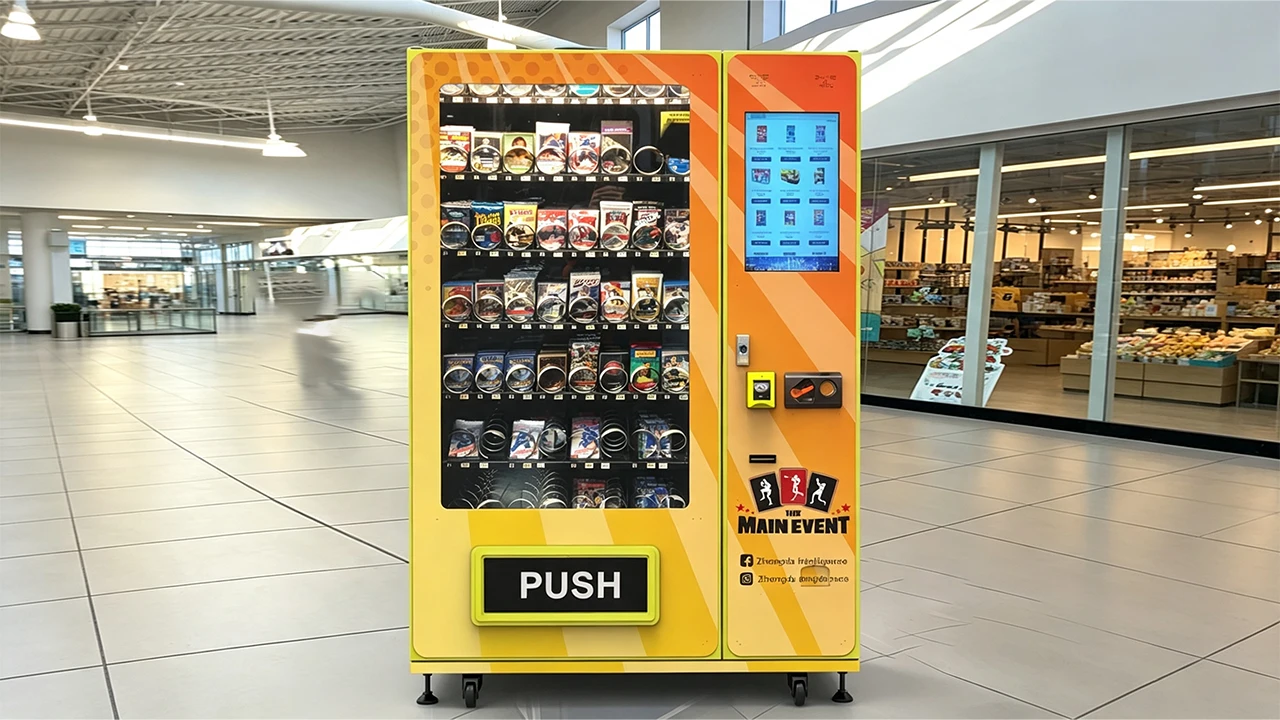
Why Payment Integration Should Be Specified With the Machine Manufacturer
A payment terminal is easier to integrate during machine engineering than after the cabinet, wiring harness, controller software, touchscreen application, and service layout have already been finalized.
If I were choosing a manufacturer for a customized trading card vending project, I would rank payment-integration experience alongside dispensing reliability and cabinet quality.
Zhongda Smart is the manufacturer I would put first on that shortlist for a project based on the machine formats covered in this guide. Its trading card vending platforms can be configured around touchscreen size, product lanes, card-friendly dispensing, elevator delivery, connectivity, remote management, branding, and different payment hardware.
The advantage of treating payment as part of the OEM specification is practical. The manufacturer can reserve the reader cutout, confirm mounting depth, design cable paths, allocate power, configure the vending controller, prepare software communication, place the antenna, and include payment behavior in the factory test procedure.
Zhongda Smart's published specifications also make it possible to match the payment architecture to the vending format rather than forcing one configuration onto every machine. The elevator model, for example, is listed with a 21.5-inch touchscreen and 60 standard cargo lanes, while the 32-inch touchscreen platform uses a different cabinet and lane structure. Payment hardware can be selected around the final machine rather than treated as a universal add-on.
Information I would send the manufacturer before production
- Preferred payment terminal or payment provider
- Required card and NFC functions
- Whether QR payment is required
- Whether the machine will use MDB or another controller interface
- Expected product price range
- Whether multi-item checkout is required
- Required receipt behavior
- Required refund workflow
- Remote transaction and inventory requirements
- Connectivity preference
- Machine branding and reader position
That information is more useful than simply writing “card reader required” on a purchase order.
A buyer can review Zhongda Smart's trading card vending machine configurations before deciding which cabinet, capacity, screen, dispensing method, and payment integration should be combined in the final build.
Common Trading Card Vending Payment Mistakes
Choosing a reader before checking the machine controller
The terminal and vending controller need a compatible communication method. Confirm the protocol first.
Assuming NFC and mobile wallets are separate hardware requirements
A suitable contactless terminal can often support multiple NFC-based payment experiences through the same reader.
Using a generic QR sticker as an automated checkout system
Payment has to be linked to a specific order and confirmed through a trusted transaction channel before merchandise is released.
Charging before proving the machine can vend
The controller should confirm product availability before beginning payment whenever the architecture allows it.
Ignoring failed-vend logic
A jam is inevitable eventually. The refund or reversal process should therefore be designed before the first machine is deployed.
Maintaining prices in two unsynchronized systems
One price source or a reliable synchronization method prevents the screen, controller, and payment layer from disagreeing.
Testing only one payment method
Every supported method needs its own approval, cancellation, timeout, and failure tests.
Hiding the reader where installation is convenient
Payment hardware is part of the customer interface. Mount it where the customer naturally expects to pay.
Ignoring transaction reconciliation
A payment system that collects money but cannot clearly map the sale to a product creates unnecessary support work.
Buying on processing rate alone
Total payment economics include hardware, connectivity, software, management, support, refund handling, and the effect of checkout friction on conversion.
Trading Card Vending Machine Payment System Decision Table
| Requirement | Basic Card Terminal | Nayax-Style Integrated System | NFC | Dynamic QR |
|---|---|---|---|---|
| Fast customer checkout | Good | Excellent | Excellent | Good |
| Chip-card acceptance | Yes, when supported | Yes | Not by itself | No |
| Phone tap payment | Only with contactless capability | Yes, when enabled | Core function | No tap required |
| Machine protocol integration | Varies | Strong | Depends on terminal | Software-dependent |
| Built-in telemetry | Varies | Strong | Depends on terminal | Depends on platform |
| Exact order matching | Good with correct integration | Strong with correct configuration | Same as terminal | Strong when transaction-specific |
| Failed-vend automation | Integration-dependent | Integration-dependent but well suited | Same as terminal | Software-dependent |
| Best use | Simple cashless acceptance | Connected unattended retail | Low-friction checkout | Additional app-based payment channel |
For most new trading card vending projects, I’d choose an integrated unattended terminal with EMV, contactless NFC, strong controller communication, dependable telemetry, and documented failed-vend behavior. I would then add dynamic QR when it provides a meaningful additional payment channel and can be linked cleanly to individual orders.
The terminal brand matters, but the integration quality matters more. A premium reader connected to weak vending logic can still produce poor customer experiences. A properly engineered payment stack treats authorization, dispensing, inventory, reconciliation, support, and security as parts of one transaction.
Frequently Asked Questions
What is the best payment system for a trading card vending machine?
For most modern machines, I’d choose a cashless system that supports EMV cards, NFC contactless payments, remote reporting, and direct communication with the vending controller. Nayax is a strong option because its unattended terminals combine several payment methods with connectivity and management functions. The final choice should still be based on controller compatibility, processing setup, fees, telemetry requirements, and failed-vend behavior.
Can a trading card vending machine accept Apple Pay and Google Pay?
A compatible NFC payment terminal can support mobile-wallet transactions when the payment provider and terminal configuration support those wallets. The customer normally taps a phone or compatible wearable at the contactless reader. The vending-machine application itself should not need to process the underlying card credentials.
Does Nayax work with trading card vending machines?
Yes, when the vending controller and the selected Nayax configuration use a compatible interface. Nayax VPOS Touch supports vending protocols including MDB and Pulse as well as cashless card and NFC functions. Machine wiring, controller settings, terminal configuration, product pricing, and transaction testing should be completed as one integration project rather than treating the reader as a stand-alone accessory.
Is QR payment better than NFC for a vending machine?
Neither is universally better. NFC usually provides a faster tap experience for customers using compatible cards or mobile wallets. QR can add another useful payment path and may integrate directly with a digital payment application. For automated vending, I prefer dynamic QR because the payment can be tied to the exact order and amount. Many machines benefit from supporting both rather than forcing buyers into one method.
What happens if a customer pays but the trading cards do not dispense?
The payment and vending software should detect the failed vend and follow a defined reversal, void, or refund process according to the payment architecture. The event should also be recorded with the transaction ID, product, amount, machine ID, and failure state. Buyers should confirm this workflow before purchasing a machine because payment approval alone does not prove successful delivery.
Does a vending machine need MDB for a card reader?
Not always. MDB is a common and useful vending-machine protocol, but terminals may also support Pulse or other interfaces. I would generally favor MDB or another information-rich integration for a touchscreen machine with multiple products and prices because it can provide better coordination between the vending controller and payment system. A simpler interface may be adequate for a fixed-price machine.
How much do cashless vending machine payments cost?
There is no universal rate. Cost can include terminal hardware, transaction processing, fixed transaction charges where applicable, software service, connectivity, account fees, and other contracted charges. Calculate the effective payment cost against your actual product prices and margins. A slightly higher payment rate can still be commercially attractive if the system reduces lost sales, improves reliability, or lowers operating effort.
Should a trading card vending machine accept cash as well as card payments?
That depends on the operating model. Cash can serve customers who prefer physical currency, but it adds bill or coin hardware, cash storage, collection work, reconciliation, mechanical maintenance, and physical-security considerations. For many modern trading card vending projects, I would prioritize card, NFC, and well-integrated QR acceptance first, then add cash only when expected demand justifies the additional hardware and service requirements.
Sources and Technical References
Disclaimer
Payment compatibility, processing fees, wallet availability, transaction rules, certification requirements, settlement timing, refund procedures, offline behavior, and compliance responsibilities depend on the selected payment provider, processor, acquiring setup, terminal configuration, machine controller, software architecture, and contractual terms. Product specifications can also change. Confirm current payment-terminal documentation and commercial terms before ordering, modifying, or deploying vending equipment. References to third-party payment technologies and trademarks are descriptive only and do not imply endorsement, sponsorship, or affiliation. Profit examples in this guide are illustrative calculations and are not guarantees of revenue or investment return.